Code.org vs Codestronauts: which fits a kid aged 8 to 12 now it's CodeAI?
Code.org is made for a classroom. Codestronauts is a story made for home.
Short answer
Code.org, now CodeAI, is a free, block-based curriculum made for classrooms, starting kids aged 5 to 11.[1][2]
 Codestronauts is a self-paced, story-driven coding course for kids 8–12.
Use both if school teaches Code.org. If not, start Codestronauts at home, where your kid types real JavaScript to wake a robot named Cody. Episode 1 is free.

No card needed. Episode 1, “Wake Up, Cody,” takes about 15 minutes.
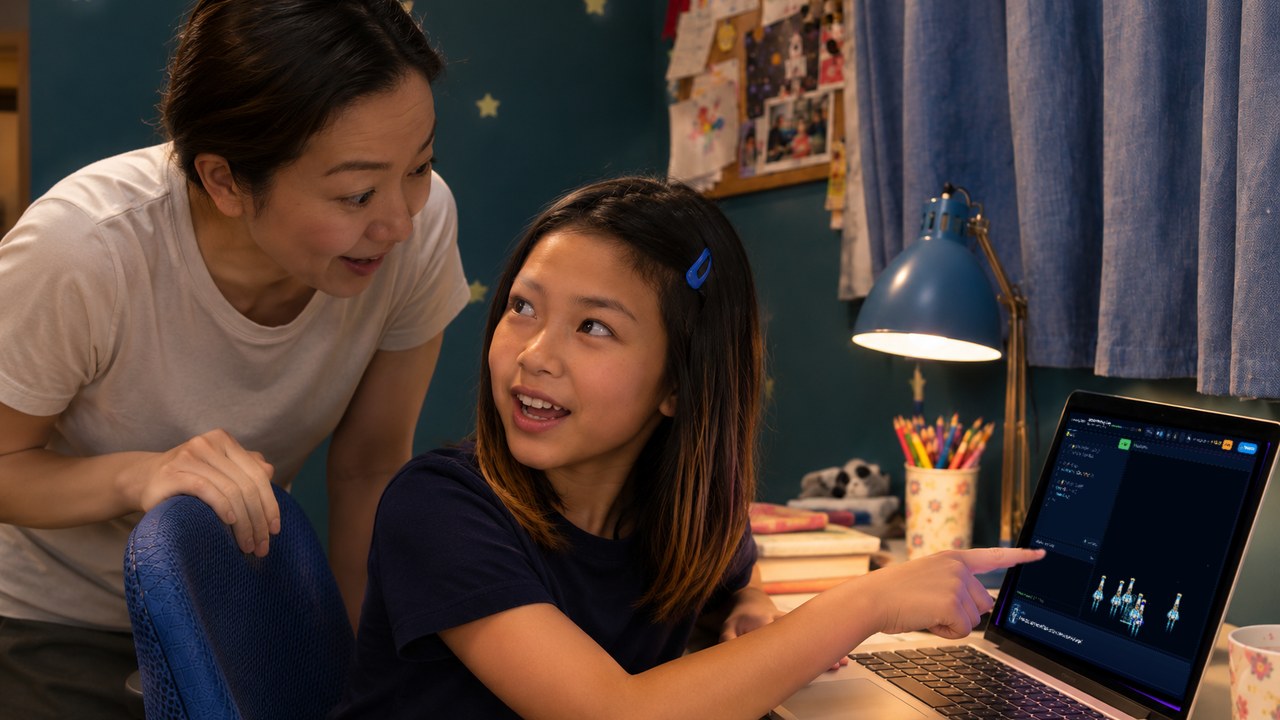
At a glance
| Codestronauts | Code.org | |
|---|---|---|
| What it is | A story-driven course for home. Its first mission, Star Catcher, runs five episodes | Free block-based curriculum, made for class[2][1] |
| Price | Episode 1 free, then $29.99 once for the rest of Star Catcher | Free. Every course, tool and activity[3] |
| What the kid types | Real JavaScript, from Episode 1 | Blocks first. Typed JavaScript in Game Lab, for ages 12 to 18[4] |
| Ages | 8–12 | K–12. Blocks for ages 5 to 11, labs for 11 up[1] |
| Best for | Kids 8–12 ready for typed code and a story to finish | Structured block lessons in class[5] |
| What comes next | One story. Cody needs them, and every episode stops on a cliffhanger | Separate puzzles, many with characters kids know[6][7] |
| What they make | An arcade game with arrow keys, a score and their own boss | Animations, games and apps in its labs[1] |
| Help when stuck | Hints first; her final hint says the line, and they type it | The teacher, plus videos and hints in its puzzles[5][6] |
| Where it runs | Phones, laptops and computers, in a web browser. Nothing to install | In a browser, on computers and Chromebooks,[4] plus tablets for elementary courses[5] |
| Who's in charge | You, behind a PIN. No ads, and no chatting with strangers | The teacher, with a progress view of each student[5] |
| Who makes it | Jonathan Greene, a dad of two with 17+ years in software | CodeAI, a 501(c)(3) nonprofit, launched as Code.org in 2013[3] |
No card needed
Checked Nov 5, 2026. Every fact about Code.org carries its source, listed under Sources.
The map
Code.org in class, Codestronauts at home
Codestronauts has kids type code inside one story at home. Code.org starts them on blocks in guided courses, often in class.
Placed from each program's own pages, checked Nov 5, 2026.
| Real coding skill | |||
|---|---|---|---|
| How likely they stick with it | Learns the ideas in blocks | Moves from blocks to typing | Types real code, like the pros |
| A story to finish, inside an epic |  Codestronauts | ||
| A level to beat or people to share with | Scratch codeSpark | Kodable | CodeCombat Roblox Studio CodeMonkey |
| The next lesson or class | Code.org Tynker Minecraft Education | Khan Academy | |
- → Real code from day one: no wall when the blocks run out.
- ↑ They finish what they start, and finishing builds real skill.
Is Code.org still a thing?
Yes, under a new name. Code.org became CodeAI on June 2, 2026.[8] The Hour of Code became the Hour of AI.[7]
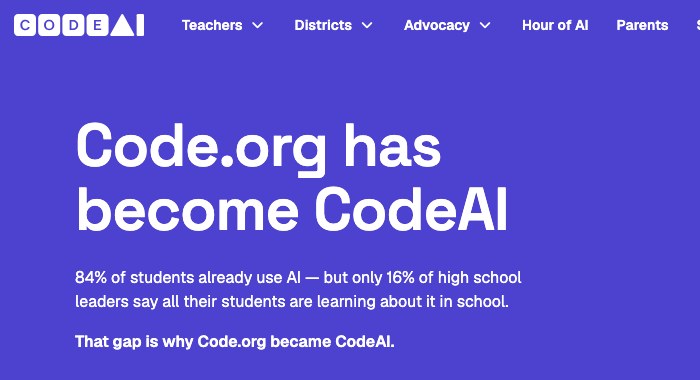
Its own page says "the work, the curriculum, the partnerships, and the people remain".[9] Old Code.org links and logins still work.[9] Existing courses stay, and so does free access for students and teachers.[9] Game Lab and App Lab are still on its site too.[4][10]
Coming from Code.org? What carries over
Nearly everything. A Code.org puzzle teaches that a program is a list of steps, run in order. Typed code works the same way.
Run it here
The same idea, spelled out
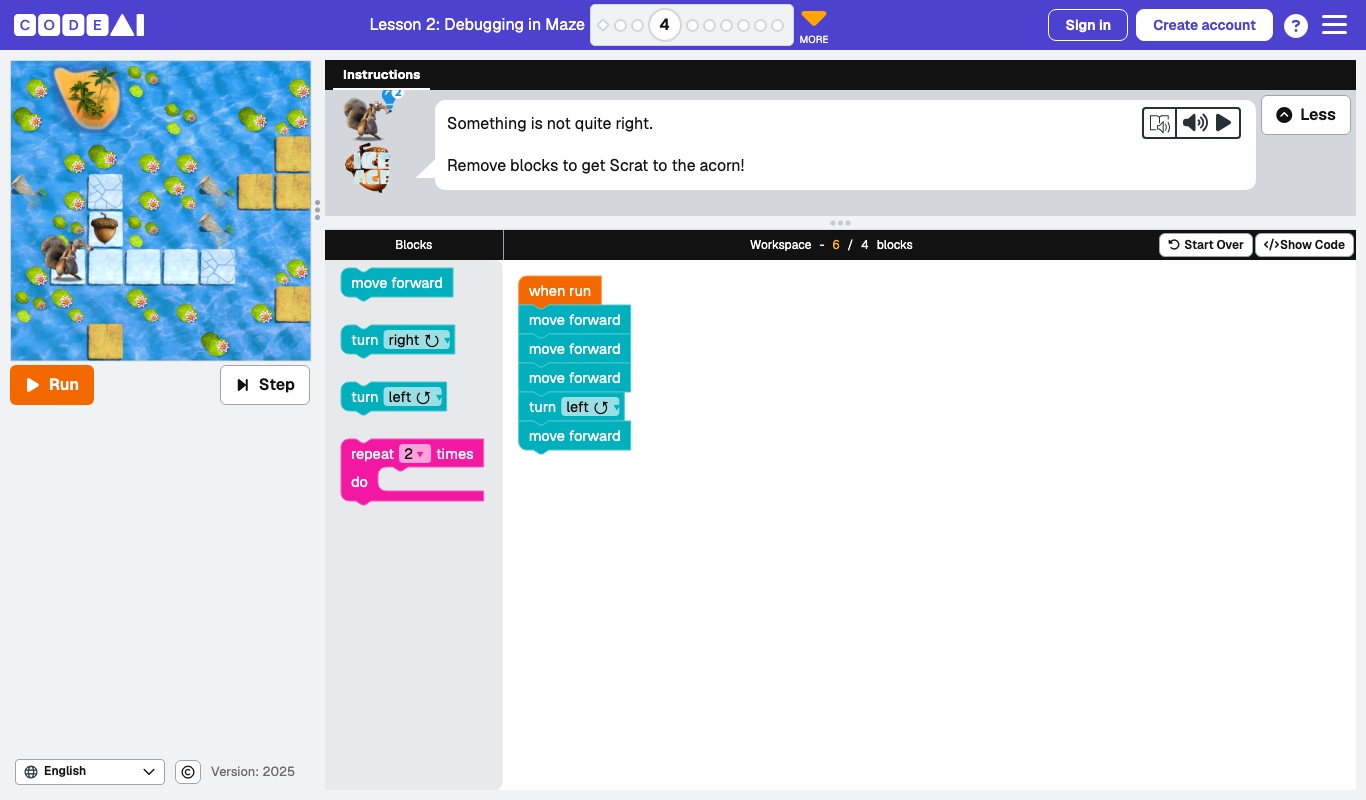
In Code.org's Express Course, move forward blocks walk Scrat toward the acorn, and a repeat block waits in the toolbox.Screenshot of a Debugging in Maze level in Code.org's Express Course (2025), code.org, taken Nov 2, 2026.
// 🚀 THE HULL
makeRocket({ color: "blue" });

// 🌟 STARLIGHT SCANNER
every(1000, () => {
  spawnStar();
});
Change blue to red, or 1000 to 100, and press Run.
Press ▶ Run
That's Episode 1's real game engine, running your edit on this page.
No card needed. Episode 1, “Wake Up, Cody,” takes about 15 minutes.
A repeat block runs its steps more than once. every(1000, …) does that job in a line your kid types, once a second.
So keep Code.org going at school. Codestronauts is the half that happens at home, at your kid's own pace.
How does each one start for my kid?
Code.org starts with a block puzzle. Codestronauts starts with a sleeping robot.
At home with no teacher, a kid would open the Express course. It's for grades 3 to 8, worked through at their own pace.[5][11] Lesson 1 is Programming with Angry Birds.[6] We opened it, and each level is a short block puzzle with a clear finish.
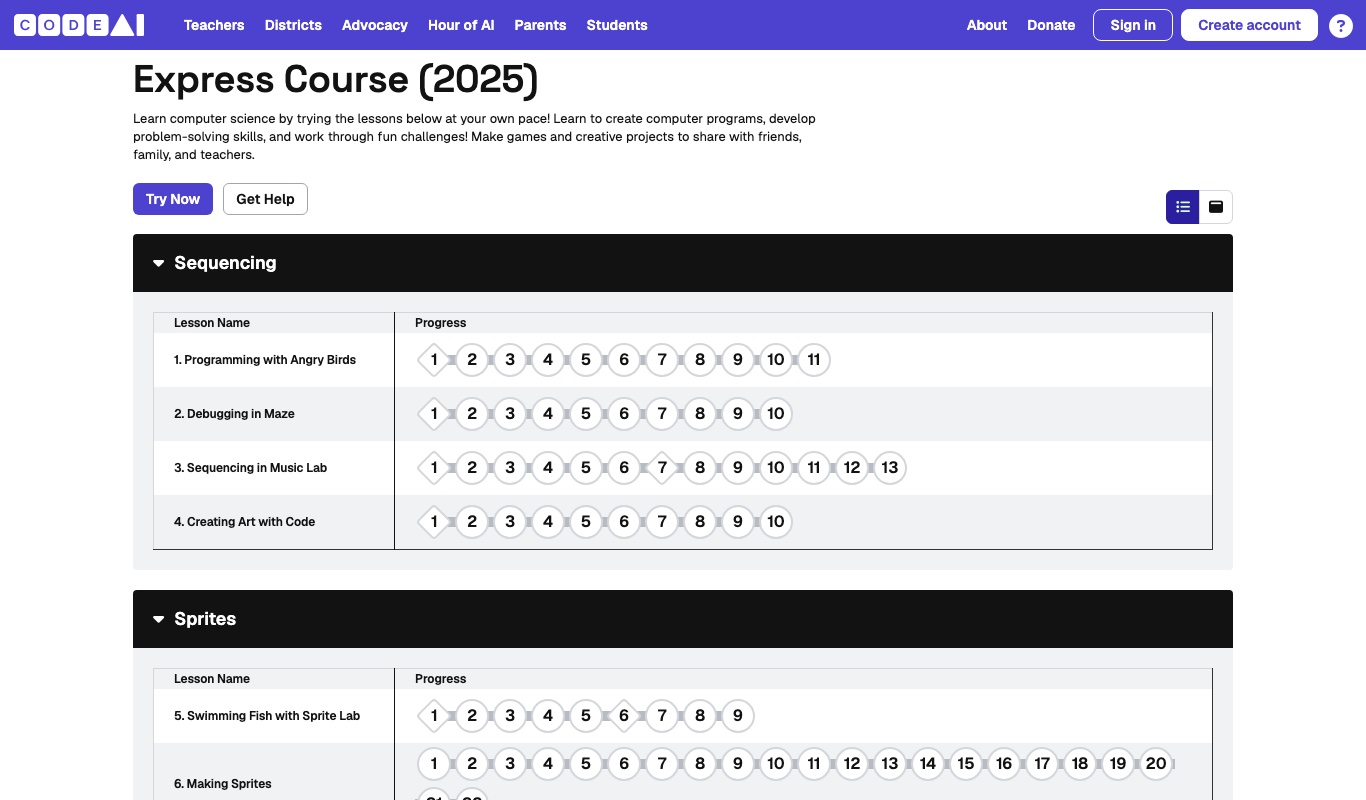
Typed code comes later, in the Self Paced Introduction to Game Lab, listed for grades 6 to 12.[11]
Episode 1 here is Wake Up, Cody, about 15 minutes. To start: your email, a password, a PIN and your kid's first name. No card, and your kid needs no email. Open the link we email, then hand over the screen, sound on.
One press of Run wakes Cody. The first line your kid types builds the ship, and Cody puts a name to every new word once they've watched it work.
Next comes Thruster Trouble, where their code teaches it to fly.
Is Code.org good for kids?
Yes, above all with a teacher running it in class. Its elementary path is six courses, one for each grade.[5] Each runs about a month, with lesson plans and slides for the teacher.[5] It counts more than 155 million students reached.[3] If your kid's school teaches it, that's class time well spent.
To judge what's sticking, ask your kid to explain one line they wrote. If they can explain it, they learned it. If they shrug, they followed instructions.
On a Code.org puzzle, press Show Code together. See if they can match each line to its block.
Where do the two really differ?
In what your kid types, and in why they come back.
Code.org's typed JavaScript sits in its labs, aimed at older students.[1][4] In Codestronauts, an 8-year-old types it in Episode 1.
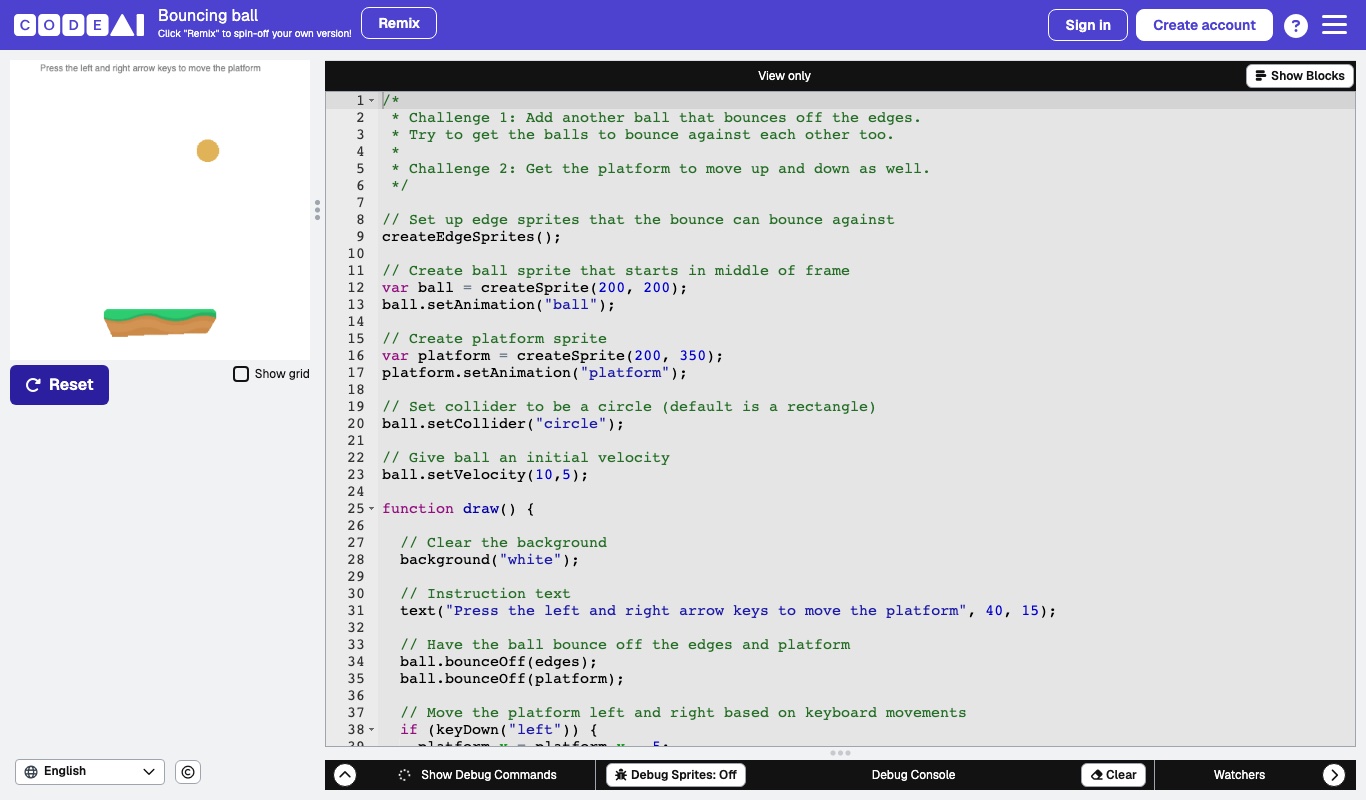
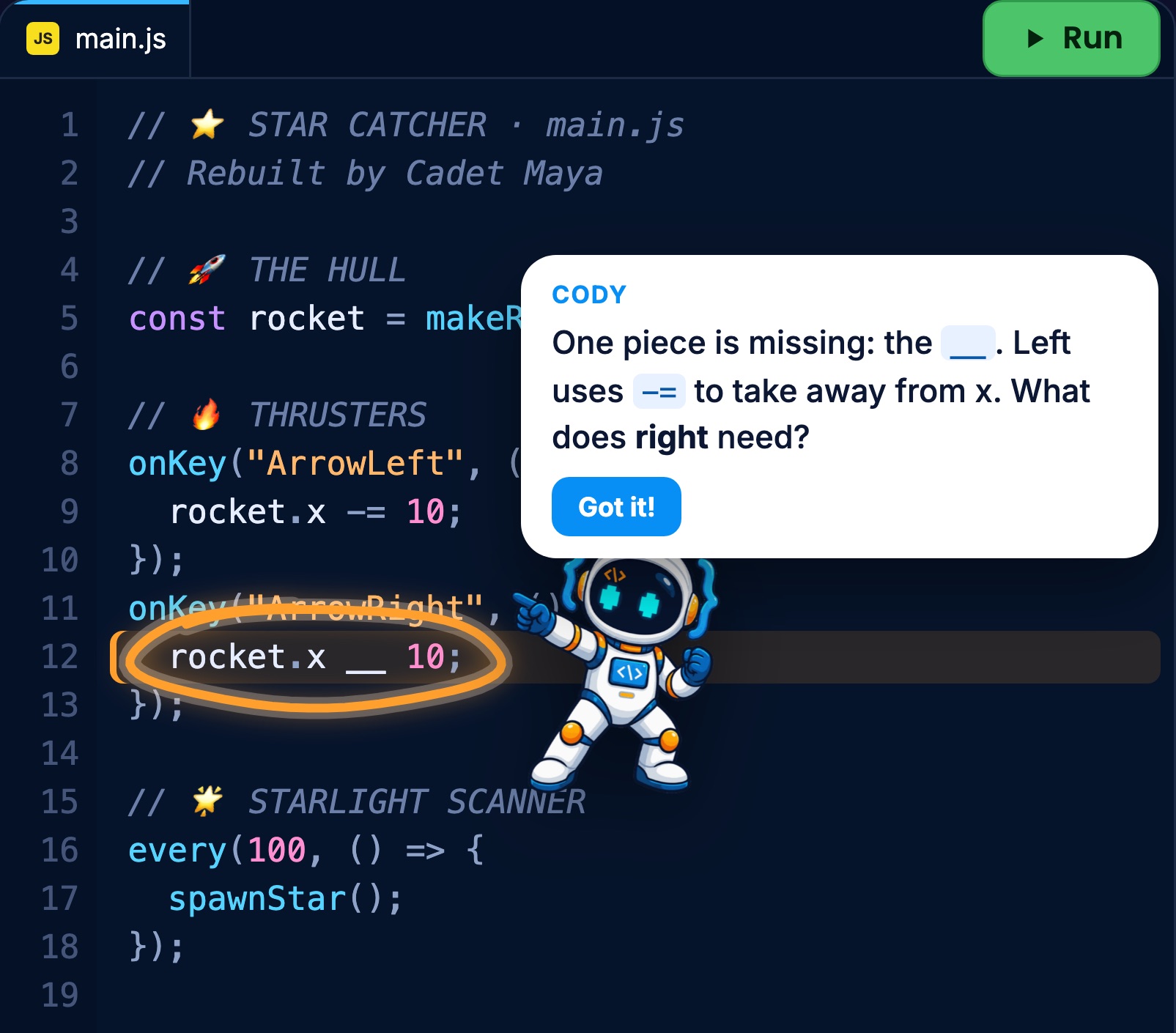
Both screens move something with the left arrow key. One is a lab project for older students. The other is Episode 2 of a story.
Code.org's lessons are separate puzzles, each with its own finish. Codestronauts is one story, and each episode leaves a question the next one answers.
Is Code.org still free? Why pay for a story?
Yes, it's still free, and its supporters fund it.[3] What you'd pay us for is one story at home, with a voiced robot who needs your kid.
Episode 1 costs nothing. The rest of Star Catcher is one payment of $29.99. That's five episodes, about two hours of story in all. After that comes Constellation Painter, Mission 2, where kids redraw the star charts the Glitch erased.
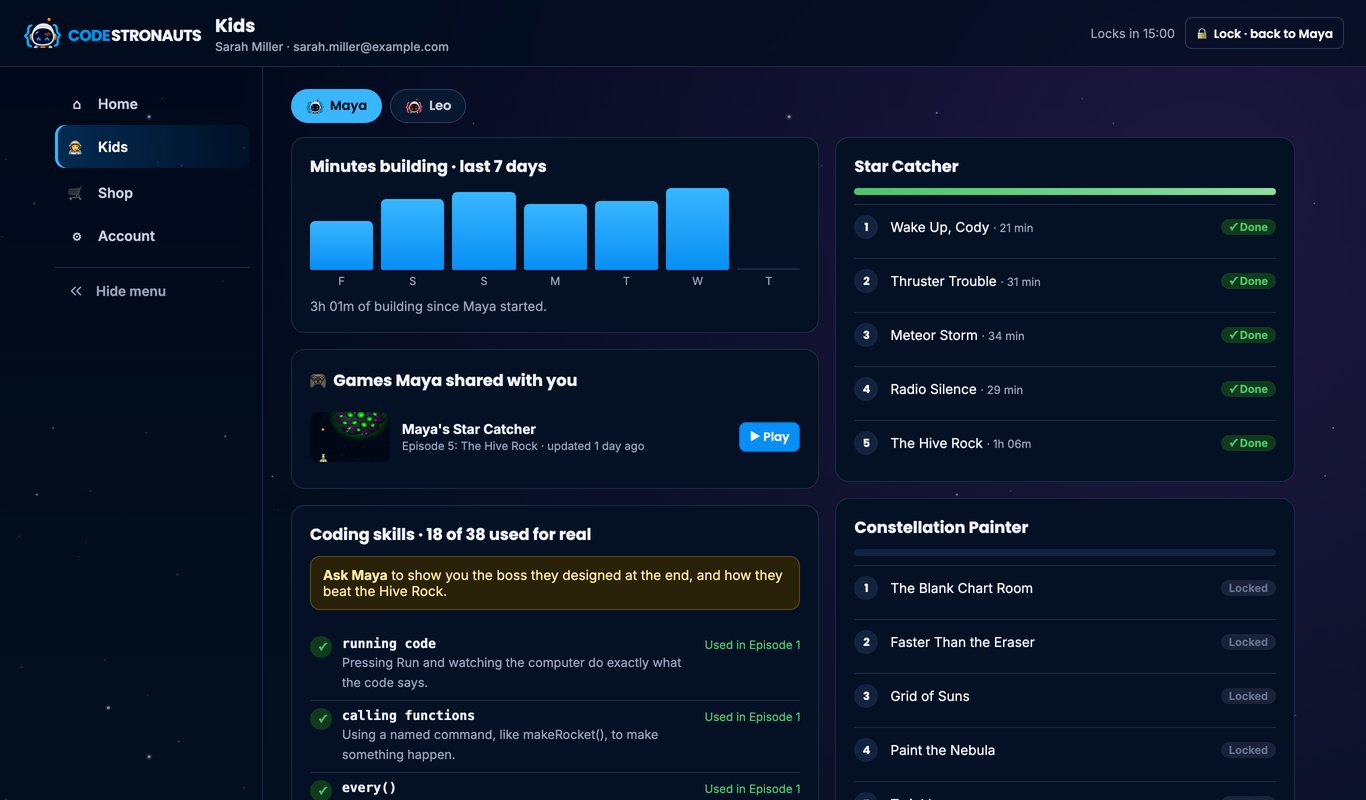
You stay in charge. Nothing renews, siblings share it, and every purchase waits for your approval. The Parent Corner shows each step and sign-in. You'll also see the minutes spent building and each episode done.
Questions parents ask
Is Code.org real coding? What language does it use?
What age is Code.org for?
Is Code.org or Scratch better?
It depends on the kid. Code.org leads them through guided courses, often in class. Scratch gives them blocks to drag and snap into projects of their own.[13] We also set Scratch beside Codestronauts.
When is my kid ready to move from blocks to typed code?
When the puzzles start to feel easy, or they ask how real games are made. Typing speed matters less than you'd think, because the lines in Star Catcher are short. A kid who can read a Code.org level alone is usually ready for Episode 1.
Is Code.org safe for kids?
Its About page says it strictly maintains "a non-commercial, ad-free environment".[3] For what your kid's class uses, ask the teacher.
Where Codestronauts fits
Codestronauts, for the kid who's finished the puzzles
In Star Catcher, our first mission, your kid's code carries the story. Wrong code plays out on the viewscreen, often for a laugh, and Cody says why. By The Hive Rock, they've built an arcade game. They typed the code that makes it run.
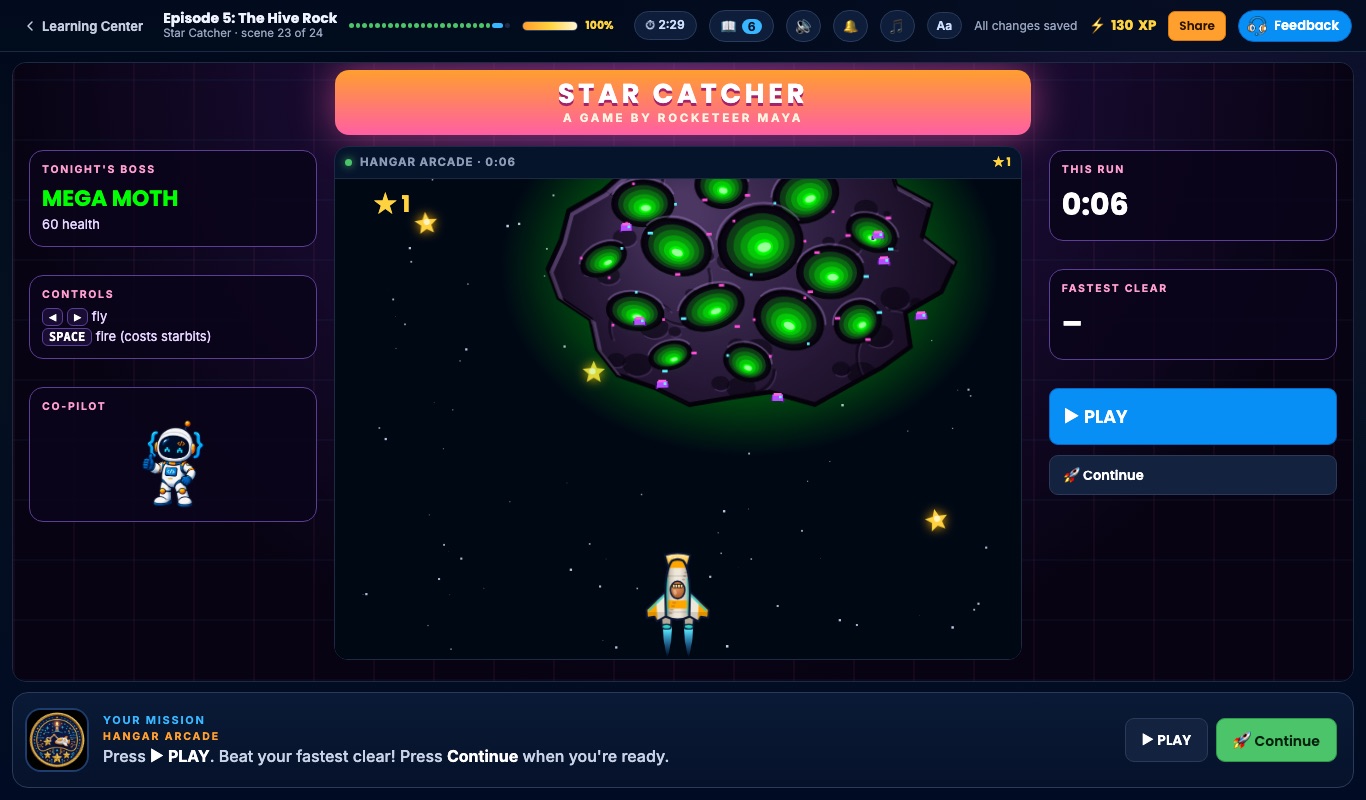
After Episode 1, ask your kid to explain one line they typed. No card needed.
Was this answer helpful?
What was missing?
Code.org alternatives parents also weigh
Scratch Tynker CodeCombat Roblox Studio Coding tutor Coding camps Live coding classes Khan Academy CodeMonkey Kodable codeSpark Minecraft EducationAll fourteen side by side
From the blog
All answers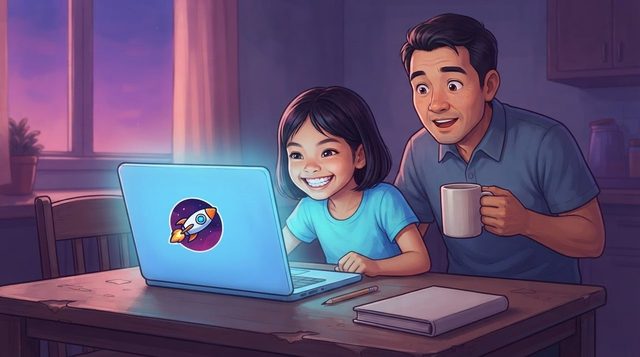 CodingIs coding good for kids?Yes. Coding turns screen time into making. A kid plans, builds, hits a bug and fixes it, and the program is still there when the hour ends.
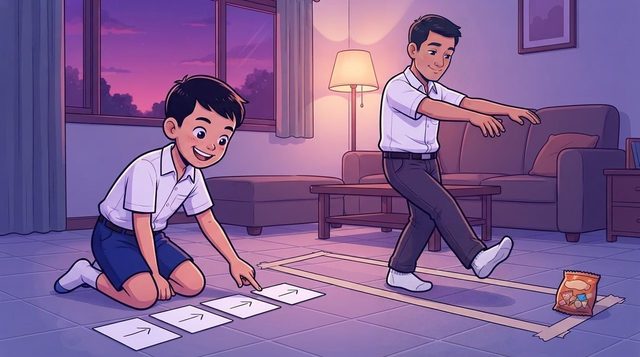 SchoolMy son has coding lessons in Grade 3 at his Thai school. What is he actually learning?Mostly how to solve problems in clear steps, with some programming.
How we compared
We make Codestronauts. We opened each product and took these screens on the dates shown. Each fact about the other program links to its own pages. Something out of date? Write to hello@codestronauts.com and we'll fix it. Code.org belongs to its owner, which has no tie to Codestronauts.
Sources
- Computer Science for Students | Learn, Explore, and Create with CodeAI, CodeAI (formerly Code.org). Read Nov 5, 2026 ↩
- Free K–12 Curriculum for Digital Fluency | CodeAI, CodeAI (formerly Code.org). Read Nov 5, 2026 ↩
- About CodeAI – Our Mission, Impact, and Approach, CodeAI (formerly Code.org). Read Nov 5, 2026 ↩
- Game Lab | Create Games and Animations with JavaScript, CodeAI (formerly Code.org). Read Nov 5, 2026 ↩
- Computer Science Fundamentals Curriculum, CodeAI (formerly Code.org). Read Nov 5, 2026 ↩
- Programming with Angry Birds #3 | Express Course (2025), CodeAI (formerly Code.org). Read Nov 5, 2026 ↩
- The Hour of AI | CodeAI, CodeAI (formerly Code.org). Read Nov 5, 2026 ↩
- Students Know AI Will Define Their Future. Now They Need the Tools to Understand It. (press release), CodeAI (formerly Code.org). Read Nov 5, 2026 ↩
- Code.org is now CodeAI, CodeAI (formerly Code.org). Read Nov 5, 2026 ↩
- App Lab | Create Apps with JavaScript, CodeAI (formerly Code.org). Read Nov 5, 2026 ↩
- CodeAI for Parents | At-Home Computer Science Resources, CodeAI (formerly Code.org). Read Nov 5, 2026 ↩
- AI Tutor | CodeAI, CodeAI (formerly Code.org). Read Nov 5, 2026 ↩
- Scratch | Scratch Foundation, Scratch Foundation. Read Nov 5, 2026 ↩
- Coding For Kids, Kids Online Coding Classes & Games | Tynker, Tynker. Read Nov 5, 2026
- About CodeCombat, CodeCombat. Read Nov 5, 2026
- Luau, Roblox Creator Hub. Read Nov 5, 2026
- Introducing Khan Academy's New Intro to Computer Science Course with Python, Khan Academy Blog. Read Nov 5, 2026
- Coding for Kids | Game-Based Programming, CodeMonkey. Read Nov 5, 2026
- Coding & Typing Apps for Kids Ages 4-10 | Kodable, Kodable. Read Nov 5, 2026
- codeSpark, the #1 Learn-to-Code App for Kids 3-10, Begin (codeSpark). Read Nov 5, 2026
- Computer Science | Minecraft Education, Minecraft Education (Mojang and Microsoft). Read Nov 5, 2026