Minecraft Education vs Codestronauts: can kids learn real coding in Minecraft?
Minecraft Education brings school lessons into a world kids know. Codestronauts builds a story around the code they type.
Short answer
Yes: Minecraft Education, Minecraft's classroom edition, teaches coding in blocks, JavaScript or Python; families pay $36 per user a year (Nov 2026).[1][2][3]
 Codestronauts is a self-paced, story-driven coding course for kids 8–12.
Pair them: Minecraft Education for building and school subjects, Star Catcher for a story they type through. Episode 1 is free, no card.

No card needed. Episode 1, “Wake Up, Cody,” takes about 15 minutes.
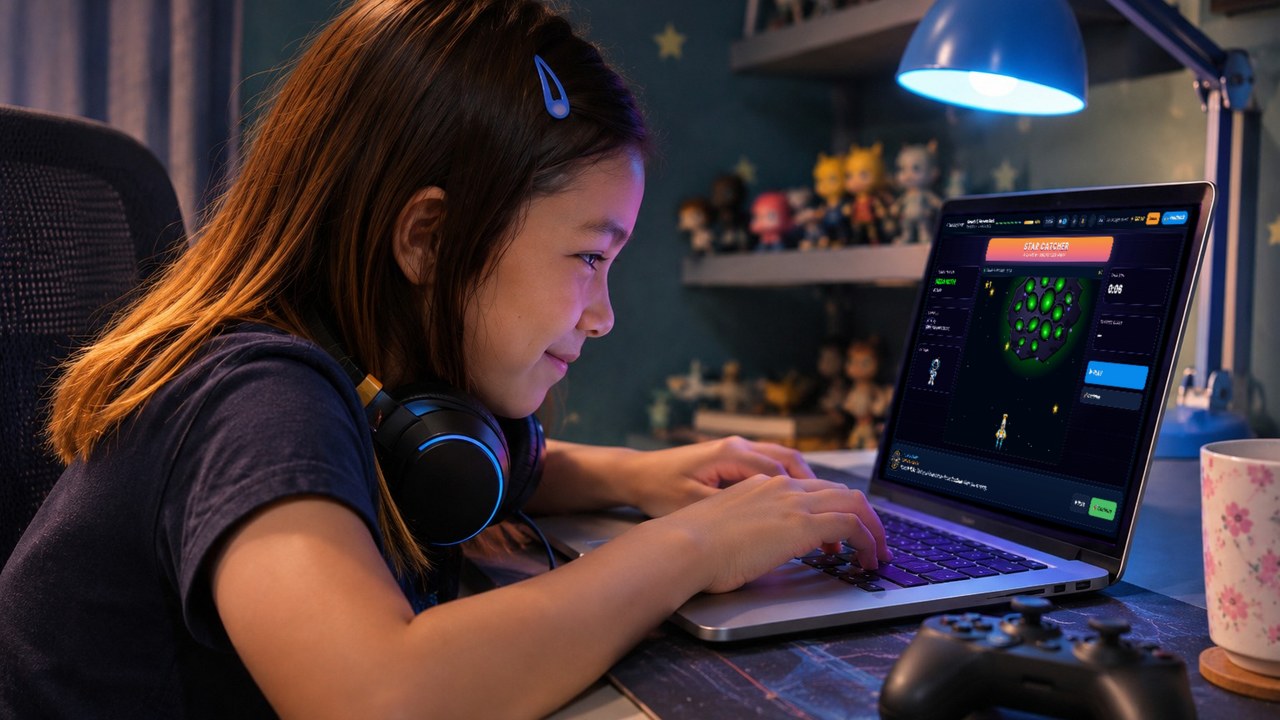
At a glance
| Codestronauts | Minecraft Education | |
|---|---|---|
| What it is | Coding course told as a story: five episodes, about two hours. | Minecraft's edition for classrooms, with lessons and Code Builder.[1] |
| Price | Episode 1 free, then $29.99 once for the rest of Star Catcher | $36 per user a year for families, annual commitment; schools pay $5.04, Nov 2026.[3][1] |
| What the kid types | Real JavaScript, from the first line they type. | Blocks, JavaScript or Python in MakeCode, blocks first.[2][4] |
| Ages | 8–12. | Kindergarten to grade 12, by its K12 curriculum.[5] |
| Best for | Kids 8–12 ready to type real code inside one story | Minecraft fans learning coding and other subjects in its world.[3] |
| What comes next | The next episode answers each cliffhanger. | The next lesson: Hour of Code, then MakeCode blocks, then Python.[4] |
| What they make | An arcade game of their own, down to the boss they design. | Builds and arcade-style mini-games, made inside Minecraft.[4] |
| Help when stuck | Cody hints, step by step; her final hint shows what to type. | Step-by-step MakeCode tutorials with hints; Hour of Code answer keys.[6][7][2] |
| Where it runs | Phones, laptops and computers, in a web browser. Nothing to install | Installed on Windows, Mac, Chromebook, iPhone, iPad and Android.[3] |
| Who's in charge | You, the parent, from a Parent Corner locked by your PIN. | Teachers in class; at home, whoever buys the licence. No public servers.[1] |
| Who makes it | Jonathan Greene: inventor on 50+ U.S. patents, dad of two. | Mojang and Microsoft, the makers of Minecraft.[3] |
No card needed
Checked Nov 5, 2026. Every fact about Minecraft Education carries its source, listed under Sources.
The map
Minecraft Education for building, Codestronauts for a story
Minecraft Education is a lesson library, from MakeCode blocks to Python. Codestronauts tells one epic a mission at a time, typed in real JavaScript.
Placed from each program's own pages, checked Nov 5, 2026.
| Real coding skill | |||
|---|---|---|---|
| How likely they stick with it | Learns the ideas in blocks | Moves from blocks to typing | Types real code, like the pros |
| A story to finish, inside an epic |  Codestronauts | ||
| A level to beat or people to share with | Scratch codeSpark | Kodable | CodeCombat Roblox Studio CodeMonkey |
| The next lesson or class | Code.org Tynker Minecraft Education | Khan Academy | |
- → Real code from day one: no wall when the blocks run out.
- ↑ They finish what they start, and finishing builds real skill.
Can kids learn coding in Minecraft Education?
Yes, in a world they already know. Its Code Builder opens Microsoft MakeCode inside the game.[1] The path runs from Hour of Code to MakeCode blocks, then Python.[4] JavaScript is there too.[2]
Kids code the Agent, a helper that builds for them.[8] In the GameCode course, they make arcade-style mini-games inside Minecraft.[4]
It reaches well past coding, with over 600 standards-aligned lessons.[3] Up to 30 students can work together in one world without a separate server.[3] More than 40,000 school systems use it,[5] so your child may already have an account through school.[1]
Coming from Minecraft Education? What carries over
Most of the thinking carries over. A Code Builder kid already knows that code runs when something happens.
In MakeCode, they snap an agent move block inside an on chat command block. Switch to JavaScript, and that block reads agent.move(FORWARD, 1).
Star Catcher uses the same shape, typed. In Episode 1, the star scanner drops a star every 1,000 milliseconds. Make that number smaller, and stars come more often.
Run it here
The same idea, spelled out
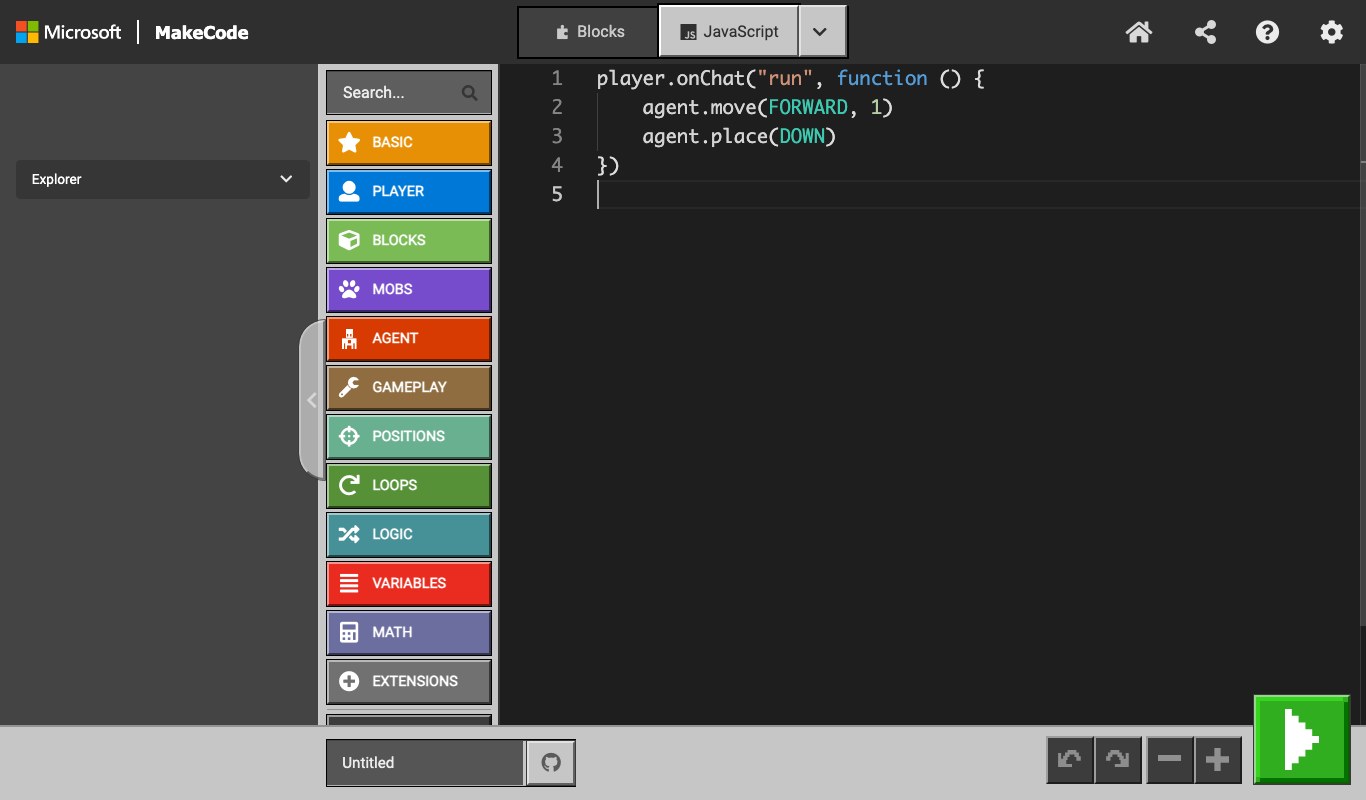
MakeCode's JavaScript view shows the agent move block as a typed line.Screenshot of Microsoft MakeCode for Minecraft in its JavaScript view, minecraft.makecode.com, taken Nov 5, 2026.
// 🚀 THE HULL
makeRocket({ color: "blue" });

// 🌟 STARLIGHT SCANNER
every(1000, () => {
  spawnStar();
});
Change blue to red, or 1000 to 100, and press Run.
Press ▶ Run
That's Episode 1's real game engine, running your edit on this page.
No card needed. Episode 1, “Wake Up, Cody,” takes about 15 minutes.
Keep the Minecraft builds going. Star Catcher adds a story to finish, and every line is typed.
How does the coding feel different?
In Minecraft Education, code builds the world; in Star Catcher, code moves a story. Their path starts with blocks.[4] Ours type from the first line.
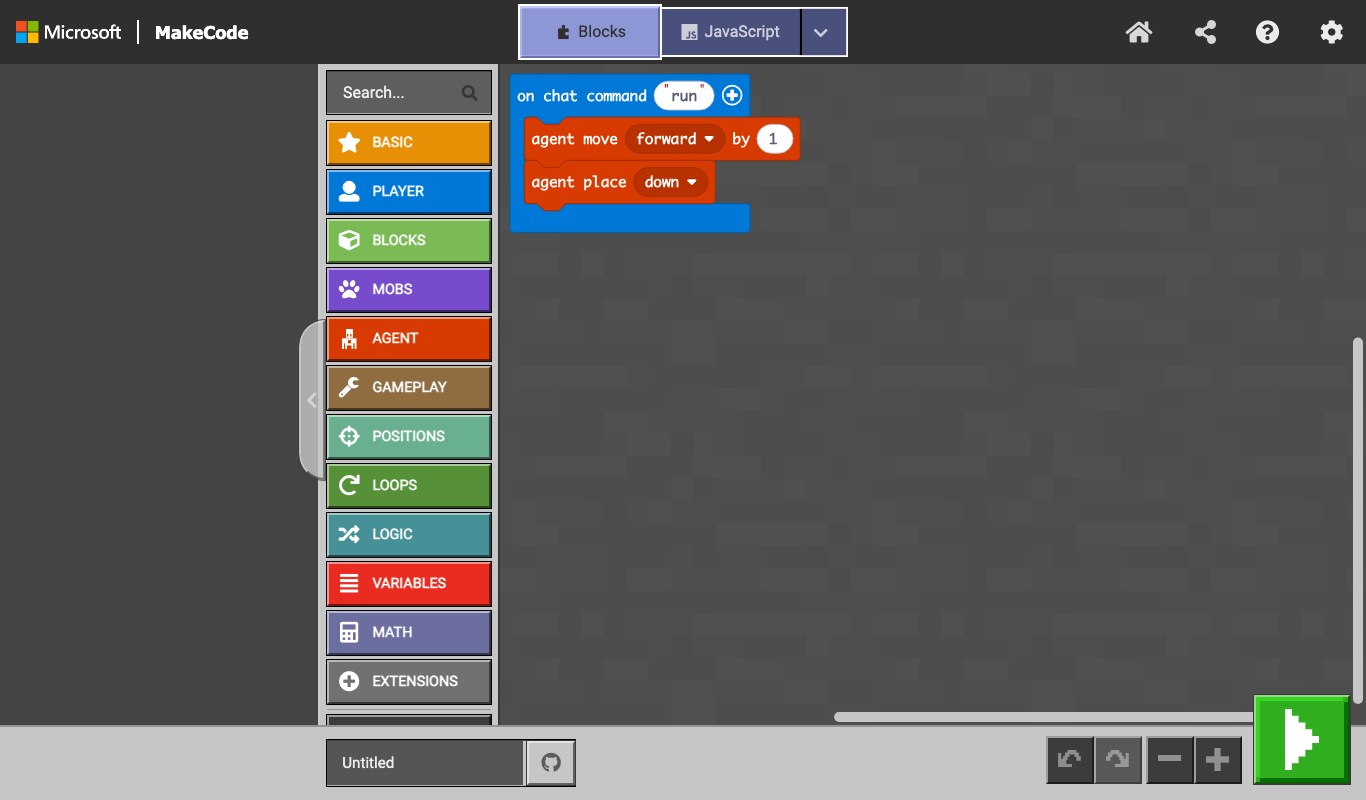
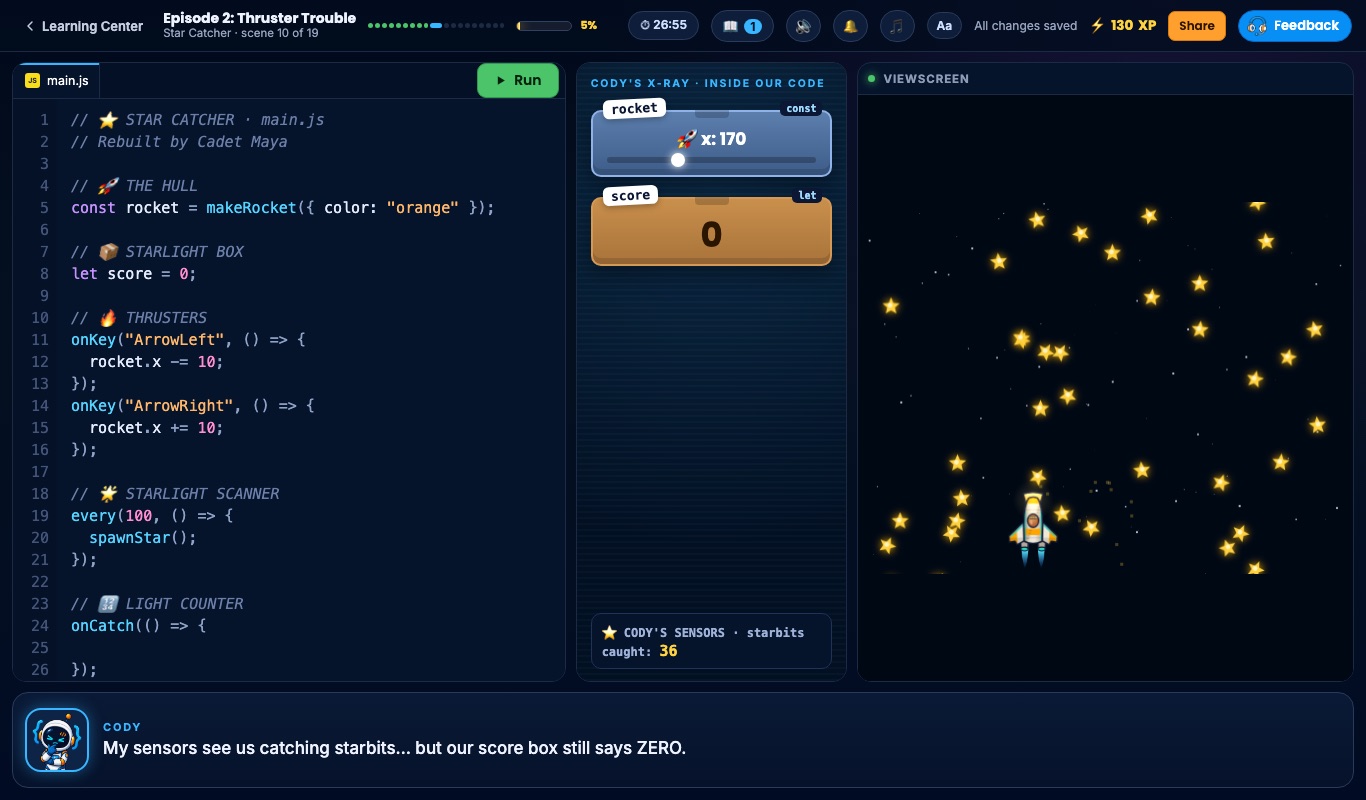
In Minecraft, the kid's code tells the Agent what to build.[8] In Thruster Trouble, rocket.x -= 10; slides the ship left, and Cody needs every starbit.
The other difference is who sets the path. A teacher shapes lessons from the library to the class.[1] In Star Catcher, the story does, and each episode ends on a cliffhanger.
What happens on the first night?
Minecraft Education starts with an install of its latest version.[2] You sign in with a Microsoft 365 account.[3] The free Hour of Code, A Minecraft Tale of Two Villages, uses coding to bring two villages together.[2]
Codestronauts opens in a web browser. In Wake Up, Cody, your kid presses Run and Cody wakes up. Bugs have eaten the ship, and each typed line builds it back. A wrong line plays out on screen, then Cody explains it.
About 15 minutes in, the episode ends like this:
Sign-up takes your email, a password, a PIN and your kid's first name. You need no card, and your kid needs no email.
What does Minecraft Education cost a year?
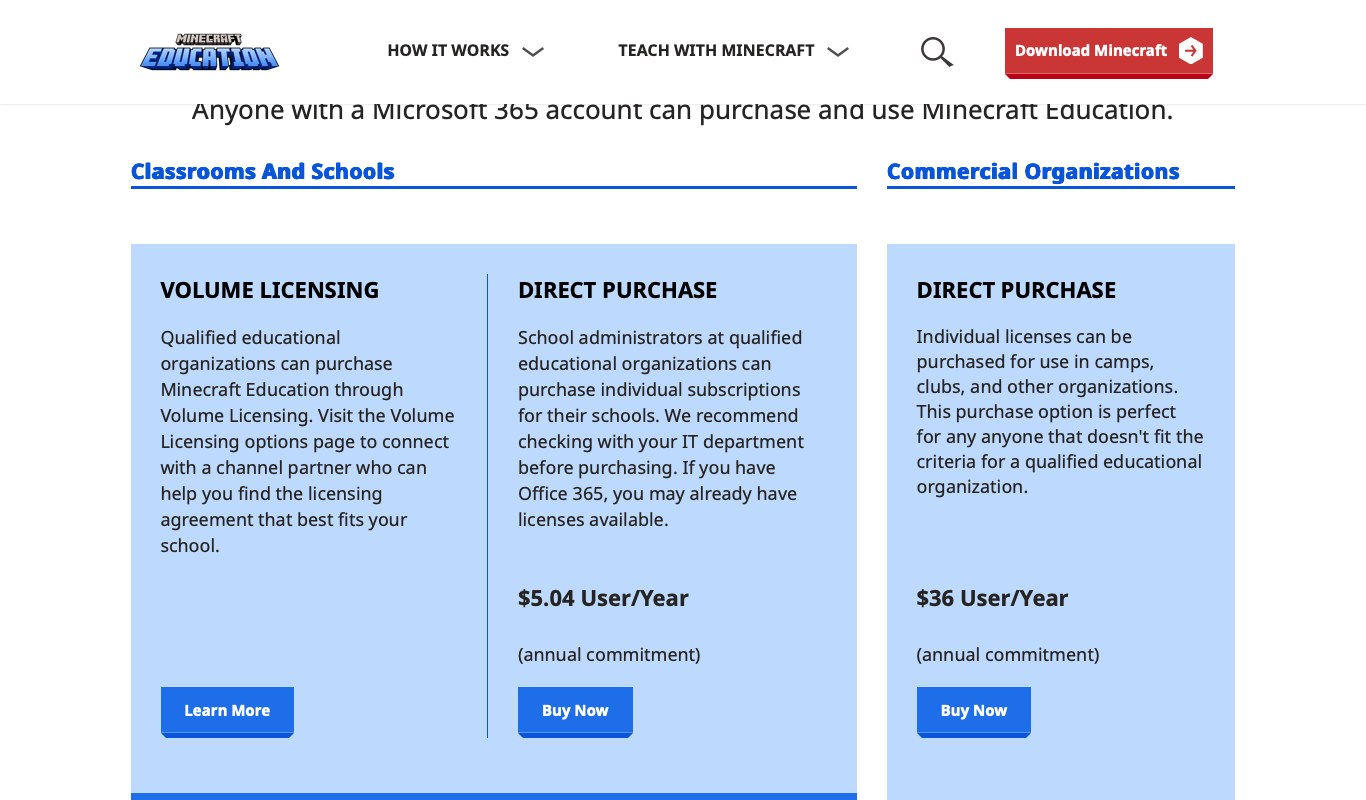
For a family, $36 per user a year, on an annual commitment.[3][1] Two kids at home come to $72 a year. Schools pay $5.04 per user,[3] so ask your school first.
Codestronauts starts with Episode 1 free. Then $29.99 once covers the rest of Star Catcher, for brothers and sisters too. Every new mission is bought on its own, and each is a whole story.
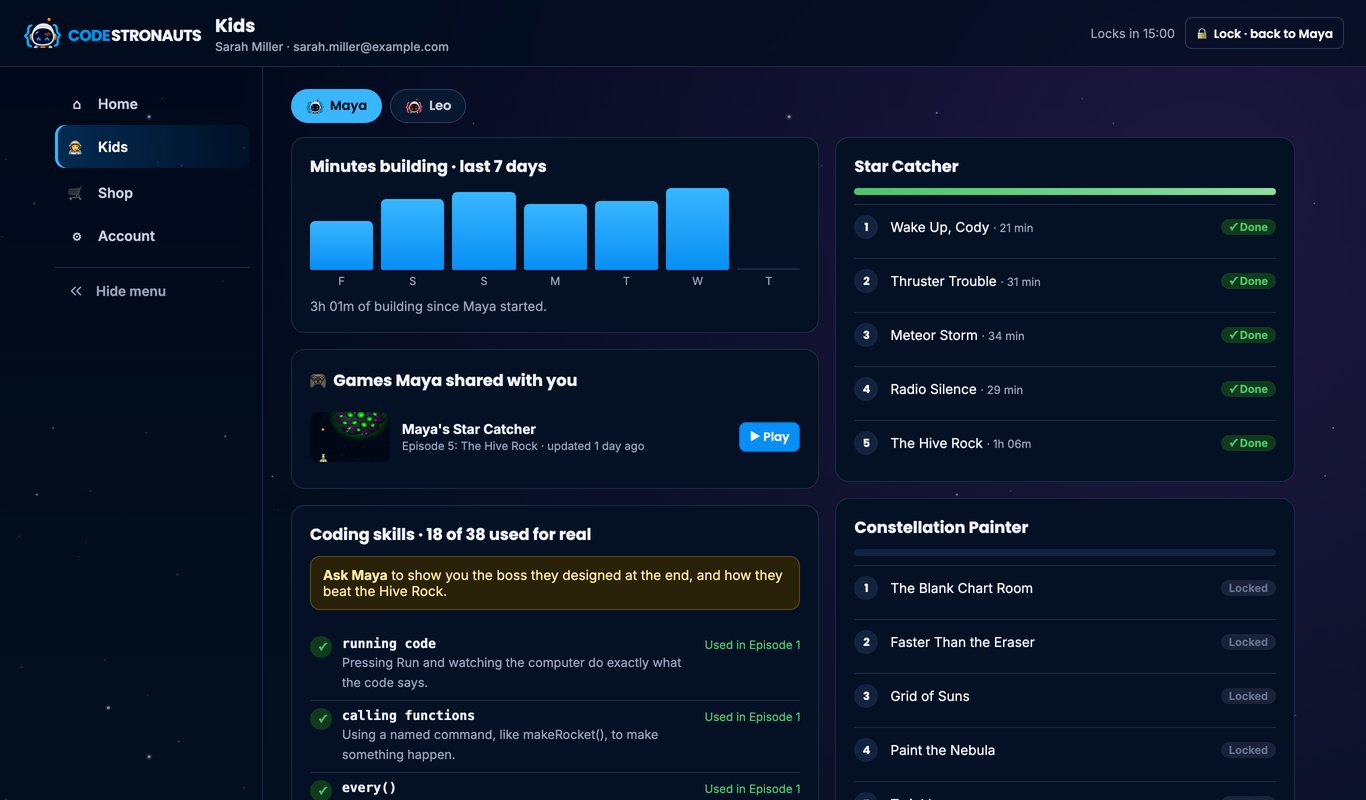
Your kid can't buy anything alone. They ask, and you say yes from the Parent Corner.
Questions parents ask
Is Minecraft Education free?
Can you code JavaScript in Minecraft Education?
Yes. Code Builder offers block coding, JavaScript and Python.[2]
What's the difference between Minecraft and Minecraft Education?
Minecraft Education is a version made for classroom use. It adds a lesson library, classroom tools and Code Builder.[1]
What age is Minecraft Education for?
Its coding curriculum runs from kindergarten to grade 12.[5] Codestronauts is made for 8 to 12, for kids ready to type real code.
Is there more after Star Catcher?
Mission 2, Constellation Painter. Your kid redraws the star charts so the Starbase can find its way again.
Where Codestronauts fits
For the Minecraft kid ready to type
Codestronauts gives a builder a story to finish. In Star Catcher, Cody needs your kid to rebuild the ship, one typed line at a time, until they've made their own arcade game.
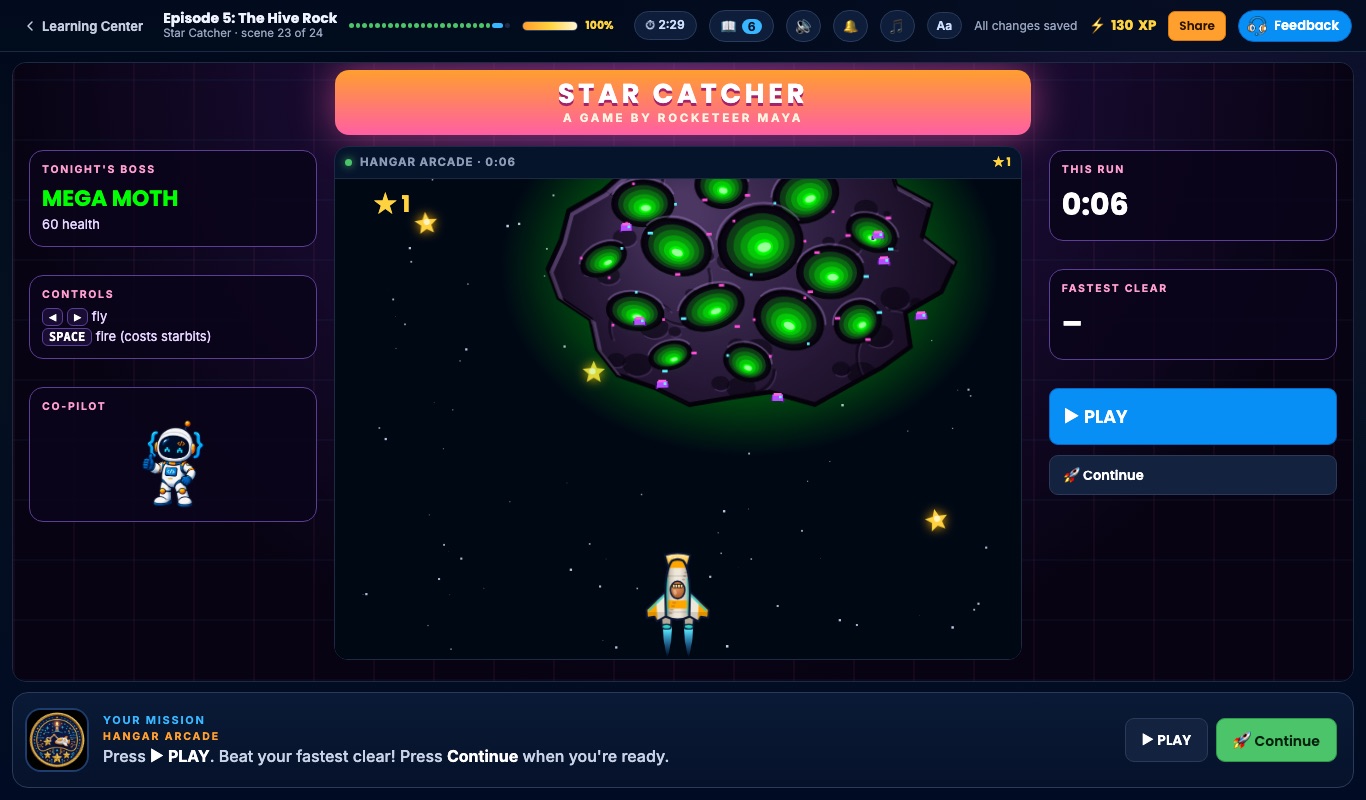
A Minecraft builder can start Wake Up, Cody tonight. No card needed.
Was this answer helpful?
What was missing?
Minecraft Education alternatives parents also weigh
Scratch Code.org Tynker CodeCombat Roblox Studio Coding tutor Coding camps Live coding classes Khan Academy CodeMonkey Kodable codeSparkAll fourteen side by side
From the blog
All answers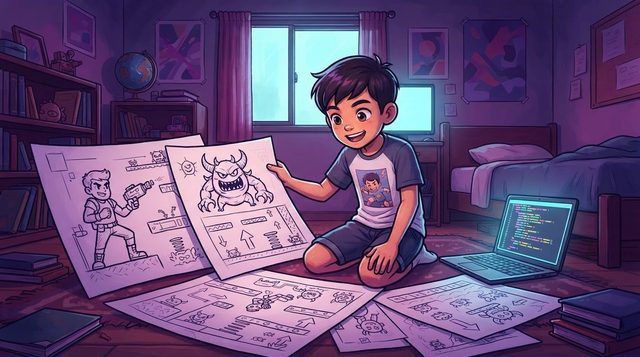 CodingMy son wants to make his own video game. Where should an 11-year-old start?Start with one small game he can finish this month, in real typed code that runs in a web browser, such as JavaScript, plus a reason to come back when week two gets hard. Eleven is an early start.
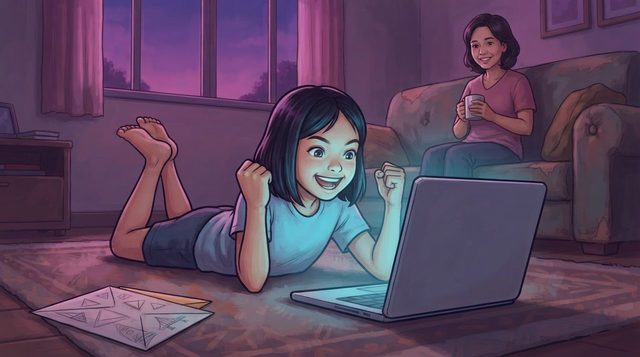 ScreensAre there educational games my kid will actually want to play?Yes, when the learning is the gameplay. Kids drop quizzes dressed up as games and stick with games where the skill is how you win.
How we compared
We make Codestronauts. We opened each product and took these screens on the dates shown. Each fact about the other program links to its own pages. Something out of date? Write to hello@codestronauts.com and we'll fix it. Minecraft Education belongs to its owner, which has no tie to Codestronauts.
Sources
- Minecraft Education for Parents, Minecraft Education (Mojang and Microsoft). Read Nov 5, 2026 ↩
- Hour of Code | Minecraft Education, Minecraft Education (Mojang and Microsoft). Read Nov 5, 2026 ↩
- Licensing | Minecraft Education, Minecraft Education (Mojang and Microsoft). Read Nov 5, 2026 ↩
- Computer Science | Minecraft Education, Minecraft Education (Mojang and Microsoft). Read Nov 5, 2026 ↩
- Minecraft Education, Minecraft Education (Mojang and Microsoft). Read Nov 5, 2026 ↩
- Tutorials | Microsoft MakeCode for Minecraft, Microsoft MakeCode. Read Nov 5, 2026 ↩
- Tutorial basics | Microsoft MakeCode, Microsoft MakeCode. Read Nov 5, 2026 ↩
- Agent | Microsoft MakeCode for Minecraft, Microsoft MakeCode. Read Nov 5, 2026 ↩
- Download Minecraft Education, Minecraft Education (Mojang and Microsoft). Read Nov 5, 2026 ↩
- Scratch | Scratch Foundation, Scratch Foundation. Read Nov 5, 2026
- Computer Science for Students | Learn, Explore, and Create with CodeAI, CodeAI (formerly Code.org). Read Nov 5, 2026
- Coding For Kids, Kids Online Coding Classes & Games | Tynker, Tynker. Read Nov 5, 2026
- About CodeCombat, CodeCombat. Read Nov 5, 2026
- Luau, Roblox Creator Hub. Read Nov 5, 2026
- Introducing Khan Academy's New Intro to Computer Science Course with Python, Khan Academy Blog. Read Nov 5, 2026
- Coding for Kids | Game-Based Programming, CodeMonkey. Read Nov 5, 2026
- Coding & Typing Apps for Kids Ages 4-10 | Kodable, Kodable. Read Nov 5, 2026
- codeSpark, the #1 Learn-to-Code App for Kids 3-10, Begin (codeSpark). Read Nov 5, 2026