Are there educational games my kid will actually want to play?
Short answer
Yes, when the learning is the gameplay. Kids drop quizzes dressed up as games and stick with games where the skill is how you win.
In a 2011 study, children free to choose spent 7 times longer on a math game built that way.1
Here are seven for ages 8–12, ours among them.

Why does my kid drop every learning app within a week?
Because he can tell what it is by day three. You picked the one with the dragon on the icon and a wall of good reviews. The first evening he plays for forty minutes and you feel clever. By the third he's tapping answers as fast as his thumb will go, because a right answer is the toll for ten seconds of dragon. By Saturday the icon has drifted to the last screen, and when you mention it you get the look. The second he smells a learning app, he's out.
Give him some credit for that look. He has played enough real games to know how one feels: you push a button and the world answers. A question box between turns feels like school, however good the art around it. Game designers call that kind of app chocolate-covered broccoli, and kids spot it faster than we do.
Do games that teach really hold kids, or do they all go stale?
Kids stay when the learning sits inside the play. In a 2011 study, Jacob Habgood and Shaaron Ainsworth tested that with two versions of a math game called Zombie Division, made for 7- to 11-year-olds.1 One followed the traditional approach, which their paper describes as using games "as a sugar coating for learning content".1 The other built the math into the play itself, which they call intrinsic integration.1
In the 2011 paper's free-play study, 16 children could pick whichever version they liked, and they spent 7 times longer on the one with the math built in.1 In the paper's other study, where 58 children played for the same two hours, kids learned more from that version too.1
A 2016 meta-analysis of research on digital games and learning, covering students from kindergarten through college, found that games "significantly enhanced student learning" compared with lessons without them.2 The results varied with each game's mechanics, visuals and story, and the authors stressed "the key role of design beyond medium."2 So check where the learning sits in a game, whatever the store page calls it.
What does a worksheet in a game costume cost him?
Mostly a belief. Every app that makes him pay for the fun with a quiz teaches him that learning is the dull part you get through to reach the good part, and it trains him to get through it with as little thought as he can. Guess fast, take the hit, keep moving. After a few of those apps, "educational" becomes the word that ends the conversation, and you're down the money and the hopeful evenings.
It's fixable, because the belief came from the apps. The same kid who skims a quiz will spend an hour on one hard level of a game he loves, trying again until it gives. Point that patience at a game where the hard part is the subject, and he'll do the learning without being asked.
Why haven't rewards and "fun" versions worked?
Each usual fix keeps the learning and the fun in separate boxes. Trading twenty minutes of a math app for twenty minutes of his favorite game tells him plainly which one is the chore. A worksheet decorated with that game's characters is still a worksheet by the second page. Choosing by the grade on the box gets you the right content in the wrong shape.
The games that hold make the skill the controller: logic gets the creatures across, algebra clears the board, code moves the ship. Then the world answers his move: the creatures cross or they don't, the equation balances or it doesn't, and he can see what his own thinking did. To check any game, watch your kid play it for five minutes and ask three questions.
- Where does the learning happen? If it sits between turns, as a question to earn a move or a quiz before the next level opens, it's a costume. If it's the move itself, it's a game.
- What does a wrong answer do? A buzzer, a red cross or a lost heart is a quiz talking. In a real learning game, something in the world goes wrong where your kid can see it (the bridge sags, the robot walks into a wall) and the fix is his to find.
- Can he win without the skill? If fast tapping or lucky guessing gets him through, the learning is optional, and he'll skip it. In the games below, the skill is the only way to play.
Prodigy, which makes a math game, gives parents a test for the other half: "if the learning content were removed, would a child still want to play?"3 Its guide lists what any good game has: "a world or story worth returning to, real choices, visible and earned progress, and enough challenge to feel like an accomplishment."3
Which educational games pass that test for ages 8–12?
These seven do, across logic, math, engineering and code, with nothing to answer between levels. They aren't ranked; pick by what your kid already loves.
- Zoombinis (logic). Kids guide a crowd of small blue creatures to a new home through a run of puzzles, each one turning on the patterns in what makes every Zoombini different. Chris Hancock and Scot Osterweil, its original co-designers, put it this way: "In effect we found the 'game in the math' rather than putting math in a game."4 It fits the kid who loves a puzzle box and hates being told the rule. It's in the Apple and Android app stores, and on Mac and Windows through Steam and the Mac App Store.
- DragonBox Algebra (math). The rules of algebra are the moves: kids work to get a box alone on one side of the board, which is solving for x before anyone says the letter. In Algebra 5+, cards with drawings slowly turn into variables and numbers; Algebra 12+, listed for ages 9 and up,5 goes on to negative signs, parentheses, adding fractions with a common denominator and factorization.5 It suits the kid who hates math but loves a clean puzzle. Both are apps for Apple and Android.
- Poly Bridge 2 (engineering). Kids build bridges from wood, steel, cable and springs, then send vehicles across and let the physics decide. A bridge that snaps shows where it was weak. It's for the Lego builder and the kid who likes to break things on purpose. It's on computers through Steam and the Epic Games Store.
- Game Builder Garage (game design). Nintendo's step-by-step lessons teach the basics of game design and visual programming.6 Kids build small games by wiring together Nodon, colorful creatures in charge of jobs like moving a character or pressing buttons.6 Free Programming then lets them build anything. It fits the gamer who already argues about how games should work. It's on Nintendo Switch.
- Star Catcher, from Codestronauts (ours; typed code in a story). A five-episode space adventure where each line of real JavaScript a kid types moves the story forward, and by the last episode they've built their own arcade game. It's made for 8–12 and suits the kid who binges series and needs a reason to keep going. It plays in the browser on a laptop or desktop, and on phones. More on it below.
- CodeCombat (typed code). Its coding games teach Python and JavaScript:7 kids type real code to steer a hero through puzzle levels, then move on to making games and websites of their own. It suits the fantasy fan who wants to type like a real programmer, and it plays in the browser.
- Human Resource Machine (programming logic). Kids program little office workers to carry boxes from an inbox to an outbox, in a language of only 11 commands.8 Under the office jokes, each level is a real programming problem. It's the stretch pick for a patient 11- or 12-year-old. It's on computers, iPhone and Android.
What can I do tonight, before buying anything else?
- Find where it went dull. Open the last learning app he quit, hand it over and ask him to stop at the point it got boring. Watch for the first question box, and know that asking tells him his judgment counts.
- Run the three questions on what's installed. Retire whatever fails, without a speech.
- Match one pick to what he loves. The builder gets bridges, the gamer gets the game workshop, the puzzler gets Zoombinis and the series-binger gets a story. Offer two and let him choose.
- Sit beside him for the first session, hands off. Let the game teach. If he asks for five more minutes when you stand up, you've found one.
- Keep it out of the reward economy. Don't trade it for game time or call it homework. Put it in the hour that's already his and see whether he picks it, the same free choice the 2011 Zombie Division study measured.1
- Ask about the thing, never the score. Why did the bridge fall? How did you get the worker to stop? A kid who can explain what went wrong has learned it.
How will I know a learning game has finally stuck?
Fern is ten and exists only on this page, a sketch of how the switch can go. Her parents had bought a math app with good reviews, and within a week she'd worked out that tapping the second answer every time got her through the questions fastest. She called it "homework with sound effects".
Her mother handed it back and asked her to stop where it lost her, and Fern stopped at the first question box. They deleted it together, and her mother offered two new games, one about bridges and one about little creatures with puzzles. Fern picked bridges because they sounded harder.
Her first truck went into the river. So did the fifth. By Sunday she had covered the back of an envelope with triangles, because her square bridges kept folding and the triangle ones held. At dinner she showed everyone, with a fork and two slices of bread, why a triangle can't squash flat. Nobody had told her it was a lesson.
Star Catcher: a learning game where the code is the controls
At Codestronauts, kids 8–12 learn to code inside a space story, and the first mission, Star Catcher, passes all three questions because typing the code is how you play. Episode 1, Wake Up, Cody, opens in an empty hangar. Your kid's first move is pressing Run on code that's already written, and Cody, a robot with a nervous streak, wakes up. The first line they type themselves builds the starship. From then on, each JavaScript line they write is the next move in the adventure, from rebuilding the Star Catcher to relighting the Great Beacon, and each episode stops on a cliffhanger that makes the next one hard to put off.
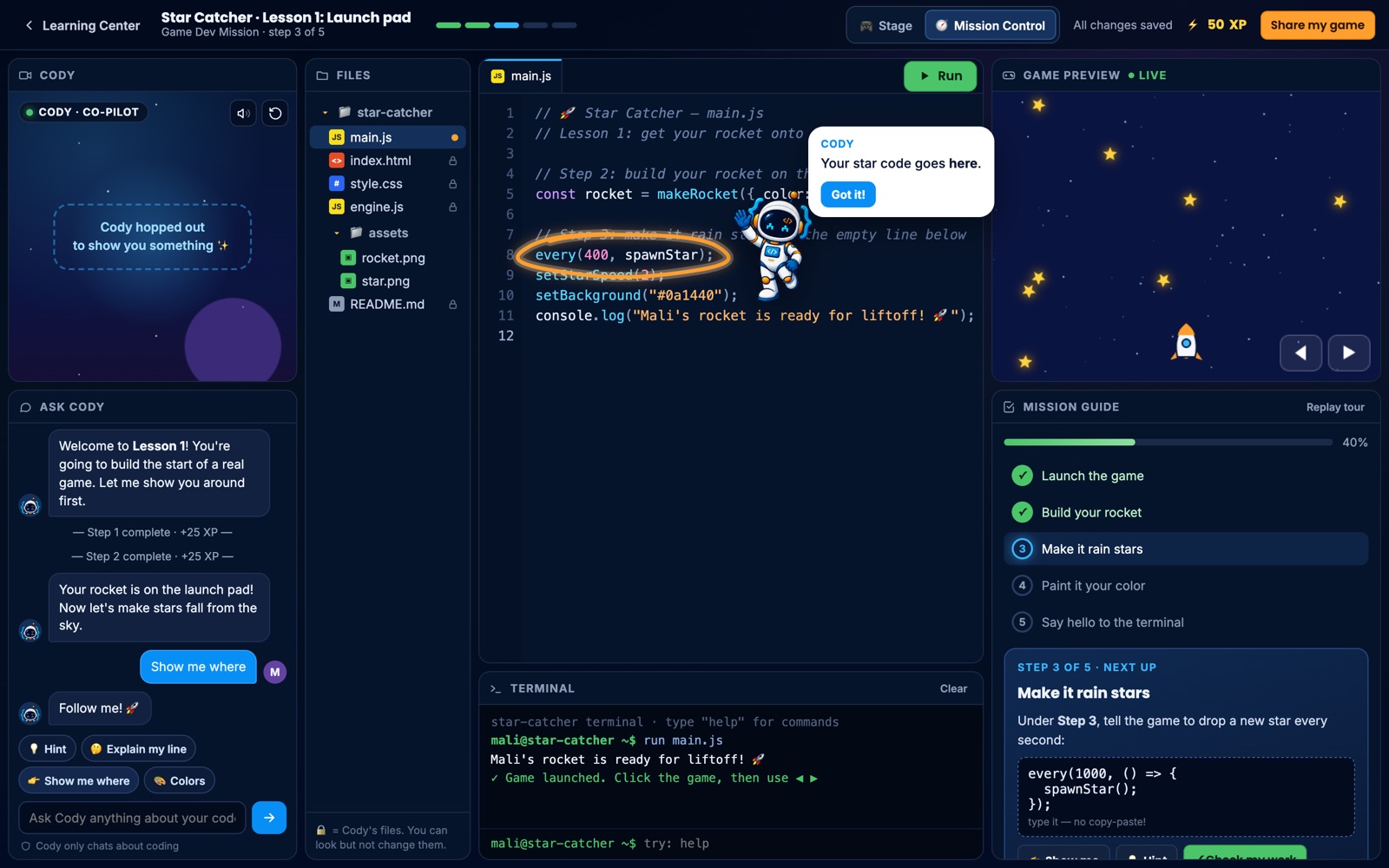
A mistake plays out on screen, sometimes comically, before Cody tells your kid why it happened. She's fully voiced. She points out where in the code to look, nudges with a hint and leaves the answer to your kid, and her help thins out as your kid improves. The code is real JavaScript, typed key by key rather than dragged in as blocks, and Cody unpacks every fresh command once your kid has seen what it does. Five self-paced episodes, roughly two hours of play altogether, leave them with a working arcade game they made: a score, sound, levels, arrow-key controls and a boss they designed.
Star Catcher plays in a web browser on your own laptop or desktop, with nothing to install. You keep the account behind a PIN in the Parent Corner, which also shows you each step they take and each sign-in and lets you approve every purchase, and the game carries no ads and no chat with strangers. One payment of $29.99 buys all five episodes, and brothers and sisters can share them.
See the mission where typing code is how your kid plays, from waking Cody to beating the boss they designed.
See how Star Catcher worksQuestions parents also ask
Do kids really learn from games, or do they just play?
They learn when the game is designed for it. A 2016 meta-analysis found that digital games "significantly enhanced student learning" compared with lessons without them,2 and that results varied with how each game was built.2 At home, ask your kid to explain why something in the game worked or failed. If they can, the learning happened.
Are apps that ask a question before every turn a waste of time?
They can help drill facts a kid already understands, like times tables before a test, in short bursts and especially when the kid chooses them. For something they'll return to on their own, look for a game where the skill is the gameplay.
My kid is 8. Which of these will be too hard?
Start an 8-year-old with Zoombinis, Game Builder Garage's guided lessons or Star Catcher, which is made for 8–12. DragonBox Algebra 12+ is listed from 9.5 Save Human Resource Machine for 11 or 12, when its puzzles feel like a fair fight. If they're stuck for days, sit in for one session.
What if my kid wants to keep playing past the time we agreed?
In a game where the skill is the gameplay, that's the best sign you'll get, so give it room. Hold the lines that matter, like sleep and homework, and let a learning game spill into free time when it's going well.
How can I tell what my kid actually practiced, beyond time on the screen?
Check what teachers check. Prodigy's guide says classroom teachers look for "a reporting view that shows real progress",3 and it advises parents to look for a report "that shows specific skills mastered, not just time spent in the app."3 Minutes played tell you little, so ask your kid to walk you through the last level they cleared.
Was this answer helpful?
What was missing?
Sources
- Motivating children to learn effectively: exploring the value of intrinsic integration in educational games, Journal of the Learning Sciences (Habgood and Ainsworth, 2011), Sheffield Hallam University Research Archive ↩
- Digital Games, Design, and Learning: A Systematic Review and Meta-Analysis, Review of Educational Research (Clark, Tanner-Smith and Killingsworth, 2016), via PubMed Central ↩
- Educational Games Kids Actually Want to Play, Prodigy Education ↩
- Zoombinis, TERC ↩
- DragonBox Algebra 12+, DragonBox ↩
- Game Builder Garage for Nintendo Switch, Nintendo of America ↩
- CodeCombat - Coding games to learn Python and JavaScript, CodeCombat ↩
- Human Resource Machine, Tomorrow Corporation ↩
Keep reading
More in Screens and gaming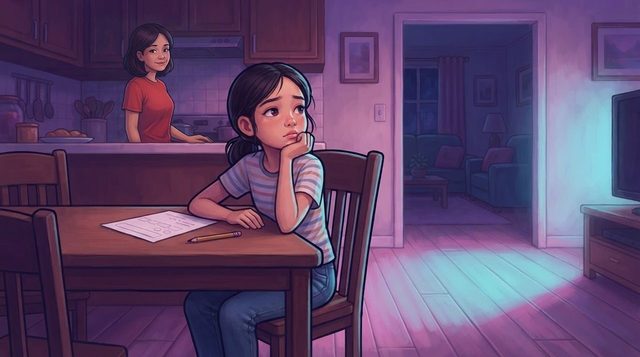 ConfidenceMy 10-year-old can binge a whole series in a weekend but can't focus on homework for 20 minutes. Why?Because a series is built to keep kids watching, and homework isn't. Every episode ends on an open question and the next one starts by itself.
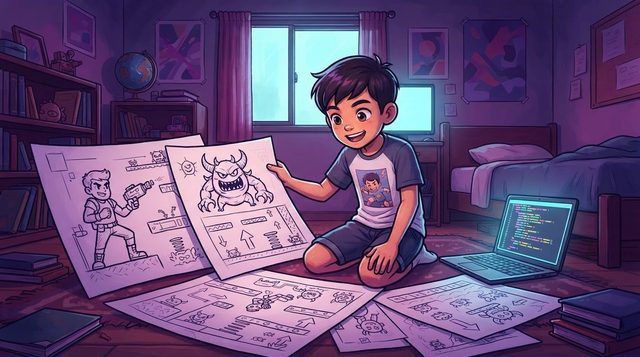 CodingMy son wants to make his own video game. Where should an 11-year-old start?Start with one small game he can finish this month, in real typed code that runs in a web browser, such as JavaScript, plus a reason to come back when week two gets hard. Eleven is an early start.
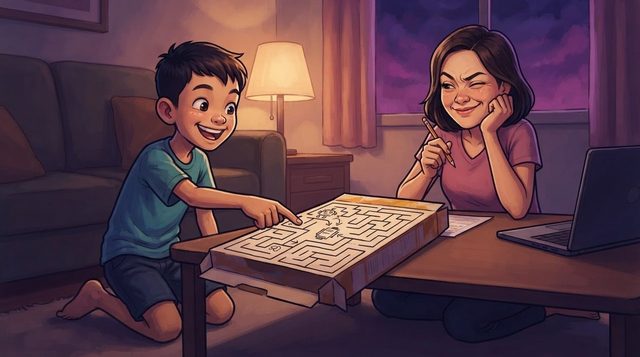 MotivationMy 9-year-old says every learning app is boring.He's probably right, and his verdict is worth listening to.
 ScreensMy 10-year-old only wants to play video games. Should I worry?Usually not. Loving games at 10 is normal, and most kids who game never develop a problem.