My 9-year-old says every learning app is boring.
Short answer
He's probably right, and his verdict is worth listening to.
Most learning apps pay kids in coins and stars to answer questions, and a review of 128 studies found that expected rewards cut how often people choose an activity on their own.1
Look for learning where his own moves do the work.
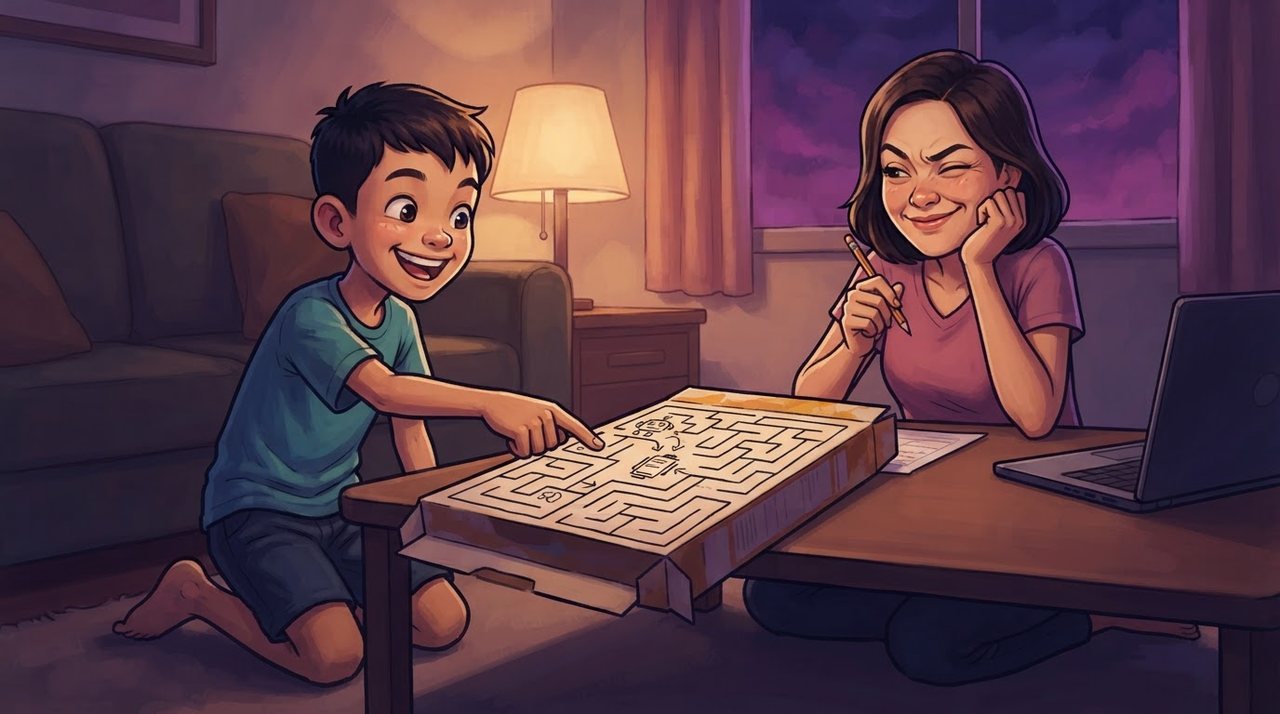
Why does he say 'boring' before the app has even loaded?
Because by nine he has plenty of evidence. You mention the reading app on a Saturday morning and the word is out before the icon finishes opening. He has tried the one his teacher set, the one his cousin swore by and the premium one you paid extra for, and he reviews all of them in a single word. Then at dinner he walks you, step by step, through the route past the hardest level of his own game, a route he worked out alone over three evenings and more failed attempts than either of you could count.
So you start to wonder whether the problem is the apps or him. Those three evenings are the answer. A kid who keeps failing for hours at something he chose has plenty of patience for hard things. What he turns down within a minute is a particular kind of screen, and every learning app you've handed him so far has been that kind.
Is he right that they are boring?
Mostly, yes, by the measures that predict whether anyone enjoys a game. In four studies of people playing video games, the psychologists Richard Ryan, Scott Rigby and Andrew Przybylski found that "perceived in-game autonomy and competence are associated with game enjoyment".2 Autonomy is the sense that your choices steer what happens. Competence is the sense that you're getting better at something that pushes back, and can see it.
Check a typical learning app against those two words. The path is fixed and each screen has one right answer, so nothing he decides changes where he goes. Getting better shows up as a number in the corner, never as something new he can do in the world of the app. The same studies tied both feelings to "the intuitive nature of game controls",2 and a learning app's controls are a tap on A, B or C. When a nine-year-old calls that boring, he's describing the design accurately. His verdict is a skill, and you can use it.
What does it cost him if he writes them all off?
The real risk is the lesson he draws. After enough of these apps, "learning app" quietly turns into "learning" in his head, and a curious boy files himself under kids who don't like to learn, when what he actually dislikes is being paid to answer questions.
The payment matters. Edward Deci, Richard Koestner and Richard Ryan pooled 128 experiments and found that rewards for doing, finishing or scoring well on a task "significantly undermined free-choice intrinsic motivation":1 once the rewards stopped, people chose the task less often. The effect wasn't the same at every age, either: "tangible rewards tended to be more detrimental for children than college students."1 An hour of his own game for every lesson finished is that kind of deal: a reward he expects, paid for finishing.
That's fixable, and his verdict points straight at the fix. Take the payment out, and give him learning that has the two things he's checking for.
Why haven't the other apps or our deals changed his mind?
Each one changed the wrapping and left the design alone.
- Letting him choose from the app store. He picks the one with the best trailer, and behind the trailer sits the same one-right-answer screen.
- The setting that locks his games until the lesson is done. It turns the lesson into the gate between him and what he wants, which is a reward deal with a padlock on it: his game becomes the prize for finishing.
- The pricier premium version. More polish, better voices, the same fixed path. He was never judging the price.
- Playing it with him. Good company, but he ends up asking you which answer to tap, so the choices move from him to you, and the one feeling he wanted goes with them.
What passes his check is learning where the skill is how he acts. He writes, builds or arranges something, then finds out whether it worked, and the next decision is his again. Wrong is allowed, and it's interesting, because it shows him where his plan broke. It lasts longer when something depends on his move, a character who needs him or a mission waiting on him, because then the reason to come back lives in the world he's playing in.
What can I do with his verdict this week?
Put it to work. He's told you what he needs; now he can help you find it.
- Tell him he's right, out loud. Then ask what would have to change for a learning app to pass. Whatever he says ("I want to decide where to go", "I want it to be hard on purpose") is your brief.
- Retire the deals and the locks. No more game time for lessons finished, and switch off any setting that holds his games hostage until the work is done. Say why: you'd rather he chose things for themselves.
- Put him in the designer's seat. Give him paper and ask him to design the learning game he'd actually play: what happens when you get it right, what happens when you get it wrong, what you're trying to save. Then play it while he runs it. That's game design, and his complaints have been training him for it.
- Give him one tool where he makes things. Scratch is free, and he snaps code blocks together to build games and animations. Minecraft's Creative mode works if you set him a build with a job to do, like a door that opens on a lever. Super Mario Maker 2 on the Nintendo Switch lets him build levels for you to fail at. For learning games where the skill is the gameplay, here's our list of seven for ages 8–12.
- Keep school's apps in the homework box. An app his teacher assigns is homework, and it gets homework's rules: a set time, short sessions, done and closed. Ask the teacher which skill it's practicing, so you can tell whether he already has it, and pass on the exact screen where he checks out. His free time stays his.
What happens when something finally passes his test?
Here is one way it can go, with a boy invented for this page. Ton is nine and had turned down four apps by October. His mom stopped hunting for a fifth and asked him to design the one he'd play. He drew a maze on the back of a cereal box, with a robot at one end and a battery at the other, and made a rule: you couldn't push the robot with your finger. You had to write its moves down first, as arrows, and then he'd walk it for you.
She wrote six arrows, and the robot hit a wall on the fourth. Ton laughed so hard he had to sit down. She fixed two arrows and it reached the battery, and he immediately drew a harder maze, with a door that only opened if you went around one loop twice. Nobody told him he'd just invented a program with a loop in it. When she asked what he'd done that evening, he said, "I made a game you can't beat."
Where Star Catcher fits: what he types is what the ship does
Codestronauts is built to pass his test. Star Catcher, the mission a new kid starts with, is a space adventure for kids 8–12 in which the code is the gameplay. In its opening episode, Wake Up, Cody, his first move is the Run button, on code someone already wrote, and Cody, a jittery robot co-pilot, wakes up in an empty hangar. Then he types a line of his own, and a starship appears. After that the Star Catcher flies and counts starbits because of what he typed, in real JavaScript, key by key, with no blocks to drag.
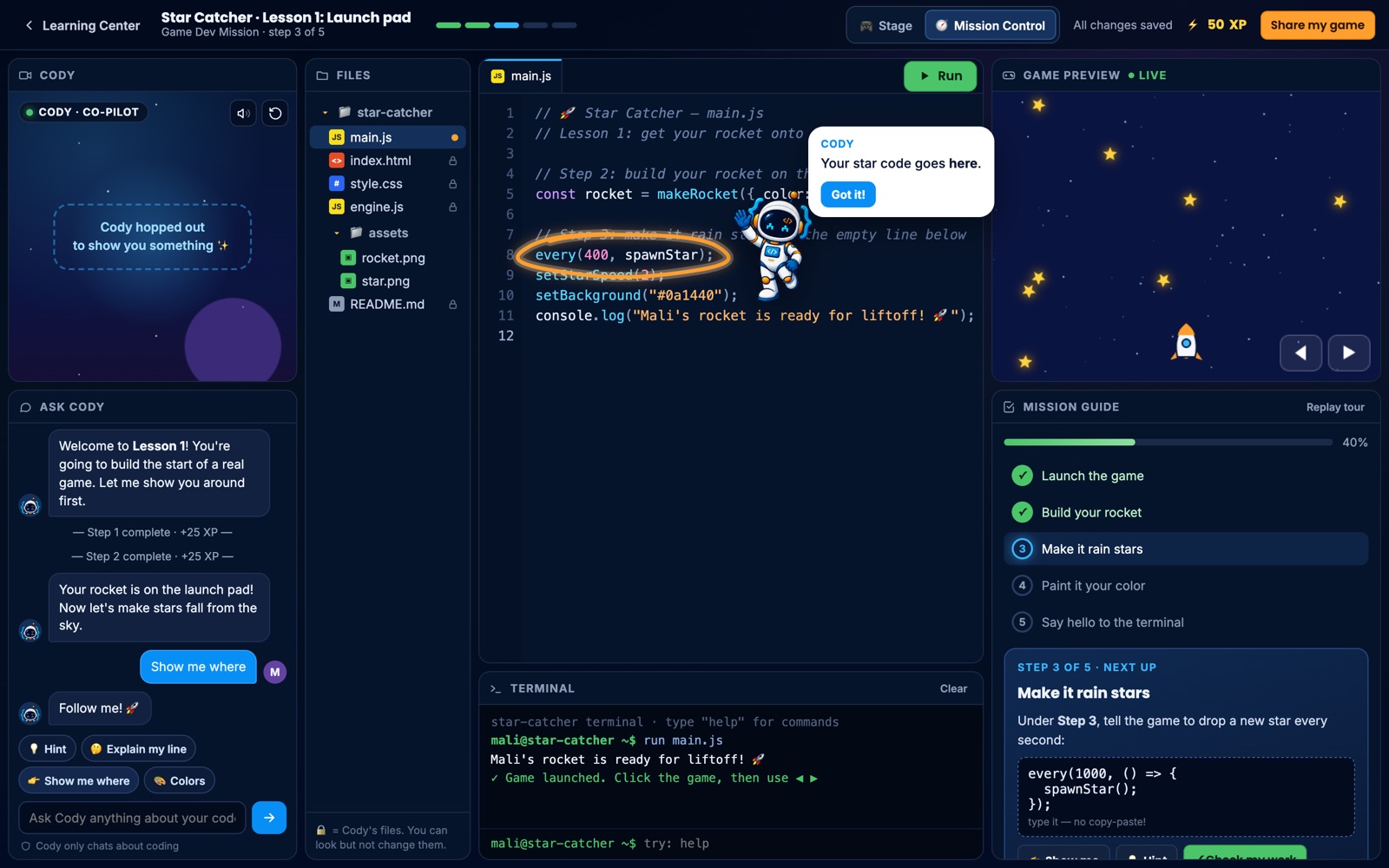
It has both things his verdict checks for: his typing decides what the ship does, and he can watch himself get better at it. When his code is wrong, he watches the mistake happen to the ship, often comically, and Cody tells him what went wrong after he's seen it. Her help comes as hints, the last of which hands him the exact line to type, and the help thins out as his skill grows. She needs him to rebuild the ship and get the Great Beacon shining again, and every episode leaves him on a cliffhanger. By the fifth episode, roughly two hours in at his own pace, the screen holds an arcade game he made: arrow keys, score, sound, levels and a boss he designed.
A computer or phone browser is all it needs, it carries no ads, and your PIN guards the account in the Parent Corner. Episode 1 is free with no card; a single payment of $29.99, which never renews, opens the other four.
See the mission where the code he types is what flies the ship, from waking Cody to the boss he designs.
See how Star Catcher worksQuestions parents also ask
Should I delete the learning apps he already has?
Keep anything his school assigns and anything he opens on his own without being asked. Delete the rest, quietly and without a speech about the money. Fewer icons he resents makes room for the one tool where he makes something, and it tells him his verdict counted.
Is it fine to let him play ordinary video games instead?
Within your family's limits, yes. A good game asks for planning, patience and bouncing back from failure. The step worth adding is one where he makes something, a level, a machine or a program, so some of his screen time builds instead of only plays.
Is 9 too young to type real code?
No, if he can type short words. At this age typed code works best one line at a time, with an instant result on screen for each line, so typing speed matters less than you'd expect. Star Catcher is made for 8–12, and its opening episode asks him to press Run before he types a single key.
What if he calls the coding one boring too?
Ask him what he did. If the answer is a score or a count of right answers, he's found another quiz and he's right to say so. If he describes something he made happen and then got stuck on, that's frustration, which is a different thing from boredom. Give it two or three sessions and sit nearby for the first.
Was this answer helpful?
What was missing?
Sources
- A meta-analytic review of experiments examining the effects of extrinsic rewards on intrinsic motivation, Psychological Bulletin (Deci, Koestner and Ryan, 1999), via Ewha Womans University's research portal ↩
- The Motivational Pull of Video Games: A Self-Determination Theory Approach, Motivation and Emotion (Ryan, Rigby and Przybylski, 2006), Springer ↩
Keep reading
More in Motivation and sticking with it ScreensAre there educational games my kid will actually want to play?Yes, when the learning is the gameplay. Kids drop quizzes dressed up as games and stick with games where the skill is how you win.
 SchoolMy 9-year-old can swipe through an iPad but can barely type on a laptop. When should kids learn to type?Start now. "Most research supports starting students on formal keyboarding around grade 4," says occupational therapist Theresa Tovey, and fourth-graders are 9 or 10.
 MotivationMy child quits everything. How do I help them stick with something?Your child is in good company. The average kid quits a sport by age 11, most often because it stopped being fun.
 AIHow do I explain how AI works to my 9-year-old?Give your 9-year-old three plain ideas: a computer does exactly what it's told, AI is a program that learned to guess from millions of examples, and a person still directs it and checks its guesses.