My 9-year-old can swipe through an iPad but can barely type on a laptop. When should kids learn to type?
Short answer
Start now. "Most research supports starting students on formal keyboarding around grade 4," says occupational therapist Theresa Tovey,1 and fourth-graders are 9 or 10. That's also the year the Common Core writing standards expect a student to type at least one page in a single sitting.2 Short daily practice, plus typing that makes something happen, closes the gap.
Is it normal for a 9-year-old to barely type?
Yes. Most kids her age haven't been taught to type yet, and nothing she does on a tablet asks her to.
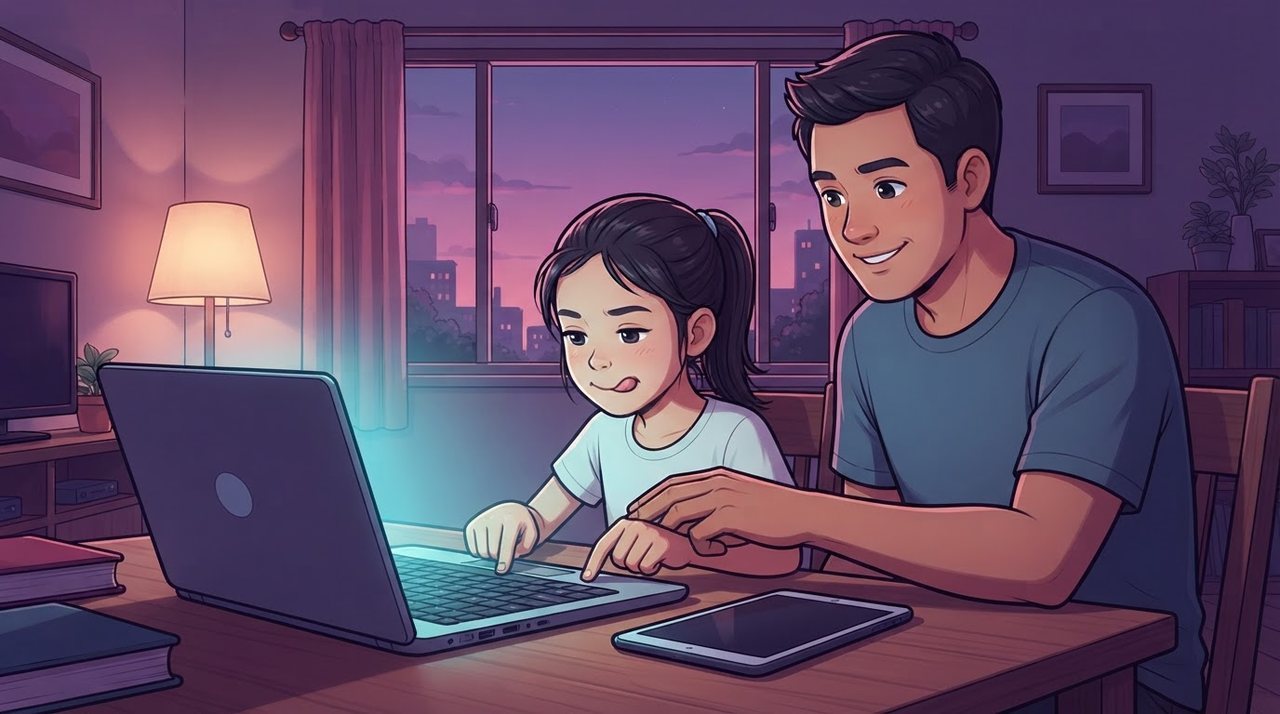
You've probably watched it happen. On the iPad she's a blur: she swipes between three apps, finds the video she wanted and switches off a setting you didn't know existed. Then typed homework comes home. At the laptop the same kid stares at the keys, hunts for the H with one finger and spends a full minute on a sentence she could say in three seconds. Halfway through, she asks if she can just talk it into the iPad.
Typing class has been fading from American schools for two decades. In 2000, about 44% of high school graduates had taken a keyboarding course, and by 2019 only 2.5% had, according to US Department of Education figures reported by the Wall Street Journal.3 Nobody should expect the skill to turn up on its own. The timing is on her side, though. Before about fourth grade, Tovey says, not every child has the eye-hand coordination to learn keyboarding.1 At 9, most do, which makes this the year to start. Three quick signs confirm it: her hands rest on the home row without stretching, she can read the words she's typing, and she can stick with one thing for ten minutes.
Why didn't all that iPad time teach her to type?
Because a tablet trains a different skill, and at her age the tablet is what most kids use. About eight in ten parents of 8- to 10-year-olds told Pew Research Center in 2025 that their child uses a tablet.4 Computers come later. Across all kids 12 and under, about four in ten use a desktop or laptop, and only at 11 or 12 does that rise to about three in four.4
Tapping glass and typing ask different things of a kid's hands. A tablet wants one fingertip and a glance: see the thing, touch the thing. A keyboard wants ten fingers that know where every letter lives without looking. Teachers sometimes assume kids this fluent with tech already know how to type, the Journal reported, yet all that access doesn't automatically turn into typing skill.3
The bigger difference is what each one lets her do. Swiping chooses from what the screen offers her. Typing tells the computer exactly what she wants, one letter at a time: the search that finds the right thing, a story longer than a text message, the line of code that makes a game do what she pictured. Typing is the step from using a computer to telling it what to do.
Does it matter if she can't type yet?
It starts to matter this year, because fourth-grade work moves onto the keyboard. The Common Core writing standards expect a fourth-grader to have enough command of the keyboard to type at least a page in one sitting,2 and more states are moving their standardized tests from paper to computers.3 In one keyboarding class Education World described, anything under 15 words a minute earned a C, because that is the speed of normal handwriting.1 Below that line, a laptop slows a kid down. A one-page story turns into an evening of hunting for keys, and the ideas she had at the start are gone by the third sentence.
Typing answers to practice, and quickly at this age. After Oklahoma City started a spelling-bee-style typing contest for its schools, one fourth-grade teacher said her class's average speed rose from 13 to 25 words a minute.3 In a 2017 study, 8- to 10-year-olds who played an online typing game at home for four weeks improved their manual dexterity more than children who didn't.5 A few weeks of the right practice can change how a laptop feels to her.
We tried a typing app and the school laptop. Why didn't either stick?
Each one leaves out half of what makes typing stick: the finger habits, or a reason to use them.
Waiting for school. Laptops often reach kids long before typing lessons do. Oklahoma City gave its third-graders laptops without a dedicated time to learn to type.3 Where schools do teach it, the Journal found the curriculum varies from district to district.3 A kid can spend a year on a school Chromebook and only get quicker at pecking.
The typing app on its own. Drills of asdf and jkl build the right habits, but they ask a 9-year-old to practice for the sake of practising. Next to the games she already loves, a row of letters loses by day three, and the app sits unopened.
Talking instead. Voice typing works, so she uses it, and every week of dictation is another week the keyboard stays strange. It won't get her through a typed test or a line of code, either.
Letting the pecking speed up. One finger can get quick enough to feel fine, which is exactly when the habit sets. Tovey encourages young kids to type with more than one finger early, because left alone they tend to use just the index finger.1
What works is the pair: a few minutes a day of correct-finger practice, and real typing that pays off straight away. Kids keep at a keyboard when their words do something they care about, like reaching a cousin, finishing a story or moving a character. Typed code is the strongest version of that. The computer does exactly what she typed, a missing letter shows up at once, and a correct line makes something happen on screen.
How do I teach her to type at home, starting tonight?
Start with ten minutes and a real keyboard. These seven steps cover the habits, the practice and the reason to type.
- Set up the keyboard. Use the family laptop, or plug a keyboard into whatever computer you have. Raise her chair until her elbows sit level with the keys, and put a box under her feet if they dangle.
- Find home base. Her left fingers rest on A, S, D and F, her right fingers on J, K, L and the semicolon, and her thumbs on the space bar. The small bumps on F and J let her find the spot without looking. Tovey's trick helps too: picture a line down the middle of the keyboard, keep the right hand right of it and the left hand left of it,1 and use more than one finger from day one.
- Practice ten minutes most days with a game. BBC Bitesize's Dance Mat Typing is free and teaches the keyboard a few letters per level; it was one of the two games the children in that four-week study chose from.5 TypingClub is another free choice that tracks her progress. Short and often beats an hour on Sunday.
- Cover her hands. Typing teachers drape a cloth over a student's hands so the eyes stay on the screen,1 and a tea towel does the job. Praise her for keeping her eyes up and for getting letters right, and let the speed come later.
- Hand over typing jobs. Move one iPad habit to the laptop this week: the weekend shopping list, a message to her grandparents, the search for that Minecraft build she wants to copy.
- Let her type a command. On a family laptop with Chrome, press Cmd+Option+J on a Mac or Ctrl+Shift+J on Windows to open the console. She types
"ha".repeat(50)and presses Enter, and the computer laughs back fifty times. Let her change the word and the number. If she leaves out a quote mark she gets an error instead, which teaches more about exact typing than any drill. - Check her speed once a week. Run a one-minute typing test and write the number on the fridge. Passing 15 words a minute takes her past the speed of normal handwriting,1 and 25, the Oklahoma class's average after their contest, is a good next target.3
How will I know it's working?
Her eyes leave the keys before her speed jumps, so watch where she looks. Here is how a first month could go for an imagined 9-year-old.
In week one she manages six words a minute, looks down at every key and complains about the tea towel. Her job is the Saturday shopping list, typed on the laptop. In week two she finds home base without peeking and starts catching her own typos. By week three she's on the second level of Dance Mat Typing and stops asking for the iPad when there's a list to write. In week four she opens the console, makes the computer laugh, then changes the line so it meows two hundred times and runs off to show her little brother. That Saturday's list ends with an item she typed without looking down: one pet robot.
Codestronauts: a keyboard, a robot and a reason for every line
Codestronauts teaches kids 8–12 to code through a space story. Its opening mission, Star Catcher, gives a new typist the reason to type that drills never do. In Episode 1, Wake Up, Cody, your daughter presses Run and a nervous robot wakes up in an empty hangar. That robot is Cody, and she needs help. From there your daughter types real JavaScript, never drag-and-drop blocks, to rebuild a starship and relight the Great Beacon. Every line she types pushes the story forward, and each of the five episodes stops on a cliffhanger, so she comes back to find out what happens next.
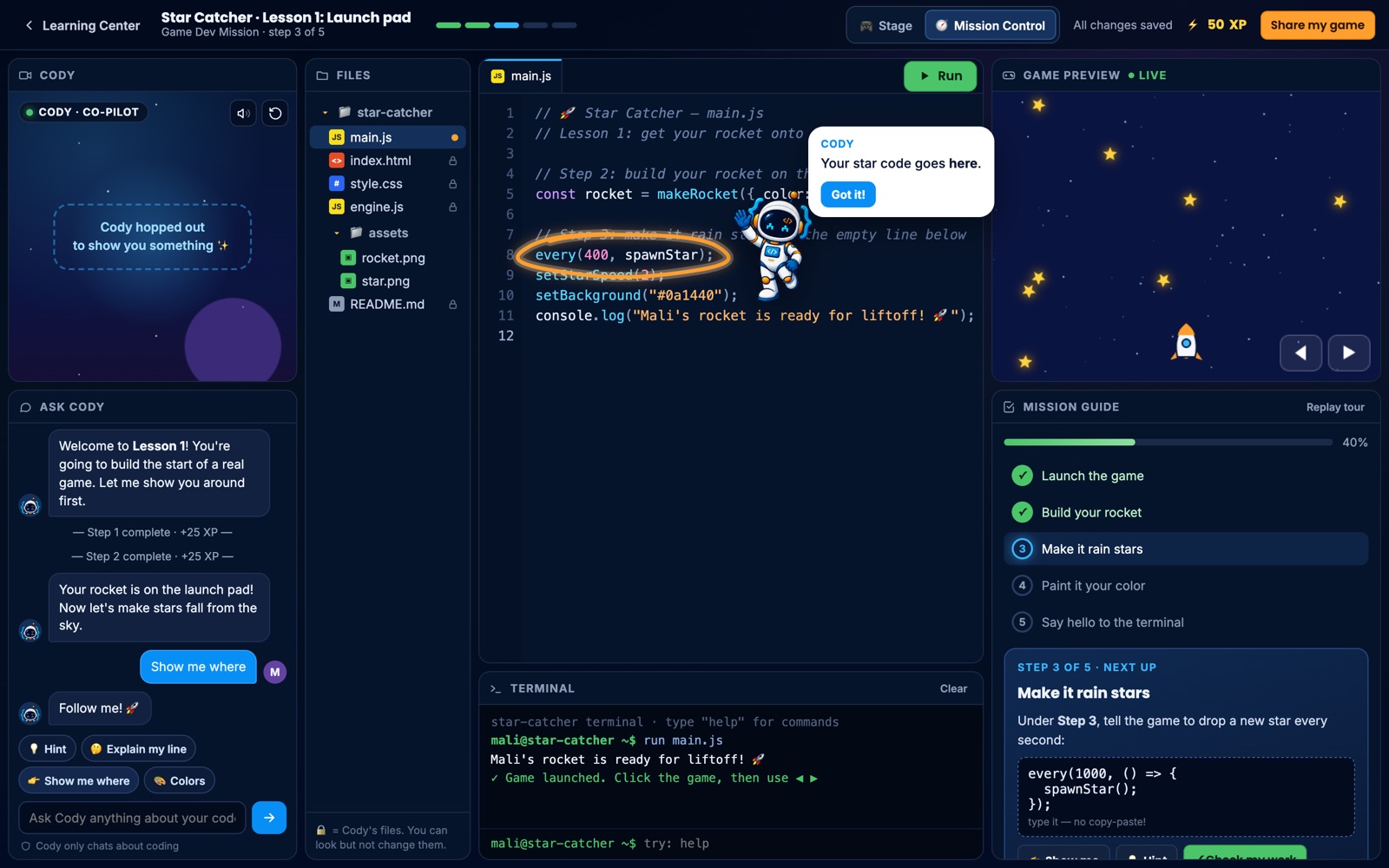
Wrong code plays out on screen, often in a funny way, and Cody explains why right after. Her hints point at the right line without handing over the answer, and they fade as your kid gets better. By the last episode your daughter has built a real arcade game with arrow keys, a score, levels, sound and a boss she designed. It plays in a browser on a laptop or desktop with nothing to install, so the practice happens on the keyboard school expects her to use. The mission runs about two hours, at her own pace. The account is yours: the Parent Corner opens only with your PIN, and every purchase waits for your OK. Star Catcher is a single $29.99 purchase that brothers and sisters share, with nothing to renew.
Have a look at Star Catcher: the mission, the ship she'll fly and the price.
See how Star Catcher worksQuestions parents also ask
Should she learn on the iPad's on-screen keyboard or a real one?
A real one. Touch typing depends on feeling the home row under your fingers, and glass gives nothing to feel, so kids on an on-screen keyboard keep looking down. If a tablet is the only computer at home, a plug-in or Bluetooth keyboard turns it into a practice station. Keep the on-screen keyboard for quick messages.
Does she still need to practice handwriting?
Yes, both belong in her week. Tovey, the occupational therapist quoted above, warns against skipping it: "You can de-emphasize handwriting, but you can't bypass it or you lose something in developing eye-hand coordination".1 Use the pencil for spelling lists and quick notes, and the keyboard for anything longer than a paragraph.
How many words a minute should a 9-year-old type?
Can't she just use voice typing instead?
For the rough first draft of a story, dictation is a fine tool. It doesn't replace the keyboard, though. Typed tests, fixing a paragraph, a password and a line of code all go through the keys, and a kid who dictates everything never gets the practice. Let her say the rough idea out loud, then type the version she hands in.
What does typing practice look like at each age, from 4 to 12?
Think in stages. At 4 to 6, a child gets to know the keyboard through letter games and good posture, about five minutes at a time.6 At 7 to 9 come home row, finger placement and simple words, five to ten minutes several times a week.6 Around 10, most kids are ready for full touch typing,6 and from 10 to 12 Ratatype's guide suggests 10 to 15 minutes daily.6 Formal lessons around fourth grade fit Tovey's advice.1
Was this answer helpful?
What was missing?
Sources
- Keyboarding Skills: When Should They Be Taught?, Education World ↩
- CCSS.ELA-Literacy.W.4.6, the Common Core's grade 4 writing standard (an unofficial copy of the standard's text), thecorestandards.org, an unofficial copy of the Common Core State Standards text (© NGA Center and CCSSO) ↩
- Gen Z-ers Are Computer Whizzes. Just Don't Ask Them to Type. (Georgia Wells, The Wall Street Journal, syndicated by To Vima), The Wall Street Journal ↩
- How parents describe their kids' tech use, Pew Research Center ↩
- Improvement in children's fine motor skills following a computerized typing intervention (McGlashan et al., Human Movement Science, 2017), Human Movement Science (via PubMed Central) ↩
- When should children start learning to type — and how can you keep it enjoyable, Ratatype ↩
Keep reading
More in School and learning ScreensHow much screen time is OK for a 10-year-old?A sensible start is one to two hours of fun screen time a day, homework aside, as Nemours KidsHealth suggests.
 CodingIs coding good for kids?Yes. Coding turns screen time into making. A kid plans, builds, hits a bug and fixes it, and the program is still there when the hour ends.
 MotivationMy 9-year-old says every learning app is boring.He's probably right, and his verdict is worth listening to.
 SchoolMy child hates math. What can I do?Start by finding which part he hates: the speed, a gap from an earlier year, or the fear of being wrong. Then give math a job he cares about, through games, cooking, money or code.