How much screen time is OK for a 10-year-old?
Short answer
A sensible start is one to two hours of fun screen time a day, homework aside, as Nemours KidsHealth suggests.1
Current American Academy of Pediatrics guidance sets no fixed limit; it asks what the time is spent on and what it crowds out, like sleep and outdoor play.2 An hour of building counts differently from an hour of autoplay.
Is two hours a day too much for a 10-year-old?
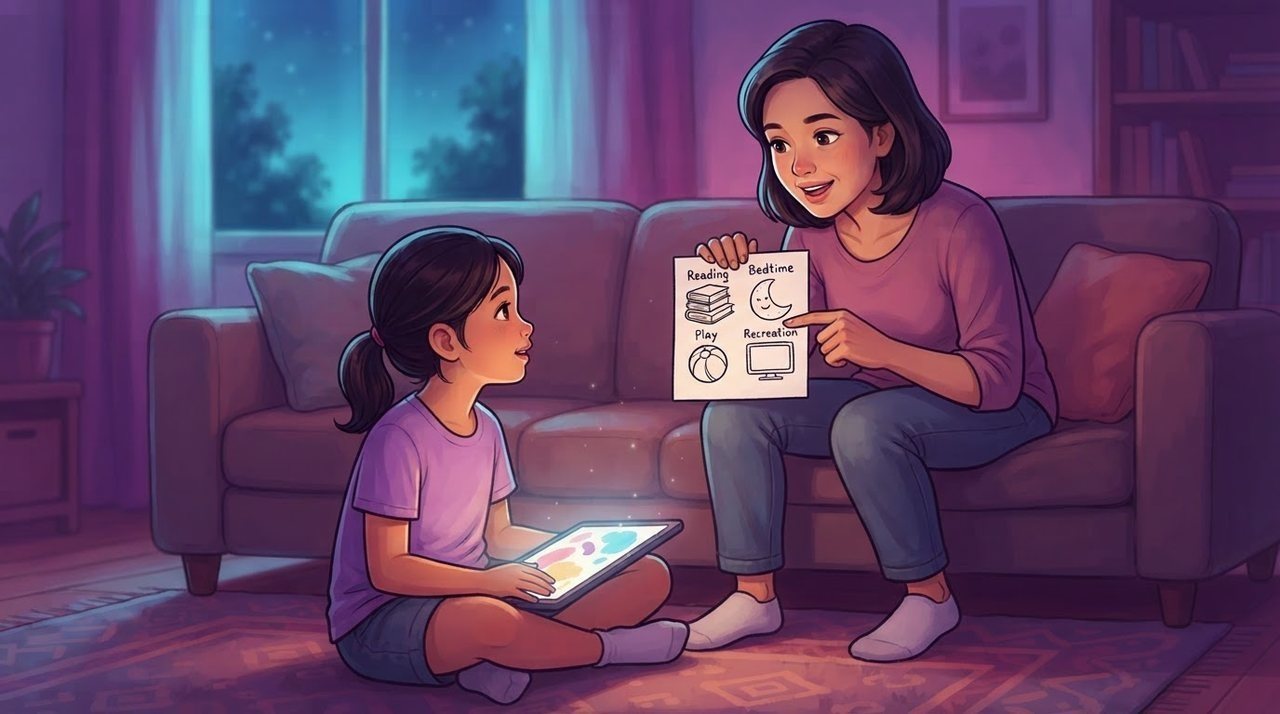
Two hours can be fine or too much. What decides it is what fills those hours and what they push out of the day.
Your 10-year-old announces that their best friend gets three hours on school nights. Your sister's kids get thirty minutes and seem fine. You look it up to settle it, and every article gives you a different number: two hours, one hour, or a line saying pediatricians gave up on numbers years ago.
All of them are real, and they come from different places. KidsHealth, the children's health site from Nemours, suggests starting at one to two hours a day outside homework, then adjusting for your family.1 In 2016 the AAP rewrote its guidance without a set limit, because the evidence didn't show that any specific limit helps.2 Older advice and plenty of blogs fill the gap with caps of their own. That's why the number you settle on matters less than the mix inside it.
What are the kinds of screen time, and what does each leave behind?
Sort a 10-year-old's screen time into five kinds and the hours start to make sense, because the kind changes what an hour does. Researchers in Australia followed 4,013 children from age 10 or 11, logged their screen time in diaries and found that more of it overall went with worse outcomes, but the type of screen time changed the picture.3 Making is the kind kids get least of. When Common Sense Media surveyed American kids in 2019, 8- to 12-year-olds averaged just under five hours of screen media a day outside school and homework, and only 2% of their screen use went to creating their own content.4
- Watching (YouTube, shows, Shorts, other people's gameplay). A good show leaves a laugh or an idea; a long autoplay run leaves little they could show you. Passive viewing like TV is the type that went with worse outcomes in the Australian children.3
- Playing (Roblox games, Mario Kart, Fortnite, Minecraft survival). A hard game takes real strategy, and whatever they win stays inside the game. In the same study, video games went with better school results but worse results elsewhere.3
- Talking (video calls with grandparents, chats with friends from school). It leaves behind the friendship, as long as the people on the other end are ones they know offline.
- Schoolwork (homework and school projects). It leaves behind what school asked for. Homework on a computer went with better school results and no harm elsewhere,3 and KidsHealth counts it apart from fun screen time.1
- Making (coding a game, animating, recording a song, drawing a comic). It leaves behind something that didn't exist before, plus the skill to make the next one. Places to start include Scratch (coding with blocks, from MIT), Minecraft's creative mode, Roblox Studio, a stop-motion or music app, or a story-driven course such as Codestronauts, where kids 8–12 type real JavaScript and end with an arcade game they built.
All five have a place in a good week.
What does too much of the wrong kind cost?
Mostly sleep and time outside. Kids this age need about 9 to 12 hours of sleep a night and at least 60 minutes of physical activity a day, says KidsHealth's guide to the 10-year checkup.5 An evening of screens eats into both. Its media guide adds that using screens for fun, especially when kids spend a lot of time online alone, has been linked to sleep problems, lower grades and less physical activity.1 The cost that's easier to miss shows up in those census numbers, which find a tween's screen hours dominated by watching and gaming, with very little going into anything of their own.4
All of it is fixable, and the fix doesn't need a screen-free house. Rather than cutting minutes, the AAP suggests families "crowd back in" what matters, like a healthy bedtime routine and time outside.2 With those protected, the rest of the screen time can be steered toward the kinds that leave something behind.
Why don't a number and a timer settle it on their own?
Because the number becomes the whole conversation. A two-hour cap turns every evening into a countdown, and the timer ends a half-built level as firmly as the ninth YouTube Short. The AAP points to evidence that rules about balance, content, watching together and talking things over go with better well-being than rules about time.2
The screen-time settings on a tablet or phone hit the same wall. A device-wide daily limit charges a Scratch project to the same allowance as autoplay, and a 10-year-old hunting for extra minutes finds the gaps. Swapping in "educational" apps rarely holds either, because a quiz in a cartoon wrapper still feels like homework to a kid who knows what real games feel like.
What does work is changing what the hours are for. Cap the kinds that leave nothing behind, and give the making kind a project with a finish line your kid cares about: a game a friend can play, a short film for the family chat, the next part of a story they're in the middle of. Once the screen has a job, the evening stops being a negotiation over minutes.
What can I change this week?
These take one evening to set up and a few minutes a week after that.
- Sort yesterday. Write down what your 10-year-old did on screens, with a column for each of the five kinds. Watching will probably be the longest column.
- Work back from bedtime. Count the nine to twelve hours of sleep back from the time your kid gets up.5 Screens go off an hour before lights-out, and devices charge outside the bedroom.1 Then take out homework, dinner and time to move. What's left after school is the evening's real screen budget. A kid who gets home at 3:30 and needs lights-out at 9 has about two hours of it.
- Limit by kind. Give autoplay video and short-video feeds a set window, and leave making time out of that window as long as it ends before screens-off.
- Swap one watching block for a making block. Pick a project with an ending, like a two-level game or a one-minute stop-motion film.
- Check what they see. YouTube says it's only for ages 13 and up, yet 76% of 8- to 12-year-olds told Common Sense Media in 2019 that they use it, and only 23% watched YouTube Kids.4 Give your 10-year-old YouTube Kids or a supervised YouTube account that you manage. Look up new games and apps in Common Sense Media's age ratings before they download them. Keep chat to people your kid knows offline.
- Sit in once a week. Ask to see what they built or what happened in the game, since watching together and talking it over are two of the rule types the AAP's evidence favors.2
- Write it down together. The AAP's free Family Media Plan helps a family agree on screen-free times and places, like dinner.2
What could that look like in one family's week?
Say your family already has a two-hour rule on school nights, and your 10-year-old daughter mostly keeps it. You sort one week by kind and find nearly all of it is watching: slime videos, a family vlog channel, other kids' dance routines. Talking is a Sunday call with her grandmother. Making is empty.
You keep the two hours and change what's in them. Three evenings a week, forty minutes of the two hours go to one project she picks, a dance game where each arrow key makes a cartoon dancer do a different move. The first evening the dancer only spins. By the second week there are four moves and a song to dance to, and on Sunday she plays it for her grandmother over the video call, calling out each move before she presses it.
Codestronauts: a making hour with a story that pulls them back
Codestronauts teaches coding to kids 8–12 through a space story. The story starts with Star Catcher, a mission made for the kid who's ready to start building. Your 10-year-old presses Run to wake Cody, a nervous robot. Then they type real JavaScript to rebuild a starship called the Star Catcher. Every line they type moves the story along. Each of the five episodes stops on a cliffhanger, so what brings them back is wanting to know what happens next. Cody needs them, and she helps the way a good coach does: hints instead of answers, a pointer at the line that needs work, and less help as they improve. When a line is wrong, they watch the mistake happen on the viewscreen, and it's often funny. Then Cody explains why.
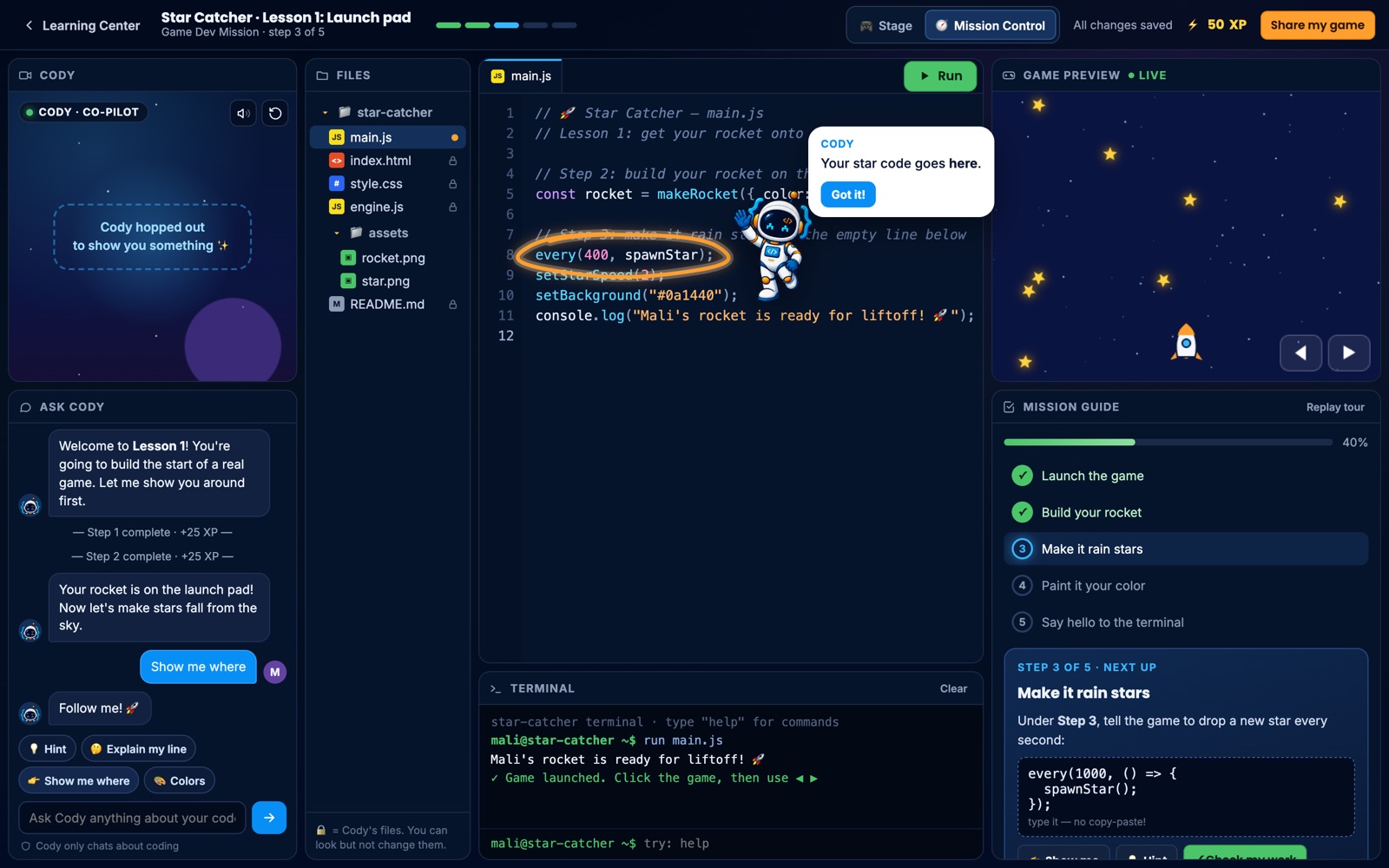
By the last episode, the making column holds a real arcade game that steers with the arrow keys, keeps score, climbs through levels, plays sound and ends on a boss your kid designed. The mission runs about two hours at their own pace, so it can take the place of a few evenings of autoplay without adding screen time. It runs in a browser on a laptop or desktop with nothing to install, and on phones. You run the account from a Parent Corner only your PIN opens, and you can see every step there. Kids never see ads or chat with strangers. Star Catcher costs $29.99 once and covers every kid in the house. Nothing renews.
See the mission, the ship your kid rebuilds and what it costs.
See how Star Catcher worksQuestions parents also ask
Does homework count as screen time?
Are Minecraft and Roblox good screen time?
They can be either kind. Building a world in Minecraft's creative mode or making a game in Roblox Studio is making. Running the same obstacle course for an hour is playing, which is fine in its place. Ask your kid to show you what they did today, and you'll know which kind it was.
Should a 10-year-old keep a tablet or phone in the bedroom?
Not overnight. KidsHealth advises switching devices off at least an hour before bedtime, since screen light makes it harder to fall asleep, and charging them in your room or another shared space your kid can't easily get to.1
What about weekends and school holidays?
Let the total stretch and keep the order. Sleep, time outside and family come first, and screens fill what's left, sorted by kind. Holidays are also the best time to start a bigger making project, because there's room for a long first session and a few days in a row to finish it.
Isn't learning to code just more screen time?
It's screen time of the making kind. A coding project ends with a program that runs, and the steps it takes (break the problem down, test it, fix what broke) carry into the next project. Treat it like drawing at the kitchen table, welcome on any evening and inside the same bedtime rules.
Was this answer helpful?
What was missing?
Sources
- Media Use Guidelines, Nemours KidsHealth ↩
- Screen Time Guidelines (Q&A, Center of Excellence on Social Media and Youth Mental Health), American Academy of Pediatrics ↩
- Type of screen time moderates effects on outcomes in 4013 children: evidence from the Longitudinal Study of Australian Children (Sanders, Parker, del Pozo-Cruz, Noetel and Lonsdale, 2019), International Journal of Behavioral Nutrition and Physical Activity ↩
- The Common Sense Census: Media Use by Tweens and Teens (2019), Common Sense Media ↩
- 10 Year Well-Child Checkup, Nemours KidsHealth ↩
Keep reading
More in Screens and gaming ScreensMy 10-year-old only wants to play video games. Should I worry?Usually not. Loving games at 10 is normal, and most kids who game never develop a problem.
 Screens“My 10-year-old wants TikTok because all her friends have it.”Not yet, and say it kindly. TikTok's rule is 13 for an account, though she isn't imagining the crowd: in a 2021 University of Michigan poll, 49% of US parents of kids 10 to 12 said their child had used social media apps.
 ScreensMy son used to build Lego for hours. Now he only wants screens.He's still a builder. Screens won because games and videos of other people playing feel easier than making something, and toys don't have autoplay. So give the builder a screen job: worlds to construct, games to code.
 ScreensHow do I get my kid to create instead of just consume?Start from what they already consume and hand them its making twin: a stop-motion app for the YouTube kid, a game maker for the gamer, a comic for the reader.