Is YouTube bad for my child?
Short answer
Not by itself.
For kids 8–12 the bigger problem is who's choosing: by default YouTube picks the next video, and its product chief said in 2018 that recommendations drive over 70% of viewing time.1
Use YouTube Kids or a supervised account, switch off autoplay, have them search on purpose, and give them screen time where they give the orders.
What are kids actually watching on YouTube?
Mostly a chain of videos nobody in the house picked. One search starts it, and the app supplies the rest.
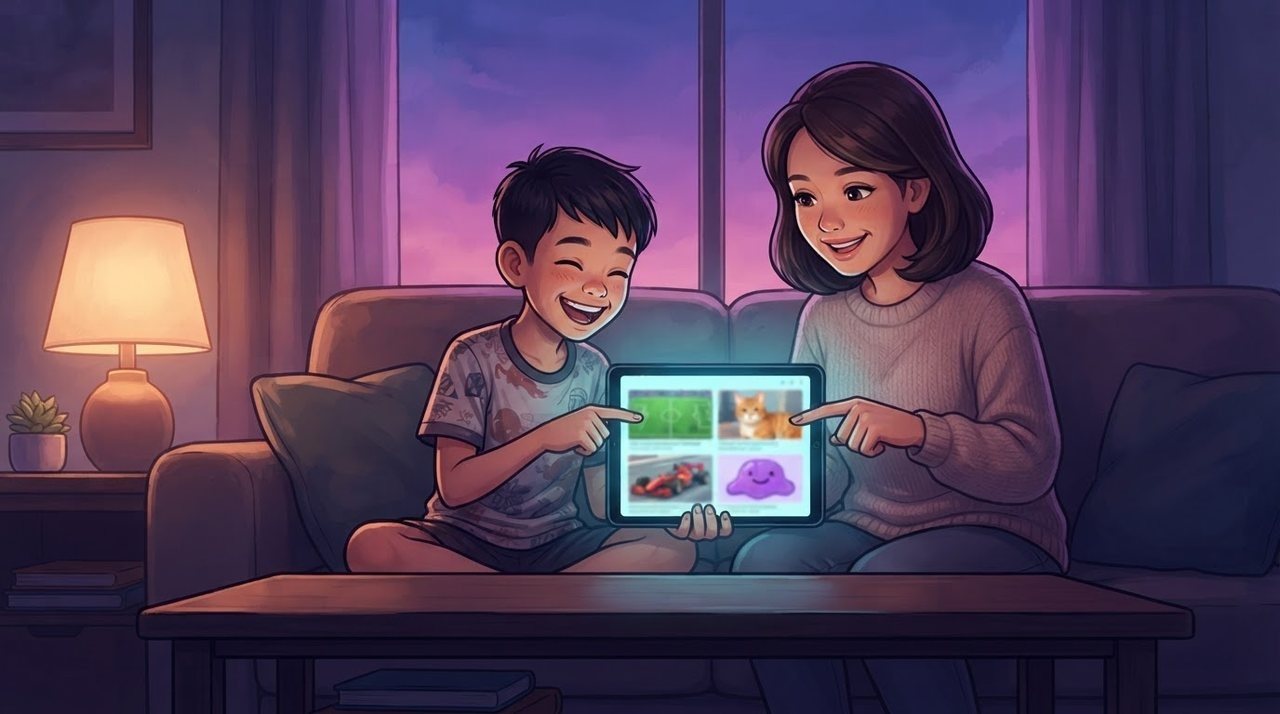
It's a school night and homework is done. Your son asked for one video about building a Minecraft farm. When you look in before dinner he's still on the couch with the tablet glowing, but the farm is long gone. A stranger is opening mystery boxes, then someone is pranking his little sister, then a gamer yells his way through a game your son doesn't even own. Later you scroll his watch history, a long column of thumbnails, and find exactly one video he searched for. That's the afternoon behind "he has no passion for anything except games and YouTube" and "he just wants to zone out."
At this age the usual mix is gameplay and walkthroughs, Minecraft and Roblox builds, pranks and challenges, unboxings, family vlogs, drawing and science channels, music videos and an endless strip of Shorts. Some of it is excellent, and most families allow some of it: in a Pew Research Center survey published in 2020, 89% of parents of children aged 5 to 11 said their child watches YouTube.2 What bothers many parents in that watch history is how little of the afternoon their kid chose.
Who's choosing all those videos?
Mostly YouTube. Speaking at CES in 2018, YouTube's chief product officer, Neal Mohan, said that for more than 70% of the time people spend watching, they got there through one of its recommendations.1 He described the aim as a steady stream, "almost a synthetic or personalized channel",1 and said a session on a phone lasted more than an hour on average because of what the recommendation engine puts in front of viewers.1
Parents of kids this age notice. In Pew's 2020 survey, roughly seven in ten parents of YouTube-watching children aged 5 to 11 said they were concerned about the kinds of videos being recommended to their child.2
That turns "Is YouTube bad?" into a question about who's deciding. Each autoplayed video hands over one small decision: what to watch, when to stop, what counts as interesting. A single video can be wonderful and the afternoon can still belong to the algorithm.
What does that cost a child?
Two things: what slips in, and what never gets practised.
What slips in arrives mostly through recommendations. In Mozilla's 2021 study of YouTube "regrets", 71% of the regrets volunteers reported came from videos YouTube had recommended, and recommended videos were 40% more likely to be regretted than ones they searched for.3 In Pew's 2020 survey, 46% of parents whose child 11 or younger watches YouTube said the child had come across videos inappropriate for their age, and among parents of 5- to 11-year-olds it was 56%.2 Every safety guide lists the same kinds: adult jokes and themes, sometimes spliced into videos that look made for kids; real and staged violence; conspiracy theories and misinformation, with the feed serving more of whatever a kid lingered on; comment sections where bullying happens; and adults who use comments to reach children.
The quieter cost is a habit. Between 8 and 12, kids are learning to run their own free time: choose something, stick with it, decide when it's finished. A feed makes all three calls for them, and the session ends when a parent ends it.
Both can be fixed, and neither takes a ban. YouTube itself requires a parent-managed account for children under 13, and it builds versions for kids with filters and parent controls.4 Choosing on purpose is a skill, and like reading, it grows with use.
Why don't YouTube Kids, timers or a ban fix it?
Each one changes how much your child watches, or which videos are allowed, and leaves the app choosing what comes next.
YouTube Kids is a filter. You pick a content level and, in YouTube's words, it "does the work to filter the content accordingly".4 That's a real improvement for an 8-year-old, and the filtered stream still has a Recommended row and autoplay until you change them, so it keeps choosing.
A timer shortens the session without changing who runs it. Every video inside the hour is still the app's pick, and the timer tends to go off mid-video, which is where the "five more minutes" arguments come from.
A ban clears one device. YouTube is also on the school laptop, the TV and a friend's tablet, and a kid who has never practised choosing meets it there unprepared.
What works is flipping who gives the orders, in two ways. Make watching a choice: your kid comes to YouTube with a reason and leaves when it's met. And give some of the week's screen time to something where nothing happens until your kid decides it should. Drawing a comic, filming a stop-motion short and building a game all work that way. Coding is the purest case, because a computer does exactly what it's told and nothing more. On a feed, the app decides what your kid does next; in code, your kid decides what the computer does next.
How do I set up YouTube for a child 8 to 12?
Set it up once, then give it a few minutes a week.
- Pick the version by age. The YouTube Kids app has an Older setting designed for kids 9–12.4 For a kid ready for regular YouTube with limits, a supervised kid account set to Older kids generally aligns with viewers 9 and up,4 and it turns off comments, uploads and live chat (YouTube's list of what it turns off). For the tightest version, YouTube Kids lets you handpick the exact videos your child can watch.4
- Turn off autoplay. In Family Center, switch on Disable autoplay, and your child can't switch it back (YouTube's parental controls page shows where). The next video then waits for a decision.
- Reset a feed that has narrowed. If the Recommended row has turned into all pranks or one gamer, clear the watch history, or pause it so new views stop shaping what gets recommended.
- Make "come with a question" the rule. Before YouTube opens, your kid says what they're there for: how to draw a dragon, how a redstone door works, the song from the school play. They watch that, then close it. Mozilla's 2021 findings are the reason: the videos people regret are mostly ones YouTube chose to amplify, rather than ones they went looking for.3
- Sort the history together once a week. Scroll it side by side and let your kid mark which videos they picked and which the app picked. Ask who made a video and why YouTube might have shown it to them. Keep it curious, the way you'd ask about a book they're reading.
- Set limits inside the app. Family Center can set screen time limits for a supervised account, including a limit on the Shorts feed.4 Keep viewing in shared rooms rather than bedrooms.
- Trade one fed hour for one made hour. Pick a project with a finish line your kid cares about. The tutorials they look up for it are YouTube at its best: watched on purpose, for something of their own.
How could one kid's afternoons change?
Here's how it can go, in an example made up for this page. An 11-year-old boy spends most afternoons watching other people play games. His parents set up a supervised account with autoplay off, and on Sunday they sort his week's history with him. He does the counting himself: he picked three of the videos, and YouTube picked about forty. He laughs, then looks a little annoyed.
The come-with-a-question rule feels like a chore for a few days. Then one afternoon his question is real: how do you make a character jump? He finds a tutorial, follows it in Scratch, the free block-coding site from MIT, and closes YouTube when it ends. By the weekend his cat sprite leaps when he presses the space bar and drops back down, and he makes his dad try it. It's the first thing on that screen in weeks that did what he told it to.
Codestronauts: screen time where your kid gives the orders
Codestronauts teaches kids 8–12 to code, and it's built on that flip. Star Catcher, the opening mission, tells a space story across five episodes. In Wake Up, Cody, pressing Run on a line already on screen wakes Cody, a nervous robot co-pilot. Then comes a line of their own, and the ship appears because they said so. From there every line of real JavaScript they type moves the story forward: they put a broken starship back together, teach it to fly, ride out a meteor storm and fight the last battle for the Great Beacon. Episodes stop on cliffhangers, and wanting to know what happens next is what brings them back.
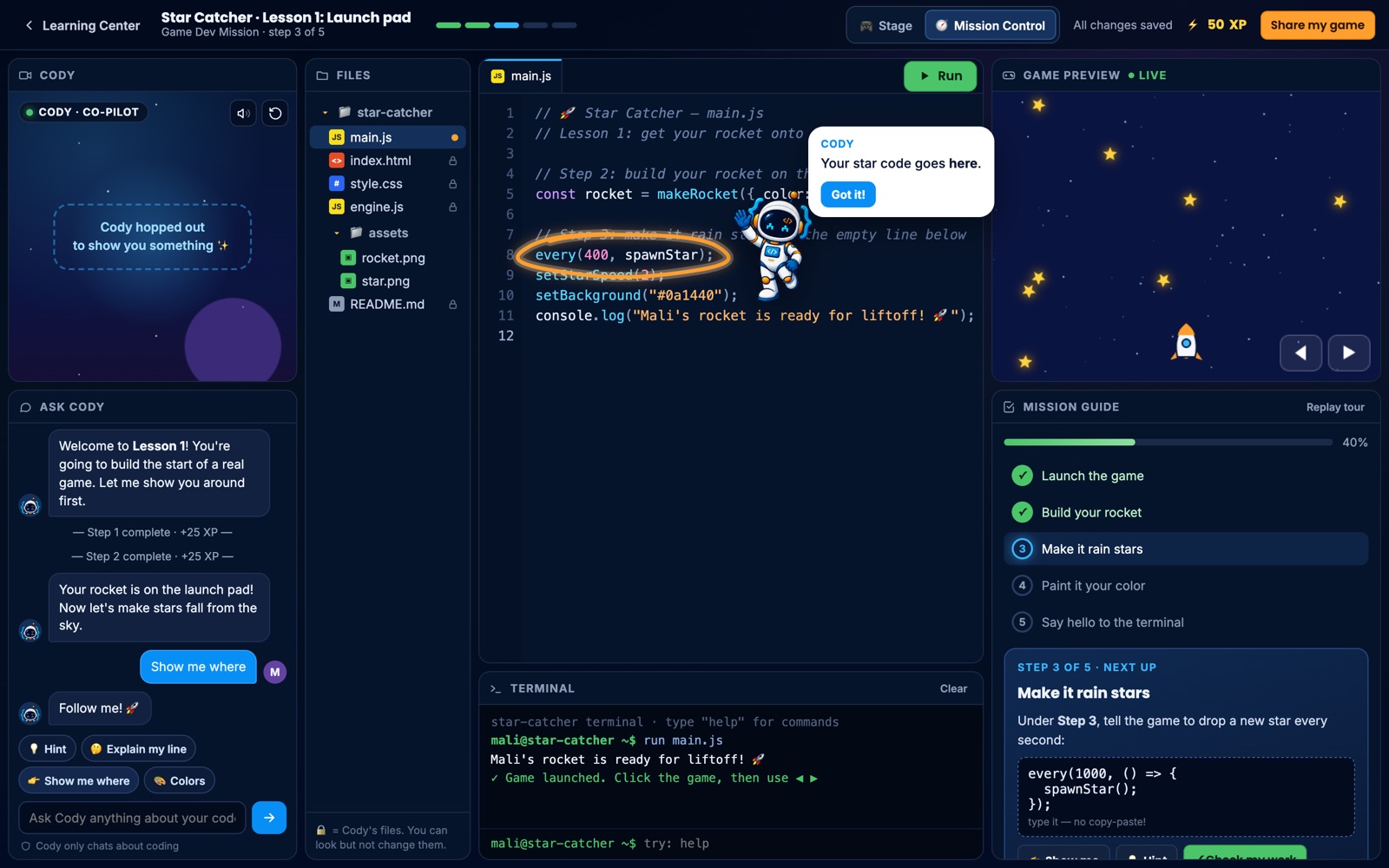
Cody is fully voiced, and she needs them. She nudges with a hint and leaves the answer to them, points at the line to look at, and steps back as they get better. When code is wrong, they watch it go wrong on screen, often comically, and then she explains why. About two hours in, at their own pace, they've built a real arcade game. It runs on the arrow keys, keeps a score, has levels and sound, and ends on a boss they designed. Kids see no ads and can't chat with strangers, and you can follow every step from a Parent Corner behind your PIN. Star Catcher is one payment of $29.99 for the whole mission, siblings share it, and nothing renews.
See the mission, the robot who needs your kid and what it costs.
See how Star Catcher worksQuestions parents also ask
What age is YouTube meant for?
YouTube's rule is that a child under 13 watches through a parent: either the YouTube Kids app, whose Older setting is designed for kids 9–12, or a supervised kid account on regular YouTube, which a parent manages and which is required under 13.4 Move up to the supervised account once your kid already picks videos with a purpose.
Are YouTube Shorts worse than longer videos?
They take the feed to its limit. Every swipe is another short video the app chose, with no natural place to stop, so one sitting can hold dozens of handovers. On a supervised account, Family Center can limit the Shorts feed.4 Treat them like dessert: a small, set amount, after the videos your kid chose.
Is educational YouTube fine for kids?
Often it's YouTube at its best, especially when your kid went looking for it: a science channel they follow, a drawing tutorial for a comic they're making, a video on the coding problem they're stuck on. The catch is educational-looking autoplay, where ten "amazing facts" videos in a row are still the feed choosing. Ask what they wanted to learn before they pressed play. If they can tell you, it was a choice.
How can I tell if YouTube has become a problem?
Look at the pattern more than the clock. They can't tell you what they watched. Ending a session means a meltdown most days. It's eating into sleep, outdoor time or homework. Any moment of boredom sends them straight to it. The watch history shows almost nothing they searched for. Two or three of those together is a good moment to tighten the setup above and start a making project.
Should I watch YouTube with my child?
Now and then, and let them drive. Ask them to show you a channel they love and what they like about it. Watching together tells you more than the history can, and it shows your kid you're curious rather than checking up. One question worth leaving with them: why do you think YouTube showed you this one?
Was this answer helpful?
What was missing?
Sources
- YouTube's AI is the puppet master over most of what you watch (CES 2018), CNET ↩
- Parental views about YouTube (Parenting Children in the Age of Screens, July 2020), Pew Research Center ↩
- YouTube Regrets: findings, Mozilla Foundation ↩
- Understand your choices as a family (YouTube Help), YouTube ↩
Keep reading
More in Screens and gaming CodingIs coding good for kids?Yes. Coding turns screen time into making. A kid plans, builds, hits a bug and fixes it, and the program is still there when the hour ends.
 Screens“My 10-year-old wants TikTok because all her friends have it.”Not yet, and say it kindly. TikTok's rule is 13 for an account, though she isn't imagining the crowd: in a 2021 University of Michigan poll, 49% of US parents of kids 10 to 12 said their child had used social media apps.
 ScreensMy son used to build Lego for hours. Now he only wants screens.He's still a builder. Screens won because games and videos of other people playing feel easier than making something, and toys don't have autoplay. So give the builder a screen job: worlds to construct, games to code.
 ScreensMy 10-year-old only wants to play video games. Should I worry?Usually not. Loving games at 10 is normal, and most kids who game never develop a problem.