CodeMonkey vs Codestronauts: what happens when your 8–12-year-old gets stuck?
A CodeMonkey challenge ends when the monkey gets the banana. A Codestronauts episode ends on a cliffhanger.
Short answer
Both give hints. CodeMonkey grades each challenge with personalized hints;[1] its home plans add solutions for all exercises.[2]
 Codestronauts is a self-paced, story-driven coding course for kids 8–12. Cody's hints come first; the last says the line, and your kid types it.
Pair them: CodeMonkey for practice, Star Catcher for a story. Episode 1 is free, no card.

No card needed. Episode 1, “Wake Up, Cody,” takes about 15 minutes.
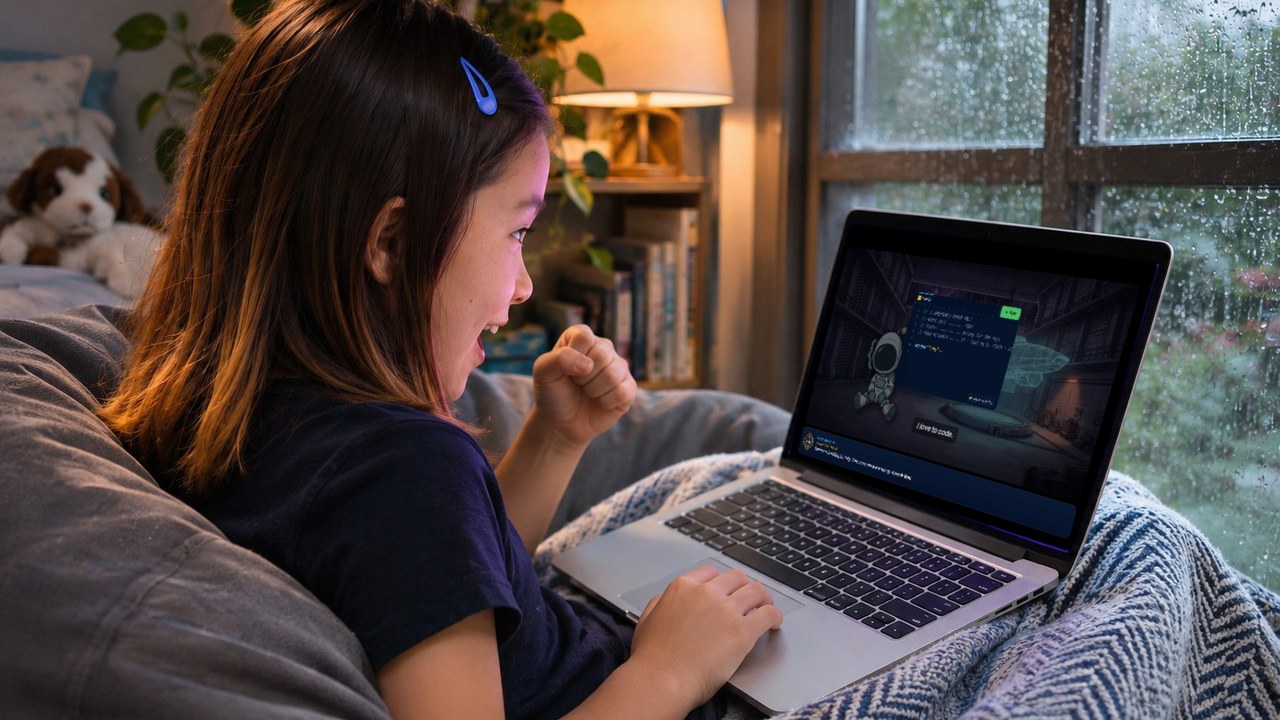
At a glance
| Codestronauts | CodeMonkey | |
|---|---|---|
| What it is | Story-driven coding course: Star Catcher's five episodes, about two hours. | Game-based coding platform, from block puzzles to Python.[3] |
| Price | Episode 1 free, then $29.99 once for the rest of Star Catcher | US$7 or US$8 a month billed yearly, one child; both prices shown Nov 5, 2026. Quarterly costs more a month.[2] |
| What the kid types | Real JavaScript, typed from the very first line. | CoffeeScript, real coding from the very first challenge, then Python.[1][4] |
| Ages | 8–12. | 5 to 18 across courses; Coding Adventure typically 8 to 12.[5][1] |
| Best for | Kids 8–12 ready to type real code inside a story | Puzzle practice at home or in class.[6][5] |
| What comes next | The next episode, which answers the last one's cliffhanger. | The next challenge, each one graded automatically.[1] |
| What they make | A real arcade game: score, levels, sound and a boss they design. | Solved puzzles, games and chatbots.[5] |
| Help when stuck | Hints come first; Cody's last one says the line they type. | Personalized hints and tips; home plans include solutions for all exercises.[1][2] |
| Where it runs | Phones, laptops and computers, in a web browser. Nothing to install | Best on a device with a keyboard, in a browser.[4] |
| Who's in charge | Parents, behind a PIN-locked Parent Corner. No ads, no stranger chats. | Parents manage accounts. No ads or outside social features.[5] |
| Who makes it | Jonathan Greene, dad of two, inventor on 50+ U.S. patents. | CodeMonkey Studios, founded in 2014.[7] |
No card needed
Checked Nov 5, 2026. Every fact about CodeMonkey carries its source, listed under Sources.
The map
CodeMonkey for challenges, Codestronauts for a story
CodeMonkey sells yearly or quarterly plans to a library of challenges for ages 5 to 18. Codestronauts tells one epic for kids 8–12, a mission at a time, and each mission is bought once.
Placed from each program's own pages, checked Nov 5, 2026.
| Made for their age | |||
|---|---|---|---|
| How likely they stick with it | One tool for every age, kids to pros | A wide range of ages | Made for 8 to 12 |
| A story to finish, inside an epic |  Codestronauts | ||
| A level to beat or people to share with | Roblox Studio | Scratch CodeCombat CodeMonkey Kodable codeSpark | |
| The next lesson or class | Code.org Tynker Khan Academy Minecraft Education | ||
- → Never babyish, never over their head.
- ↑ They finish what they start, and finishing builds real skill.
What happens the first time they get stuck?
A hint comes, in both. In CodeMonkey, it names the fix.
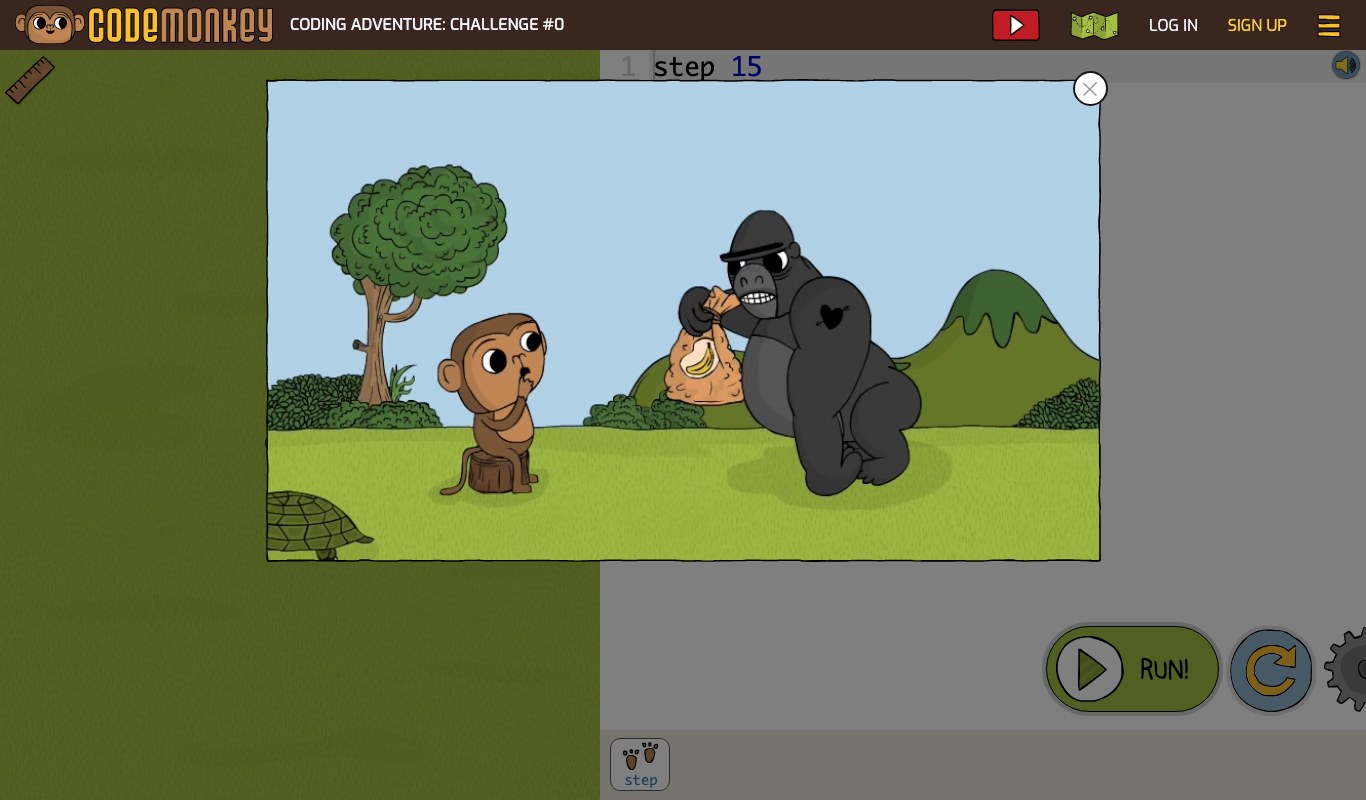
Coding Adventure's free Hour of Code version needs no log-in.[8] On November 5, 2026, we ran Challenge 1 with its starting line, step 10. The monkey stopped short of the banana. A card said: "Use step 15 instead of step 10."
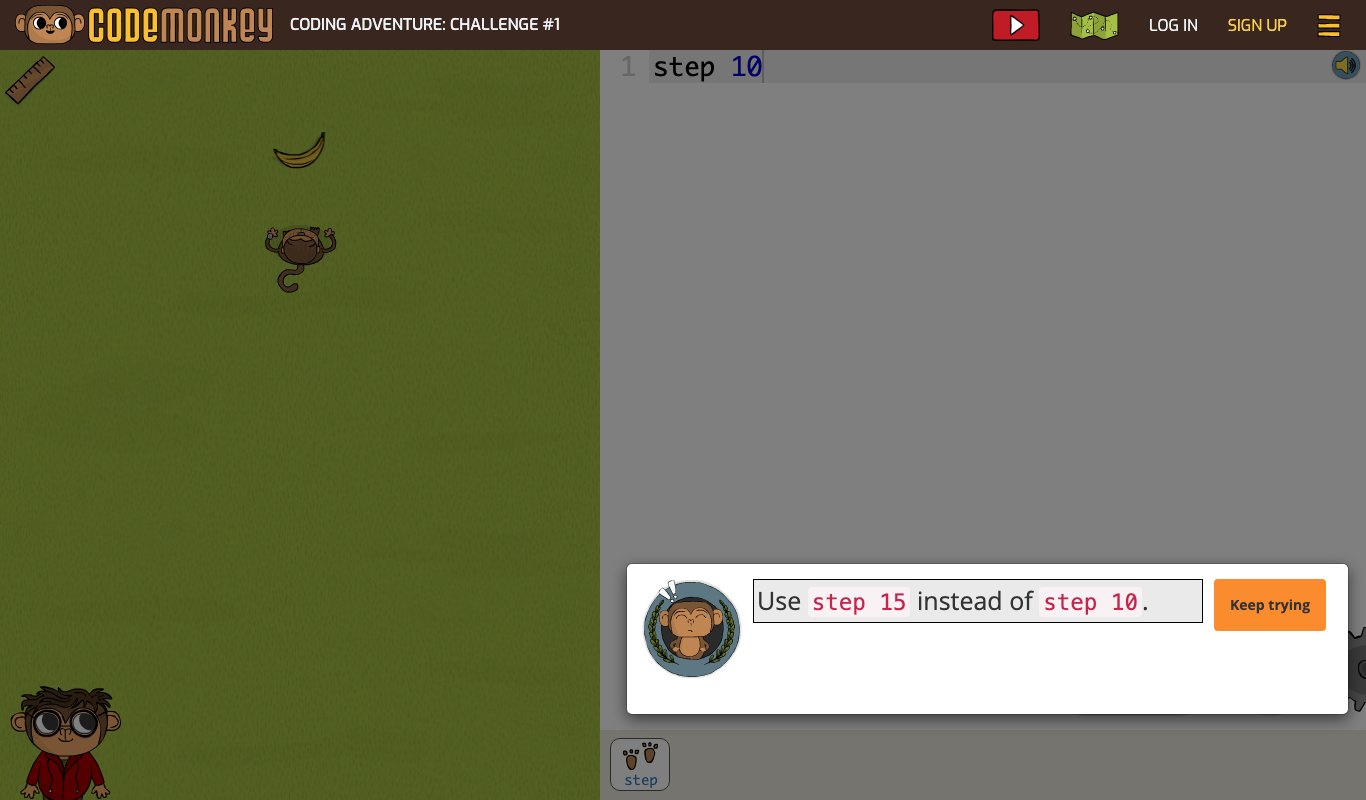
Every CodeMonkey challenge is graded automatically, with personalized hints and tips.[1] For you, home plans include solutions for all exercises.[2]
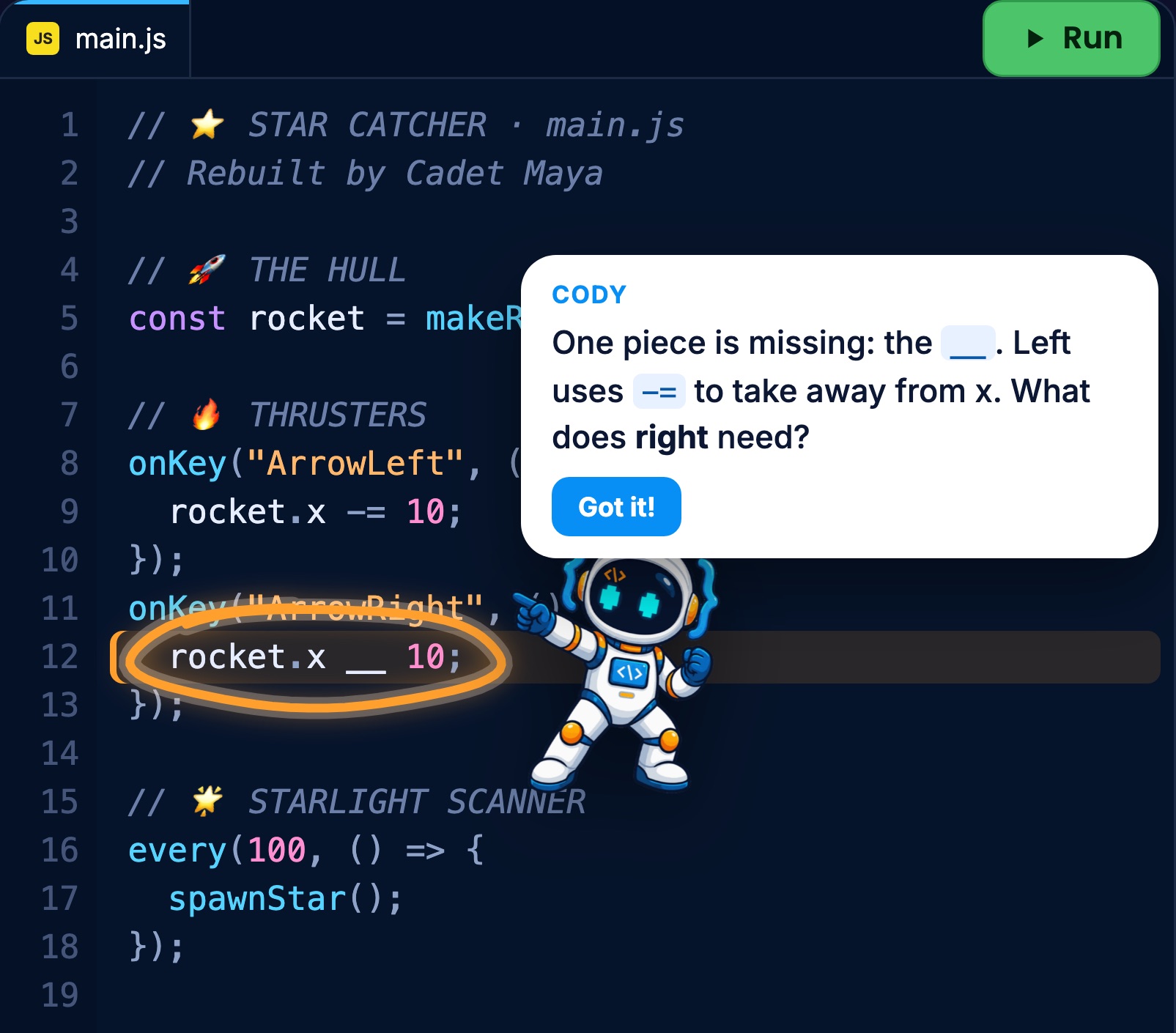
In Star Catcher, a broken line still runs, so your kid sees on screen what it does. Cody then says why. Her hints start with a nudge, like the question in the picture. The last one gives the line, and your kid types it.
Is CodeMonkey worth it?
Yes, for steady practice in typed code. Kids learn real coding from the very first challenge.[1] CodeMonkey says CoffeeScript reads like JavaScript, with cleaner code.[5] Common Sense Media says it "entices kids to learn programming with puzzles presented in a friendly manner".[6]
It also spans the years. Courses run from block puzzles for 5-year-olds up to AP Computer Science Principles.[3][5] Coding Adventure follows the CSTA and Common Core standards.[8] Millions of students have learned with CodeMonkey, its site says.[1]
What does each one teach?
The same first ideas, in two languages.
- Coding Adventure: sequencing, loops, conditionals, functions and debugging,[1] typed in CoffeeScript.
- Star Catcher: functions, variables, if statements, events and debugging, typed in JavaScript.
CoffeeScript is "a language that compiles to JavaScript," CodeMonkey's FAQ says.[4] Coding Adventure is one course of many. Its free Hour of Code list includes Dodo Does Math and Game Builder in CoffeeScript, and Banana Tales and Trivia Chatbot in Python.[9]
The story works differently too. Coding Adventure sets its challenges in one: catch the bananas, then take on the greedy gorilla.[1]
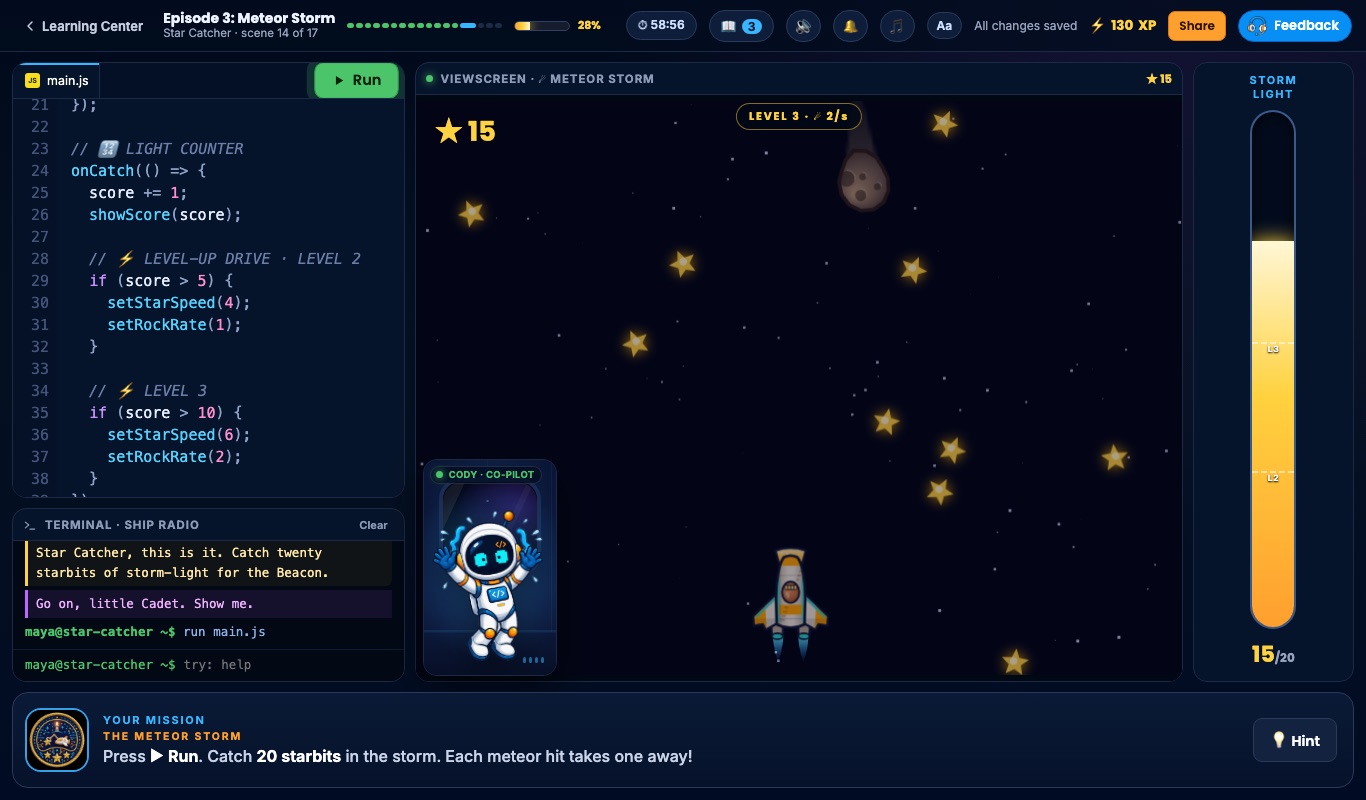
In Star Catcher, Cody needs your kid to rebuild the ship. Every line they type moves that story, across five episodes.
What does a year of CodeMonkey cost?
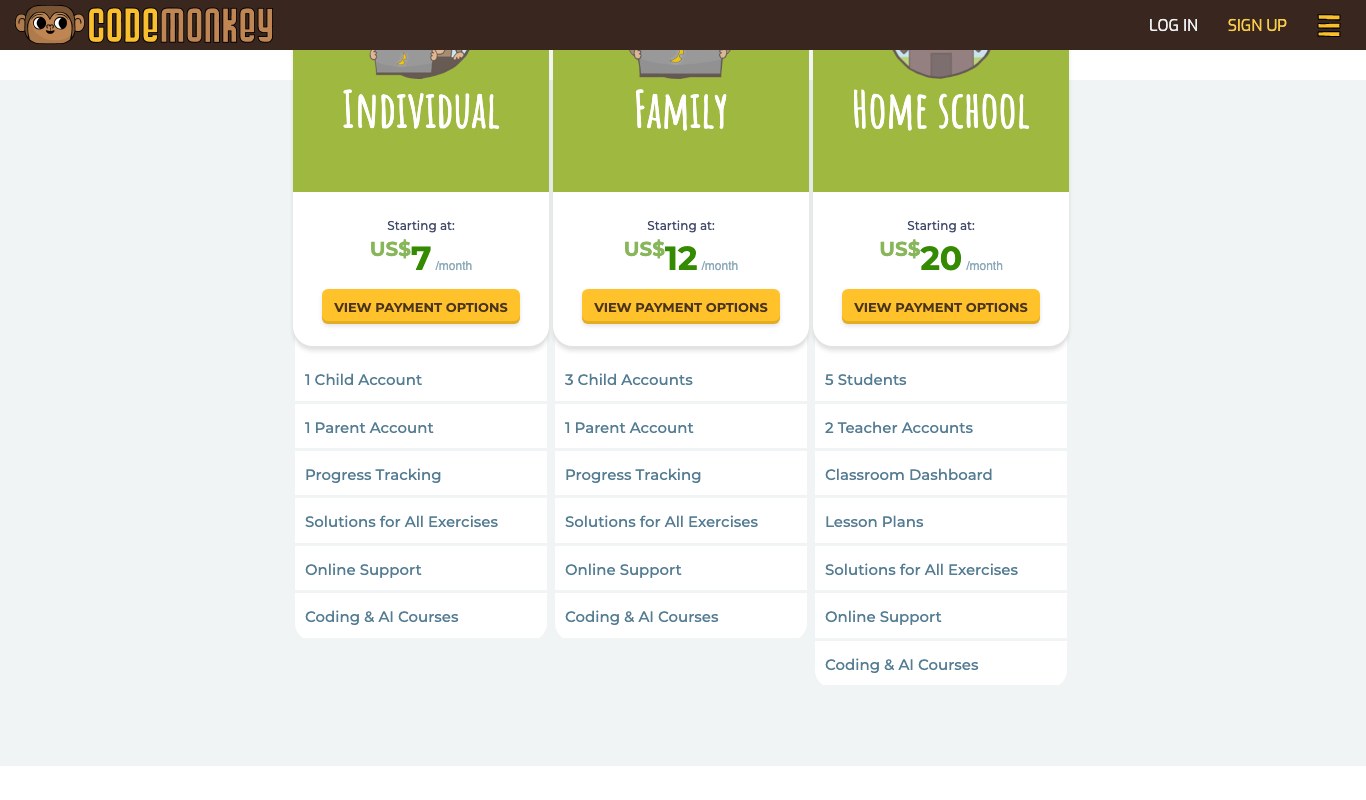
About US$84 to US$96 for one child.[2] The yearly plan is US$7 or US$8 a month, billed once a year. Its plans page showed both prices on November 5, 2026.[2] The Family plan covers three children for US$12 or US$13 a month, billed yearly.[2] Quarterly billing costs more each month.[2]
Codestronauts starts with Episode 1 free. Then it's $29.99 once for the rest of Star Catcher, and siblings share it. Nothing renews. Each new mission is its own purchase, a whole story to finish. Purchases wait for you: your kid asks, and you say yes from the Parent Corner.
Coming from CodeMonkey? What carries over
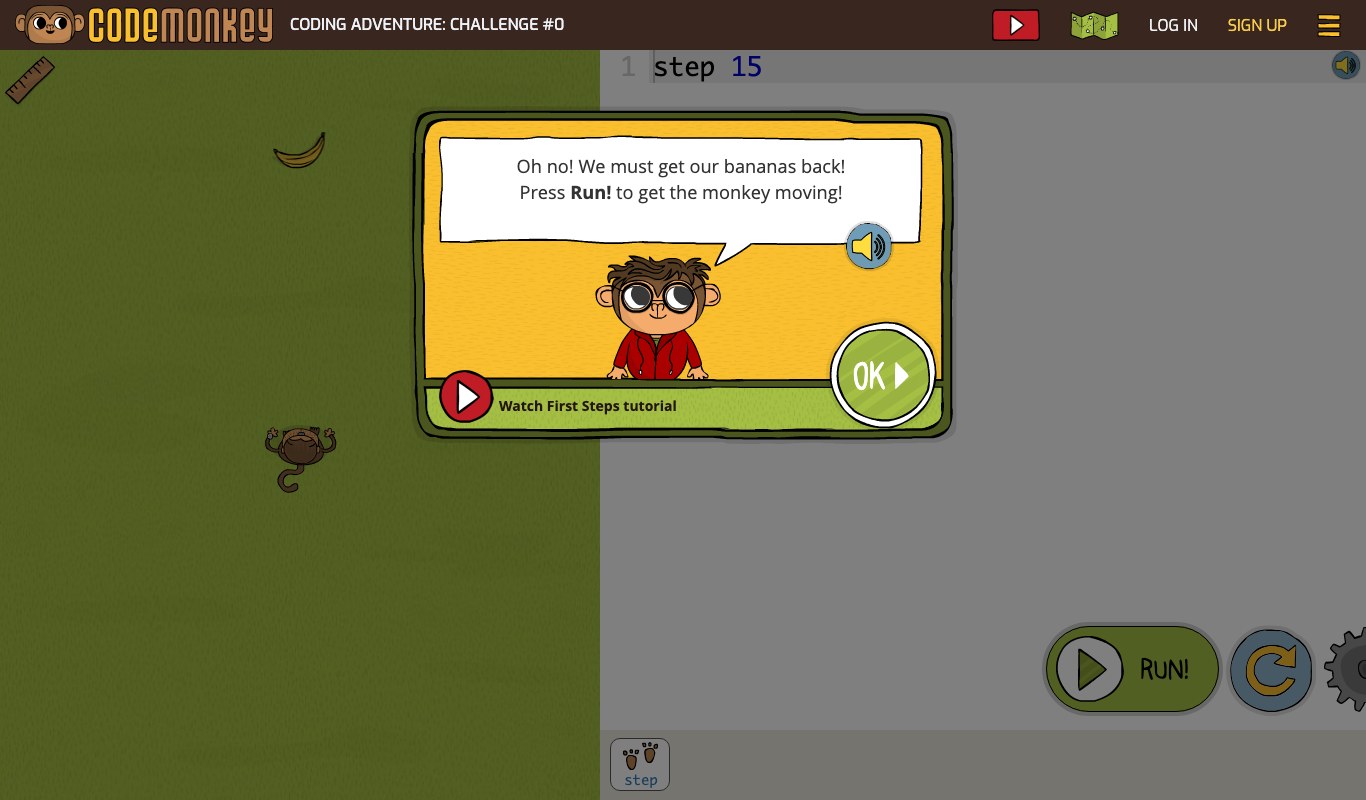
Most of it. A CodeMonkey kid already types commands and presses Run. Their first line was step 15: a command, then a number.
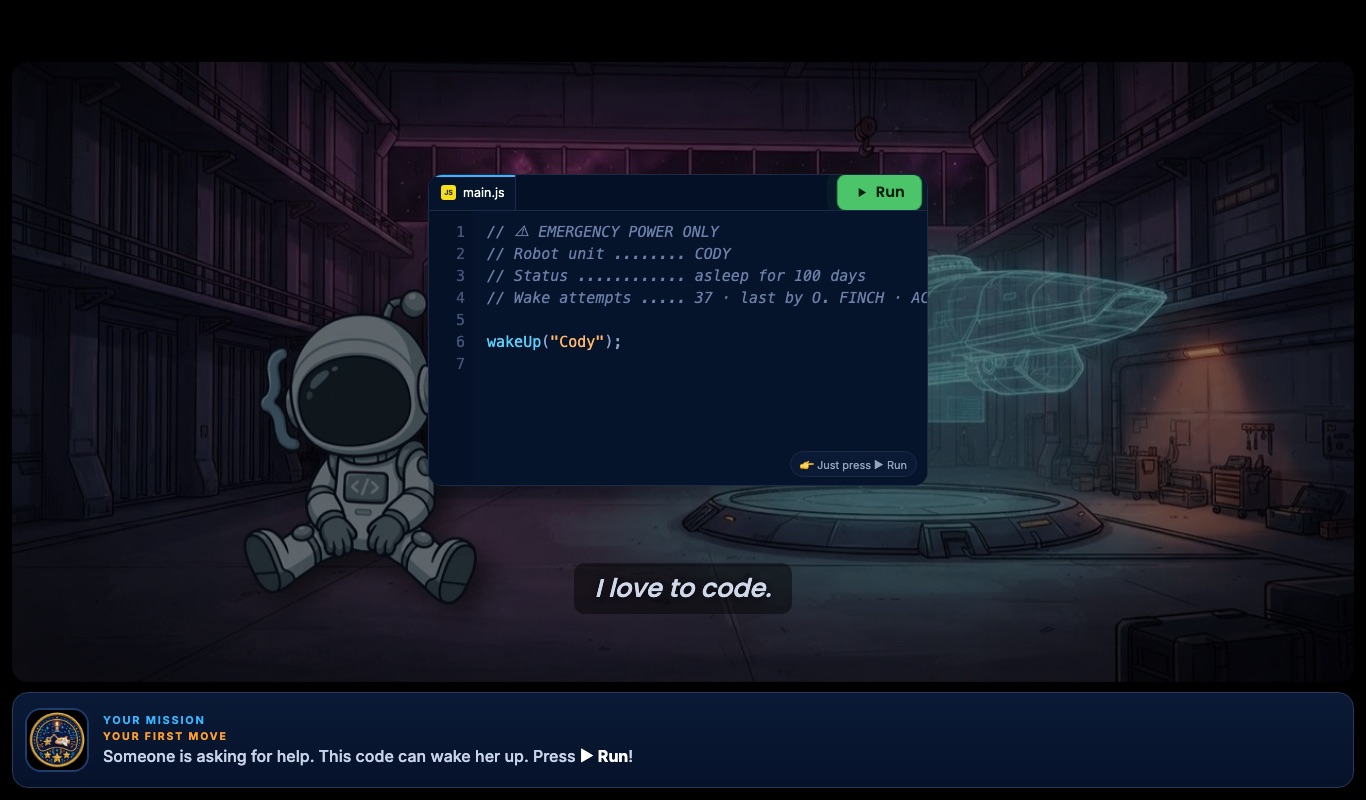
Run it here
The same idea, spelled out
CodeMonkey's first challenge starts with one line: step 15.Screenshot of CodeMonkey's Coding Adventure, Challenge 0, app.codemonkey.com, taken Nov 5, 2026.
// 🚀 THE HULL
makeRocket({ color: "blue" });

// 🌟 STARLIGHT SCANNER
every(1000, () => {
  spawnStar();
});
Change blue to red, or 1000 to 100, and press Run.
Press ▶ Run
That's Episode 1's real game engine, running your edit on this page.
No card needed. Episode 1, “Wake Up, Cody,” takes about 15 minutes.
JavaScript adds brackets and a semicolon. In Wake Up, Cody, your kid types spawnStar(); inside the ship's scanner, and a star appears. Same thinking, new punctuation. Keep CodeMonkey going if they love it. Star Catcher puts their typing inside a story.
Questions parents ask
Is CodeMonkey free?
What age is CodeMonkey for?
Is CoffeeScript real code?
Yes. It's "a language that compiles to JavaScript," used in the industry mainly for web applications, CodeMonkey's FAQ says.[4]
CodeMonkey or Scratch: which comes first?
Scratch, then Coding Adventure. Scratch is free block coding for making their own projects.[10] CodeMonkey calls Coding Adventure "an ideal introduction to text-based coding for beginners".[1] See what comes after Scratch.
Where Codestronauts fits
For the kid who wants to know what happens next
Codestronauts is built on one story and a robot named Cody, who needs your kid. In Star Catcher, each typed line moves that story forward, episode by episode. By the last one, they've built a real arcade game.
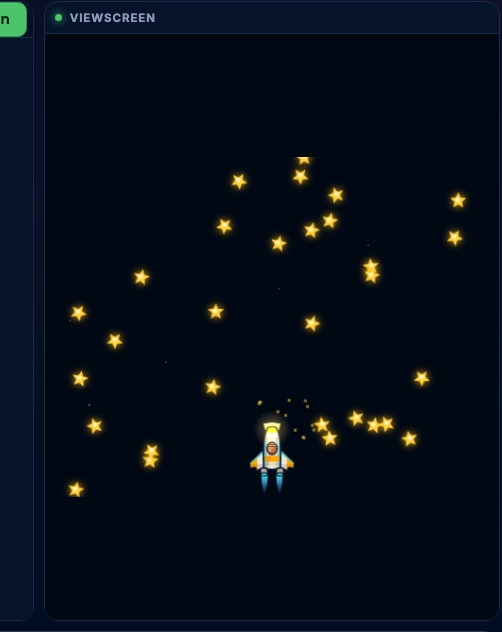
Wake Up, Cody is ready tonight: one press of Run, and a sleeping robot wakes up. No card needed.
Was this answer helpful?
What was missing?
CodeMonkey alternatives parents also weigh
Scratch Code.org Tynker CodeCombat Roblox Studio Coding tutor Coding camps Live coding classes Khan Academy Kodable codeSpark Minecraft EducationAll fourteen side by side
From the blog
All answers MotivationMy child quits everything. How do I help them stick with something?Your child is in good company. The average kid quits a sport by age 11, most often because it stopped being fun.
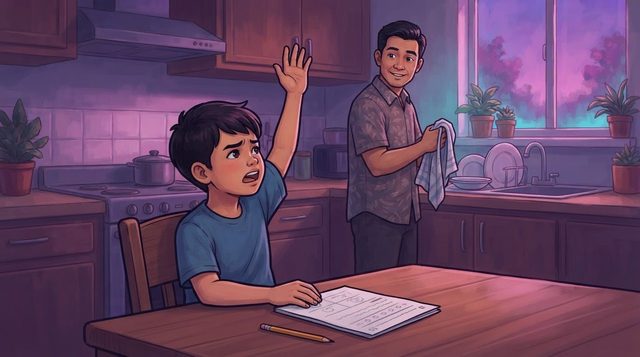 ConfidenceMy son wants me to do everything for him. How do I get him to figure things out on his own?Stop answering the first call. When he asks, have him read the problem aloud, ask what he's tried and give one clue instead of the fix, so being stuck turns into something he works through.
How we compared
We make Codestronauts. We opened each product and took these screens on the dates shown. Each fact about the other program links to its own pages. Something out of date? Write to hello@codestronauts.com and we'll fix it. CodeMonkey belongs to its owner, which has no tie to Codestronauts.
Sources
- Coding Adventure – Text Based Coding Course for Kids, CodeMonkey. Read Nov 5, 2026 ↩
- Home Plans | Pricing Information | CodeMonkey, CodeMonkey. Read Nov 5, 2026 ↩
- Coding for Kids | Game-Based Programming, CodeMonkey. Read Nov 5, 2026 ↩
- FAQ | CodeMonkey, CodeMonkey. Read Nov 5, 2026 ↩
- Parents – Prepare your Kids for AI era, CodeMonkey. Read Nov 5, 2026 ↩
- CodeMonkey: Parents' Guide (website review), Common Sense Media. Read Nov 5, 2026 ↩
- About Us – The Award Winning EdTech Company, CodeMonkey. Read Nov 5, 2026 ↩
- Coding Adventure – Hour of Code, CodeMonkey. Read Nov 5, 2026 ↩
- Hour of Code – Free Coding Courses for Kids, CodeMonkey. Read Nov 5, 2026 ↩
- Scratch Foundation, Scratch Foundation. Read Nov 5, 2026 ↩
- Computer Science for Students | Learn, Explore, and Create with CodeAI, CodeAI (formerly Code.org). Read Nov 5, 2026
- Coding For Kids, Kids Online Coding Classes & Games | Tynker, Tynker. Read Nov 5, 2026
- About CodeCombat, CodeCombat. Read Nov 5, 2026
- Luau, Roblox Creator Hub. Read Nov 5, 2026
- Introducing Khan Academy's New Intro to Computer Science Course with Python, Khan Academy Blog. Read Nov 5, 2026
- Coding & Typing Apps for Kids Ages 4-10 | Kodable, Kodable. Read Nov 5, 2026
- codeSpark, the #1 Learn-to-Code App for Kids 3-10, Begin (codeSpark). Read Nov 5, 2026
- Computer Science | Minecraft Education, Minecraft Education (Mojang and Microsoft). Read Nov 5, 2026