CodeCombat vs Codestronauts: levels or a story for your 8–12-year-old?
A level ends when it's beaten. A story leaves a question.
Short answer
CodeCombat is a coding game where kids type real code, with over 530 levels on Premium.[1]
 Codestronauts is a self-paced, story-driven coding course for kids 8–12. They help a robot named Cody rebuild a starship, typing JavaScript.
Keep CodeCombat for its levels, and add Codestronauts for a story to finish. Episode 1 is free, no card.

No card needed. Episode 1, “Wake Up, Cody,” takes about 15 minutes.
At a glance
| Codestronauts | CodeCombat | |
|---|---|---|
| What it is | One story, typed. Star Catcher, the first mission of this coding course, has five episodes | Coding game: kids type real code through levels[1] |
| Price | Episode 1 free, then $29.99 once for the rest of Star Catcher | Intro levels free, then Premium at $99 a year in the US, or monthly.[1] Plans renew automatically.[1] |
| What the kid types | Real JavaScript, typed line by line | Real typed code: Python, JavaScript, C++, Java or Lua[1] |
| Ages | 8–12 | 8+ on its pages.[1] Common Sense Media: 14+, for cartoon fighting[2] |
| Best for | Kids 8–12 ready to type code, with a story to finish | Kids who love beating levels in typed code[1] |
| What comes next | One story. Cody needs them, and each episode leaves a question open | The next level, plus Premium heroes, pets and items[1] |
| What they make | Their own arcade game, with a boss they designed | Games to share: kids "can even design games to challenge their friends"[1] |
| Help when stuck | Cody's hints first. Her last hint says the line, then they type it | Level walkthroughs,[2] plus 10 AI hints a day with Premium[1] |
| Where it runs | Phones, laptops and computers, in a web browser. Nothing to install | A web browser[2] |
| Who makes it | Jonathan Greene, a dad of two with 17+ years in software | CodeCombat, a San Francisco company, building it since 2013[3] |
No card needed
Checked Nov 5, 2026. Every fact about CodeCombat carries its source, listed under Sources.
The map
Keep CodeCombat's levels, add a story
Both have kids type code. CodeCombat's pages say ages 8 and up, and it moves them level to level. Codestronauts is made for 8 to 12, with one story to finish.
Placed from each program's own pages, checked Nov 5, 2026.
| Made for their age | |||
|---|---|---|---|
| How likely they stick with it | One tool for every age, kids to pros | A wide range of ages | Made for 8 to 12 |
| A story to finish, inside an epic |  Codestronauts | ||
| A level to beat or people to share with | Roblox Studio | Scratch CodeCombat CodeMonkey Kodable codeSpark | |
| The next lesson or class | Code.org Tynker Khan Academy Minecraft Education | ||
- → Never babyish, never over their head.
- ↑ They finish what they start, and finishing builds real skill.
Is CodeCombat OK for an 8-to-10-year-old?
Yes from about 9, if cartoon fighting is fine in your house.
- Its own pages: ages 8+, with CodeCombat Junior for ages 5 to 8.[1]
- Common Sense Media: 14+. Its stated reason is the violence, which it rates "a little".[2]
- Parents on that page: 9+, from 3 reviews.[2]
- Kids on that page: 9+, from 2 reviews.[2]
Common Sense Media adds that some tweens "may find that this game is a bit too advanced for them".[2]
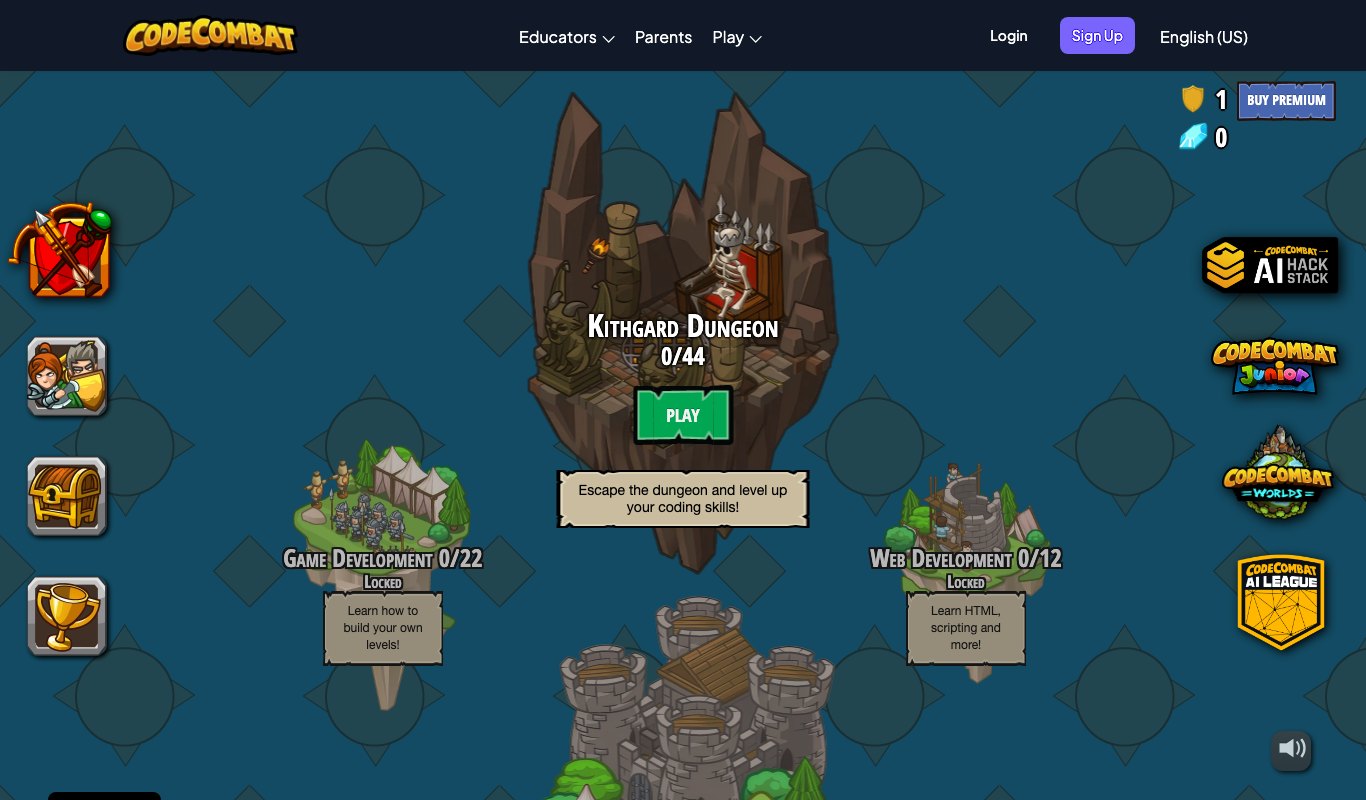
We opened it ourselves on Nov 2. Its first level has no enemy in it, just a knight, spikes and a gem. Kithgard Dungeon, its first world, counts 44 levels. Later levels bring combat.[2]
Coming from CodeCombat? What carries over
The typing habit carries straight over. In both, a typed command moves something on screen, and Run shows what it does.
In CodeCombat's first level, hero.moveRight() walks a knight toward a gem. In Episode 1 here, makeRocket({ color: "blue" }); builds the ship.
Run it here
The same idea, spelled out
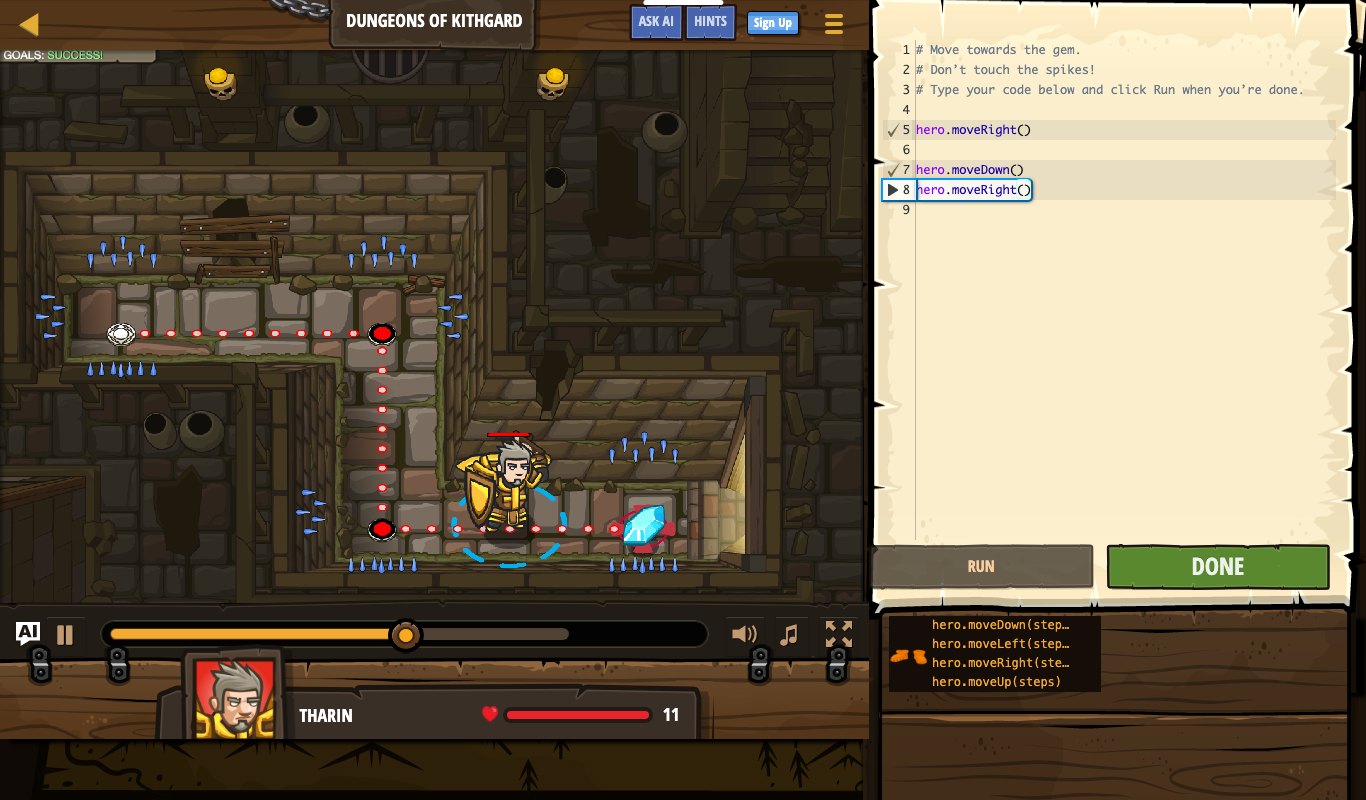
CodeCombat's first level: three typed commands walk a knight past the spikes to the gem.Screenshot of the Dungeons of Kithgard level, codecombat.com, taken Nov 2, 2026.
// 🚀 THE HULL
makeRocket({ color: "blue" });

// 🌟 STARLIGHT SCANNER
every(1000, () => {
  spawnStar();
});
Change blue to red, or 1000 to 100, and press Run.
Press ▶ Run
That's Episode 1's real game engine, running your edit on this page.
No card needed. Episode 1, “Wake Up, Cody,” takes about 15 minutes.
CodeCombat offers JavaScript too,[1] so a kid can practise the same language in both. Keep its levels going on the side.
What will my kid do on night one?
Your kid types a few lines in either one and watches them run.
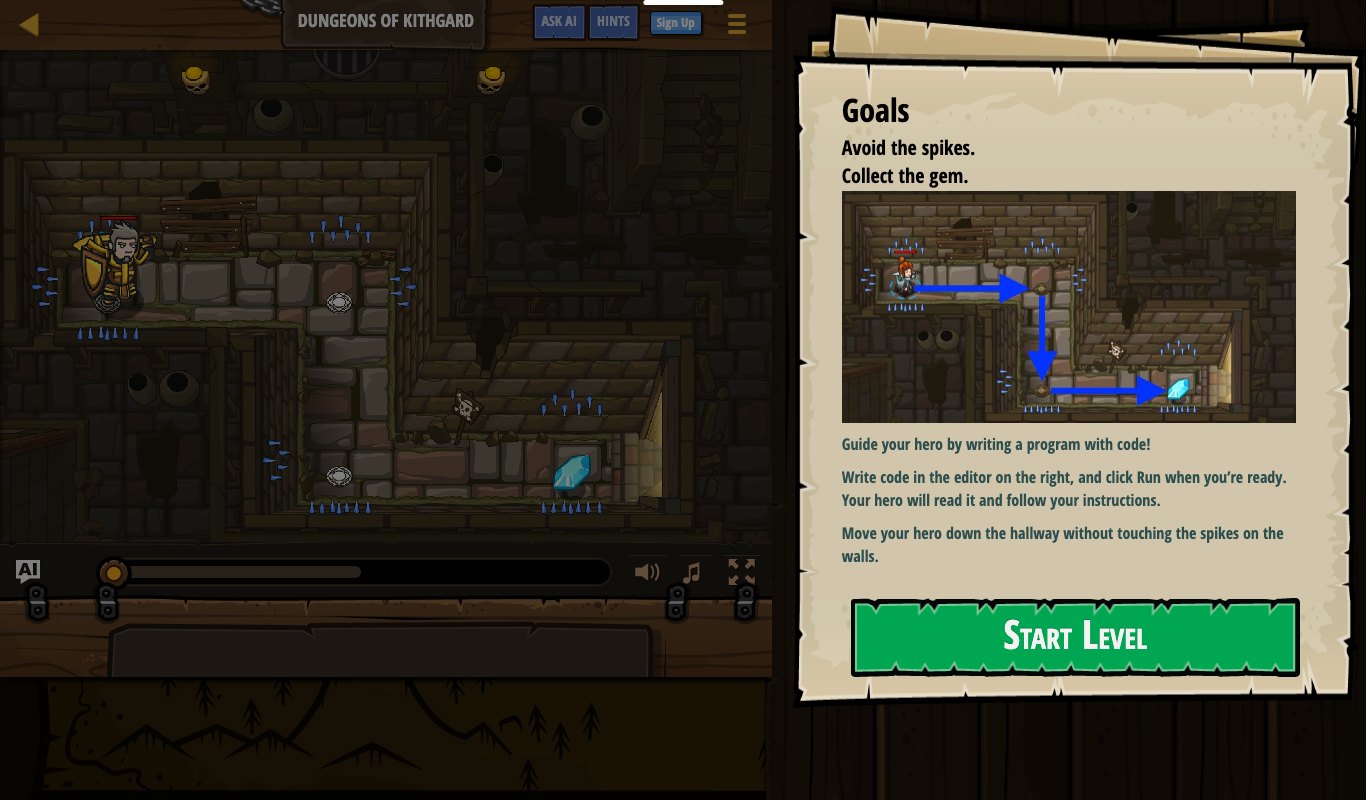
In CodeCombat, Dungeons of Kithgard opens on a goals card. The editor already holds hero.moveRight(). Your kid adds two lines and presses Run. The knight reaches the gem.
In Codestronauts, Wake Up, Cody is free and takes about 15 minutes. It opens on a call for help in an empty hangar. One line is already on screen, and pressing Run wakes Cody. The first line your kid types builds the ship. When a line is wrong, the scene goes wrong with it, and Cody says what happened. It closes on a cliffhanger that Thruster Trouble picks up.
You'll need an email, a password, a PIN and your kid's first name. Open the link we send, then hand over the screen with the sound on. Your kid needs no email, and you need no card.
On day two, ask what happens next. If your kid can tell you, the program has a pull.
Is CodeCombat good for kids?
Yes, it has kids typing real code from the first level. Its makers started it "to give learners the feeling of wizardly power at their fingertips by using typed code".[3]
Common Sense Media says the "walkthrough of tutorial levels makes learning basics easy".[2] At its best, it says, "players will be programming before they know it".[2] CodeCombat says its products have helped over 20 million students.[1]
What pulls them back: the next level or the next episode?
In CodeCombat it's the next level, and here it's the next episode.
Each CodeCombat level is a puzzle with goals. Beat it, and the next one opens. Common Sense Media says it "skips most of the mythical narrative to get right to the task at hand".[2] Its makers built a story game too. Ozaria has "an immersive story-driven narrative" and "was designed to be implemented in classrooms".[1]
Codestronauts runs on one story. Cody, a nervous robot, needs your kid to rebuild a starship. Each typed line pushes the adventure forward. Each episode ends on a cliffhanger, and the next one picks it up.
Kelleher, Pausch and Kiesler studied middle school girls learning to program. Those using Storytelling Alice spent 42% more time programming than those on a version without story support.[4] They were more than three times as likely to sneak in extra time.[4] Both groups learned the basics equally well.[4]
How much is CodeCombat? A year of each
A year of CodeCombat Premium is $99 in the US.[1] It renews "unless otherwise changed or canceled".[1] Its live classes start at $219 a month for one session a week.[1]
Star Catcher costs $29.99, paid once, after the free first episode. There's no subscription, and nothing renews.
You stay in charge of it. The account is yours, and its Parent Corner opens only with your PIN. Every purchase waits for your OK. It has no ads and no chat with strangers.
Questions parents ask
Is CodeCombat free?
Is CodeCombat worth it?
Yes, for a kid who keeps asking for the next level. Start on the free levels and watch what happens. Premium makes sense once they've used those up.
How is CodeCombat different from Tynker?
The first step differs. On Tynker, "kids learn with block-based coding before transitioning to text-based languages".[5] CodeCombat has them typing from its first level. We set Tynker beside us on its own page.
Where does my kid go after Star Catcher?
Constellation Painter, Mission 2. Your kid redraws the star charts the Glitch erased, so the Starbase can navigate again. CodeCombat's JavaScript levels also make good practice beside it.[1]
Where Codestronauts fits
Codestronauts, for the kid who drops things
Your kid ends Star Catcher with an arcade game of their own. It has arrow keys, a score, levels, sound and a boss they designed. Ask them to play it for you at the kitchen table.
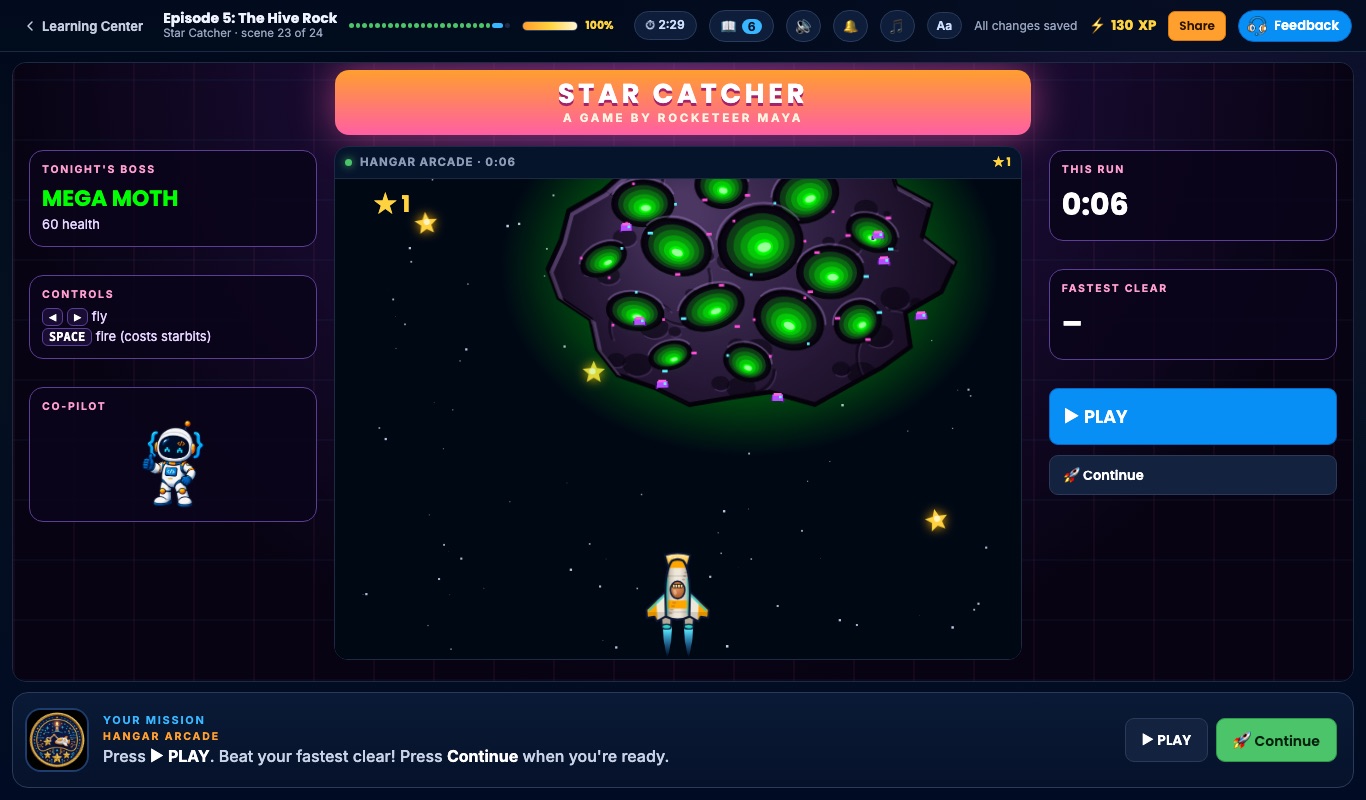
Wake Up, Cody ends on a cliffhanger. No card needed.
Was this answer helpful?
What was missing?
CodeCombat alternatives parents also weigh
Scratch Code.org Tynker Roblox Studio Coding tutor Coding camps Live coding classes Khan Academy CodeMonkey Kodable codeSpark Minecraft EducationAll fourteen side by side
From the blog
All answers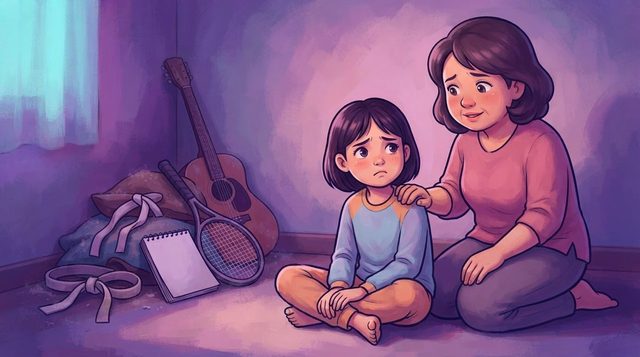 MotivationMy child quits everything. How do I help them stick with something?Your child is in good company. The average kid quits a sport by age 11, most often because it stopped being fun.
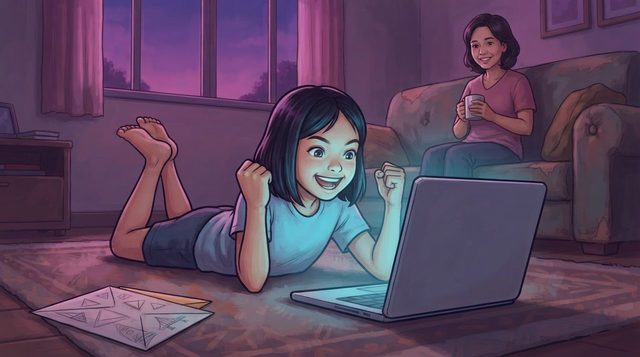 ScreensAre there educational games my kid will actually want to play?Yes, when the learning is the gameplay. Kids drop quizzes dressed up as games and stick with games where the skill is how you win.
How we compared
We make Codestronauts. We opened each product and took these screens on the dates shown. Each fact about the other program links to its own pages. Something out of date? Write to hello@codestronauts.com and we'll fix it. CodeCombat belongs to its owner, which has no tie to Codestronauts.
Sources
- CodeCombat's site text (its own open-source code, app/locale/en.js: the words its pages show), CodeCombat. Read Nov 5, 2026 ↩
- CodeCombat: Parents' Guide & Website Review, Common Sense Media. Read Nov 5, 2026 ↩
- About CodeCombat, CodeCombat. Read Nov 5, 2026 ↩
- Storytelling Alice motivates middle school girls to learn computer programming (Kelleher, Pausch and Kiesler, CHI 2007), WashU Research Profiles. Read Nov 5, 2026 ↩
- Tynker: coding for kids, Tynker. Read Nov 5, 2026 ↩
- Scratch | Scratch Foundation, Scratch Foundation. Read Nov 5, 2026
- Computer Science for Students | Learn, Explore, and Create with CodeAI, CodeAI (formerly Code.org). Read Nov 5, 2026
- Luau, Roblox Creator Hub. Read Nov 5, 2026
- Introducing Khan Academy's New Intro to Computer Science Course with Python, Khan Academy Blog. Read Nov 5, 2026
- Coding for Kids | Game-Based Programming, CodeMonkey. Read Nov 5, 2026
- Coding & Typing Apps for Kids Ages 4-10 | Kodable, Kodable. Read Nov 5, 2026
- codeSpark, the #1 Learn-to-Code App for Kids 3-10, Begin (codeSpark). Read Nov 5, 2026
- Computer Science | Minecraft Education, Minecraft Education (Mojang and Microsoft). Read Nov 5, 2026