Roblox Studio vs Codestronauts: which should my game-loving 10-year-old start with?
Roblox Studio is a workshop for building anything. Codestronauts is a story that teaches the code first.
Short answer
Roblox Studio is Roblox's free game editor,[1] scripted in Luau.[2]
 Codestronauts is a self-paced, story-driven coding course for kids 8–12. Kids wake a robot named Cody, then type real JavaScript to finish an arcade game.
For a 10-year-old who has never typed code, start with Codestronauts, then move to Studio. Episode 1 is free, no card.

No card needed. Episode 1, “Wake Up, Cody,” takes about 15 minutes.
At a glance
| Codestronauts | Roblox Studio | |
|---|---|---|
| What it is | A coding course built on a story. Star Catcher comes first, in five episodes | Roblox's free game editor[1] |
| Price | Episode 1 free, then $29.99 once for the rest of Star Catcher | Free to use.[3] Releasing to every age can cost extra[4] |
| What the kid types | Real JavaScript, line by line | Luau, a scripting language derived from Lua[2] |
| Ages | 8–12 | Any Roblox account: Kids for 5–8, Select for 9–15, standard from 16[5] |
| Best for | Kids 8–12 ready to type real code inside a story | Building and publishing games on Roblox[3] |
| What comes next | A story to finish. Cody needs them. Each episode leaves a question | Their own project, published to players on Roblox[3] |
| What they make | Their own arcade game, with a score and a boss they design | 3D games for Roblox players on consoles, desktops and mobile devices[3] |
| Help when stuck | Cody's hints first. Her last hint says the line, and they type it | Docs and tutorials,[6] plus code completion and an AI Assistant[3] |
| Where it runs | Phones, laptops and computers, in a web browser. Nothing to install | An app to install on Windows or Mac[1] |
| Who's in charge | You, from a PIN-locked Parent Corner. You approve every purchase | A linked parent account sets game rating, chat and spending limits[7] |
| Who makes it | Jonathan Greene, a dad of two with 17+ years in software | Roblox, "a one-of-a-kind destination for gamers and developers"[8] |
No card needed
Checked Nov 5, 2026. Every fact about Roblox Studio carries its source, listed under Sources.
The map
Roblox Studio for every age, Codestronauts for theirs
Roblox Studio is one tool for creators of every age, scripted in Luau. Codestronauts is made for 8 to 12, with a story to finish first.
Placed from each program's own pages, checked Nov 5, 2026.
| Made for their age | |||
|---|---|---|---|
| How likely they stick with it | One tool for every age, kids to pros | A wide range of ages | Made for 8 to 12 |
| A story to finish, inside an epic |  Codestronauts | ||
| A level to beat or people to share with | Roblox Studio | Scratch CodeCombat CodeMonkey Kodable codeSpark | |
| The next lesson or class | Code.org Tynker Khan Academy Minecraft Education | ||
- → Never babyish, never over their head.
- ↑ They finish what they start, and finishing builds real skill.
My kid wants to make Roblox games. What do I do first?
Start with one evening of typed code, then set up Studio.
Episode 1, Wake Up, Cody, takes about 15 minutes in a browser. To start: your email, a password, a PIN and your kid's first name. Open our email's link, then hand over the screen, sound on. No card, and no email for your kid.
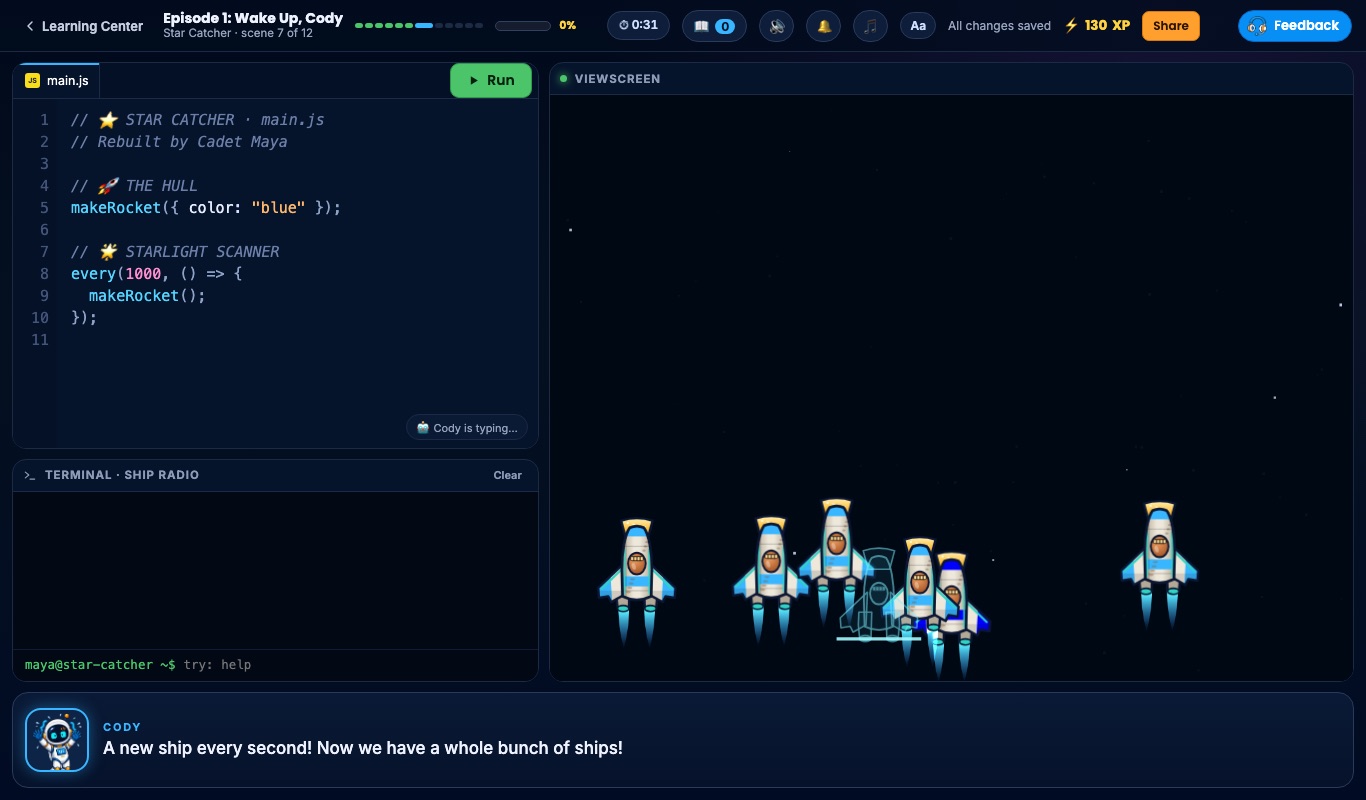
It opens on a call for help, then an empty hangar and a robot asleep on the floor. Your kid presses Run on the line already there, and Cody wakes. Then they type a line of their own, and it builds the ship.
Then set up Studio: we installed it on Nov 3 and opened Roblox's Platformer template. The other steps come from Roblox's pages.
- Download Studio on a Windows or Mac computer.[1]
- Sign in with a Roblox account.[1] Ages 5 to 8 get a Roblox Kids account, and 9 to 15 get Roblox Select.[5]
- Set up parental controls. Link a parent account: your kid opens Parental controls in Settings and clicks Add parent, and you keep a government ID ready.[7] Or approve requests on your kid's device, with no separate account.[7]
- Open a template. Platformer starts with platforms, coin pickups and double-jump.[4]
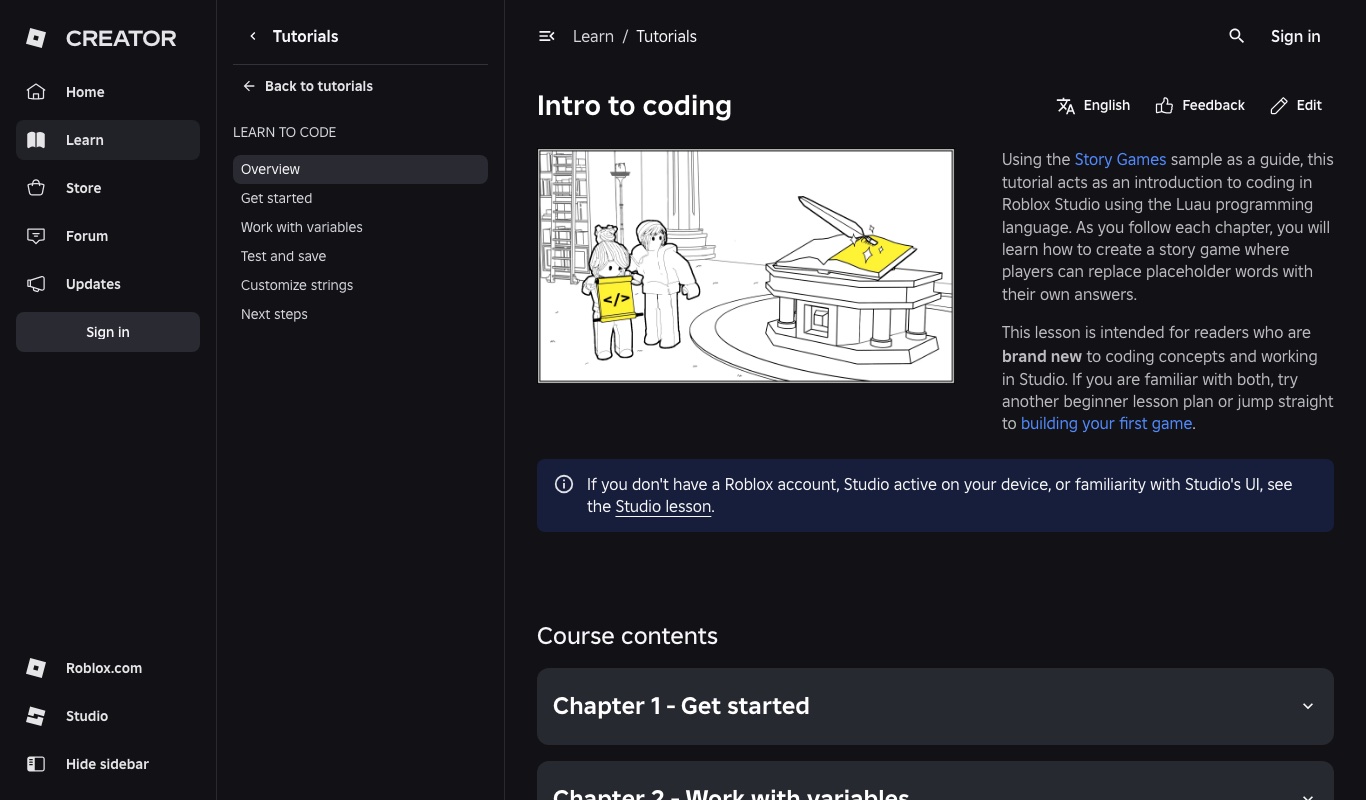
- Reach a first script. Intro to coding opens the Story Games template and its main script.[6]
Coming from Roblox? What carries over
Their game sense carries over. A kid who has played Roblox for years already thinks in coins, scores, health and a player who answers the keys.
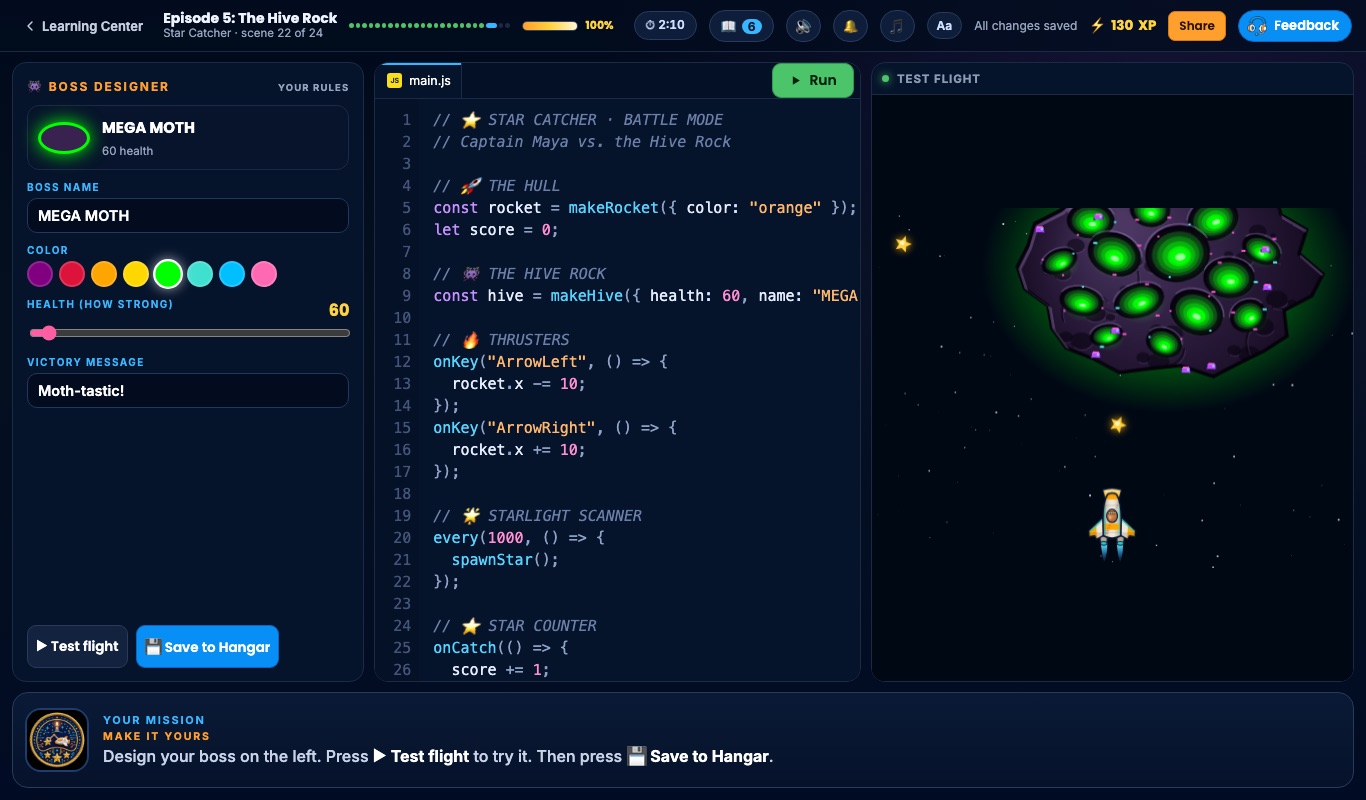
Codestronauts asks your kid to type those same ideas. A caught star is score += 1;. The left arrow is onKey("ArrowLeft", …). A boss's toughness is health: 60, set with a slider they control.
Run it here
The same idea, spelled out
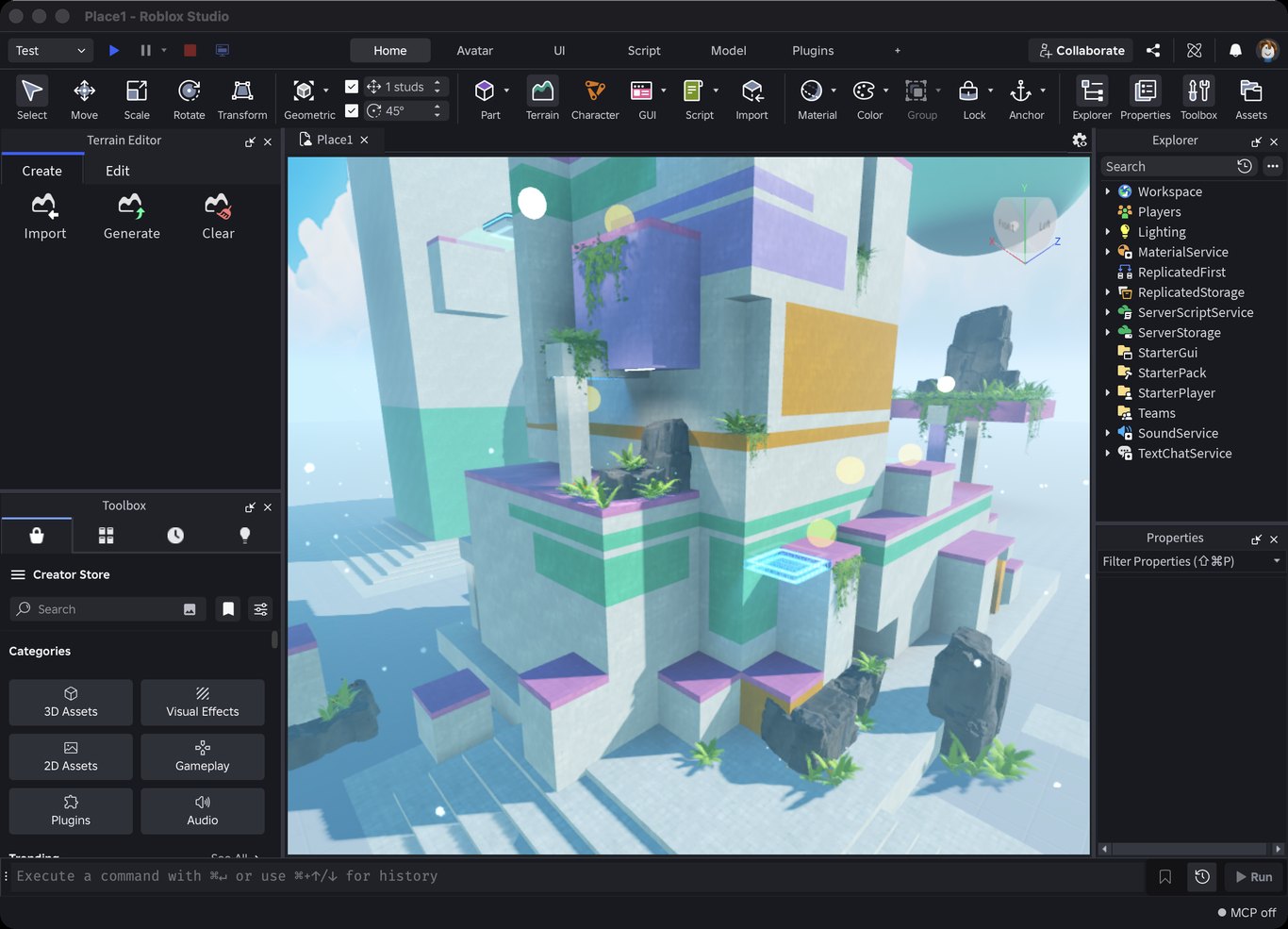
In Studio's toolbar, Part is for what's in the world and Script is for the Luau that makes it act.Screenshot of Roblox Studio with the Platformer template, taken Nov 3, 2026.
// 🚀 THE HULL
makeRocket({ color: "blue" });

// 🌟 STARLIGHT SCANNER
every(1000, () => {
  spawnStar();
});
Change blue to red, or 1000 to 100, and press Run.
Press ▶ Run
That's Episode 1's real game engine, running your edit on this page.
No card needed. Episode 1, “Wake Up, Cody,” takes about 15 minutes.
Keep Roblox going alongside it. Studio stays the next step. Your kid will open it knowing what a script is for.
Is Roblox Studio good for kids?
Yes, it's Roblox's own tool for building, scripting and publishing games.[3] Roblox says Studio has everything needed to publish to "hundreds of millions of Roblox users".[3] Kids drag 3D objects into a world,[3] then make them act with Luau scripts.[2]
Roblox also teaches. Its Intro to coding is written for readers brand new to coding.[6] Its second chapter uses variables to ask players questions inside a story game.[6]
Which one teaches a first-time coder?
Both can, and the difference is who picks the next step.
In Studio, your kid decides what to build and reads the lessons beside it.[6] In Codestronauts, the story decides. A robot needs waking, a ship needs thrusters, a beacon needs relighting. Each new word of code arrives when the story needs it.
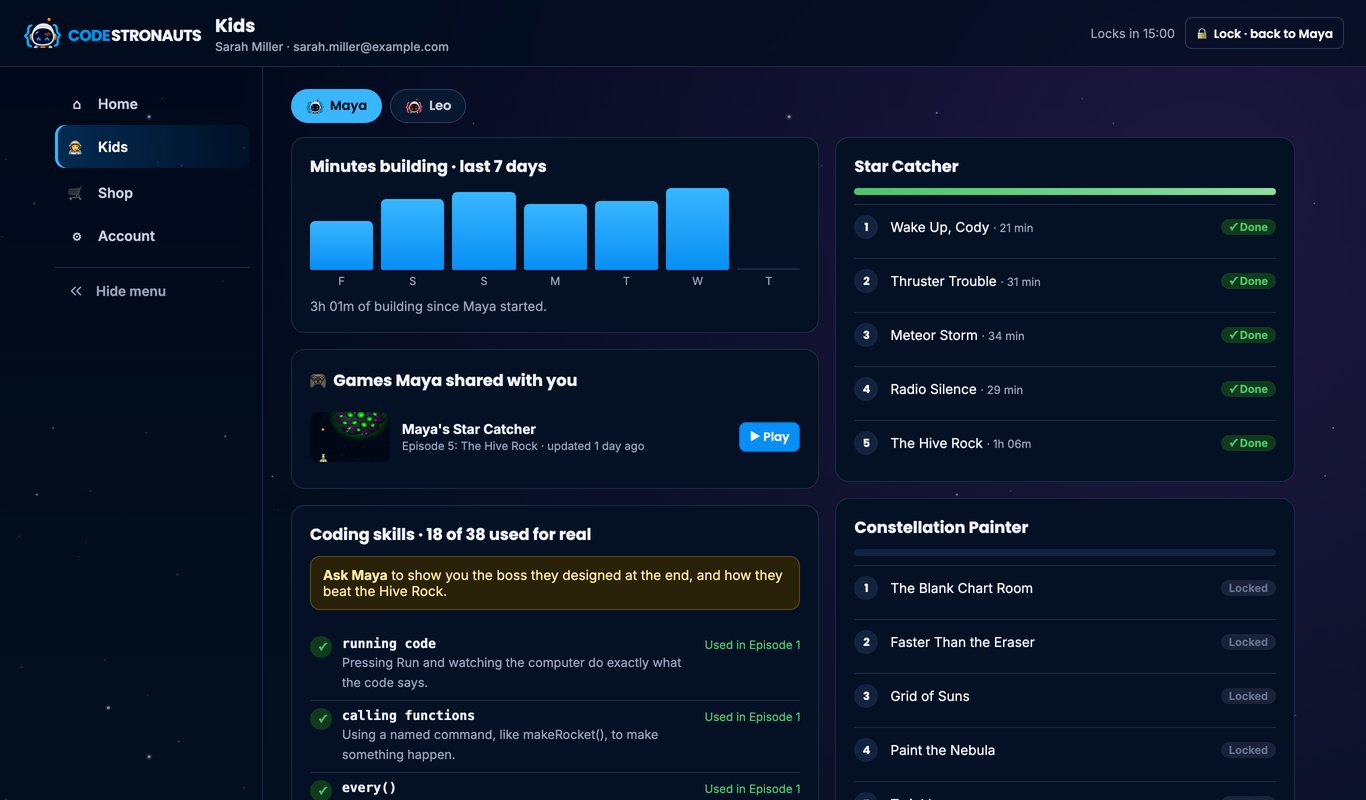
You stay in charge. Your Parent Corner sits behind a PIN and shows what they built and which skills they used. Ads and chat with strangers aren't part of Codestronauts, and kids use first names only.
Either way, ask them to explain one line back to you.
Is Roblox Studio free? When releasing starts to cost
Studio itself is free,[3] and the cost starts when your kid wants every age to play their game.
Releasing to players of all ages takes two months in a row of Roblox Plus or Premium, or a one-time 1,000 Robux per game.[4] Roblox also asks for an age check, two-step sign-in and its own review.[4] It hands the fee back once the game keeps 25 highly engaged players for 60 days without moderation.[4]
Episodes 2 to 5 of Star Catcher are one payment of $29.99, and nothing renews. Brothers and sisters share it.
Say a 10-year-old has built obstacle courses in Roblox for a year. This winter, they finish Star Catcher and design their boss. Next summer, they open Intro to coding already knowing what a variable is.
Questions parents ask
What age can use Roblox Studio? Can my 8-year-old?
What coding language does Roblox Studio use?
Should my kid learn Luau or JavaScript first?
A kid who has never typed code can start with JavaScript in Star Catcher. Naming a value, running code on a key press and reading an error all carry across. A kid already in Studio can keep scripting in Luau and start Episode 1 beside it.
Roblox Studio or Scratch?
Scratch for blocks kids "drag and snap together",[10] Studio for typed Luau scripts.[2] We set Scratch beside Star Catcher in our Scratch comparison.
Where Codestronauts fits
Codestronauts, for the kid who wants to make the game
Star Catcher, the first Codestronauts mission, runs five episodes and about two hours, at your kid's own pace. By The Hive Rock, the last episode, they've built a real arcade game with a boss they designed.
Then they can play it for you at the kitchen table.
Let your game maker type a first line tonight. No card needed.
Was this answer helpful?
What was missing?
Roblox Studio alternatives parents also weigh
Scratch Code.org Tynker CodeCombat Coding tutor Coding camps Live coding classes Khan Academy CodeMonkey Kodable codeSpark Minecraft EducationAll fourteen side by side
From the blog
All answers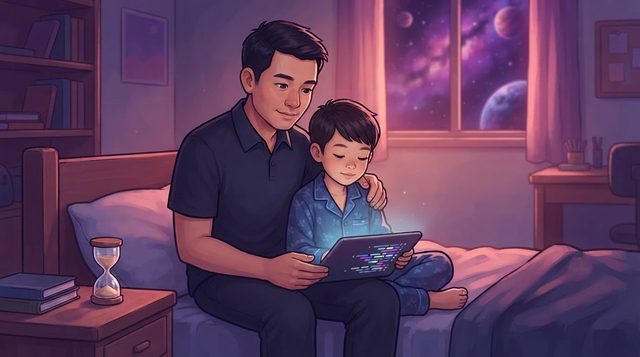 ScreensHow do I get my son off Roblox without a fight?Before he logs on, agree how long he'll play, which games and what comes next, as the AAP advises. End at a natural break and say little. Then give part of his screen time a making job, like building a game.
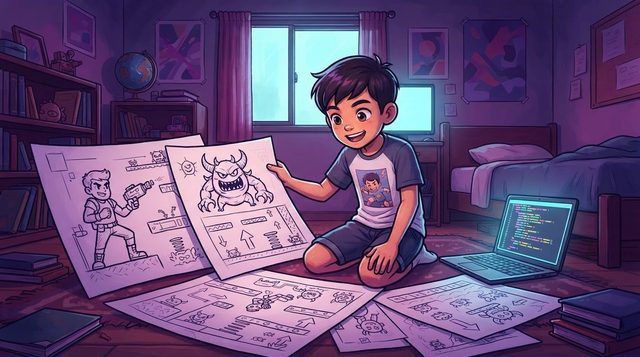 CodingMy son wants to make his own video game. Where should an 11-year-old start?Start with one small game he can finish this month, in real typed code that runs in a web browser, such as JavaScript, plus a reason to come back when week two gets hard. Eleven is an early start.
How we compared
We make Codestronauts. We opened each product and took these screens on the dates shown. Each fact about the other program links to its own pages. Something out of date? Write to hello@codestronauts.com and we'll fix it. Roblox Studio belongs to its owner, which has no tie to Codestronauts.
Sources
- Roblox Studio setup, Roblox Creator Hub. Read Nov 5, 2026 ↩
- Luau, Roblox Creator Hub. Read Nov 5, 2026 ↩
- Roblox Studio, Roblox Creator Hub. Read Nov 5, 2026 ↩
- Create and publish games and places, Roblox Creator Hub. Read Nov 5, 2026 ↩
- Roblox Introduces New Age-Based Accounts and Expanded Parental Controls for Users Under 16, Roblox. Read Nov 5, 2026 ↩
- Intro to coding, Roblox Creator Hub. Read Nov 5, 2026 ↩
- Parental Controls, Roblox. Read Nov 5, 2026 ↩
- About Roblox, Roblox. Read Nov 5, 2026 ↩
- Collaboration, Roblox Creator Hub. Read Nov 5, 2026 ↩
- Scratch Foundation, Scratch Foundation. Read Nov 5, 2026 ↩
- Age-Based Roblox Kids and Roblox Select Accounts Now Globally Available, Roblox. Read Nov 5, 2026 ↩
- Computer Science for Students | Learn, Explore, and Create with CodeAI, CodeAI (formerly Code.org). Read Nov 5, 2026
- Coding For Kids, Kids Online Coding Classes & Games | Tynker, Tynker. Read Nov 5, 2026
- About CodeCombat, CodeCombat. Read Nov 5, 2026
- Introducing Khan Academy's New Intro to Computer Science Course with Python, Khan Academy Blog. Read Nov 5, 2026
- Coding for Kids | Game-Based Programming, CodeMonkey. Read Nov 5, 2026
- Coding & Typing Apps for Kids Ages 4-10 | Kodable, Kodable. Read Nov 5, 2026
- codeSpark, the #1 Learn-to-Code App for Kids 3-10, Begin (codeSpark). Read Nov 5, 2026
- Computer Science | Minecraft Education, Minecraft Education (Mojang and Microsoft). Read Nov 5, 2026