How do I explain how AI works to my 9-year-old?
Short answer
Give your 9-year-old three plain ideas: a computer does exactly what it's told, AI is a program that learned to guess from millions of examples, and a person still directs it and checks its guesses.
Then let them give a computer orders.
Common Sense Media found nearly half of kids 9 to 17 have never discussed AI safety with a parent.1
Why is "how does the AI know that?" so hard to answer?
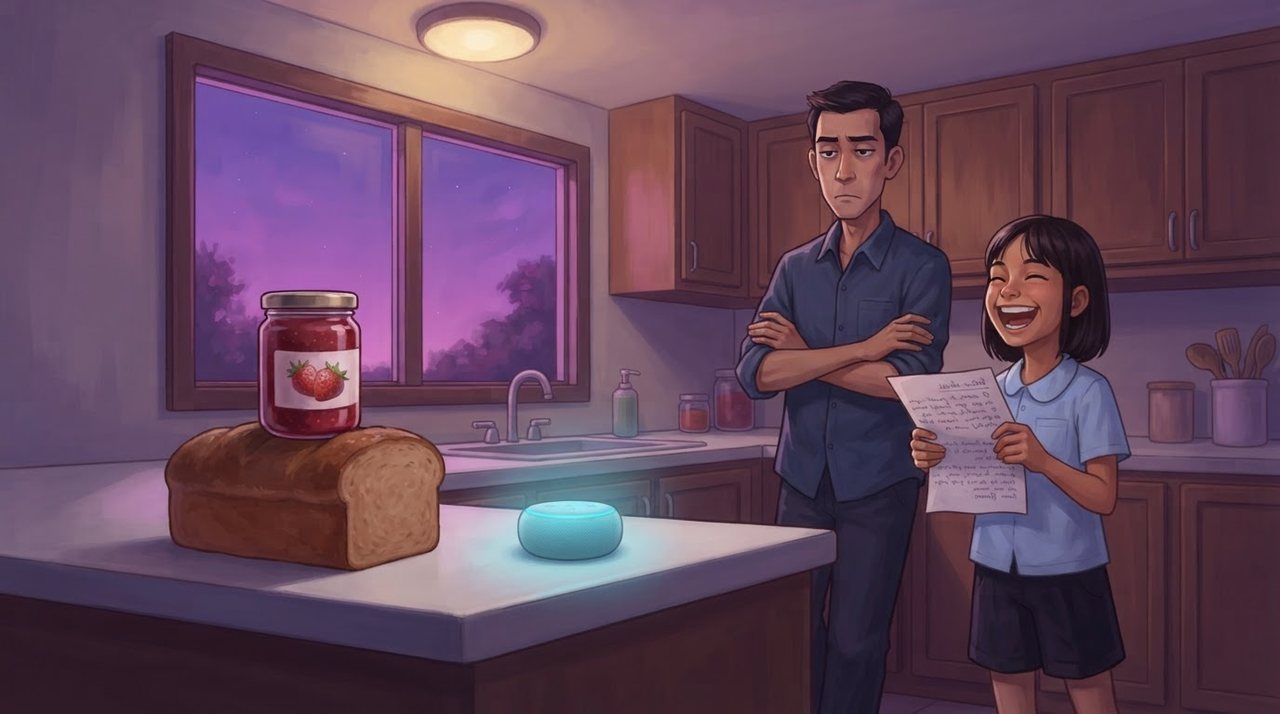
Because the true answer sounds like magic until you have a picture for it. Your 9-year-old has watched the speaker in the kitchen play her song on request and watched you ask a chatbot to plan her birthday party. Now, over dinner, she wants to know how it knows everything, and whether it's smarter than you. You start explaining, reach words like "neural network" and "training data", and watch her drift back to her rice.
Plenty of parents feel stuck right there: I can't help her with this, I barely understand it myself. Under the question sits a bigger worry. You want your kid to grow up as the one telling the AI what to do, and you can't steer her there if she thinks it's a know-it-all friend. A good answer takes three sentences a 9-year-old can repeat, plus a few things you do together so she feels them work.
What do kids believe about AI, and what changes their minds?
Most kids start out sure the machine is a someone, and programming one is what changes their minds. In a study presented by the researchers Druga and Ko, children in after-school programs who spent time with robots and Amazon's Alexa agreed that the devices "will remember me," "like me" and are "smarter than me."2 When Alexa didn't play a song a child had asked for, the verdict was "she did not listen."2
Then the children programmed AI themselves on a platform called Cognimates, teaching computers to tell funny messages from serious ones and drawings of unicorns from narwhals.2 Tested again afterward, they showed "a new awareness that these devices are only as smart as their programming."2 The researchers summed up the change neatly: many kids came to see smart agents as "fallible but helpful."2
So you'll explain AI best by putting your kid on the other side of it, as the one who gives the instructions and watches what the machine does with them.
What happens if my kid thinks the AI knows best?
She learns to follow it, and that habit is worth heading off early. In a robot experiment the same article describes, "when a robot sitting with a child gave the wrong answer about line lengths, the child was swayed to give the wrong answer, too."2 A chatbot writes in calm, confident sentences, and a 9-year-old who thinks it knows stuff has no reason to doubt it. Over the years that becomes the gap between a kid who takes whatever the machine hands over and one who tells it what to do and catches it when it's wrong. That second kid is doing the part of the work AI still needs a person for. It will matter whatever jobs exist when she grows up.
School won't close that gap for you. In Common Sense Media's 2026 census of more than a thousand 9- to 17-year-olds,1 "three-quarters of kids say their school has discussed what they can and cannot use AI for, but just over half have been taught how to use AI safely."1
This is very fixable, and nine is a great age for it. She's old enough to type and follow a rule to its silly end, and young enough to still ask you how things work. In the Cognimates study the shift came from children doing the programming and the testing together,2 which is exactly what a parent can set up at the kitchen table.
Why don't "it's just a computer" or a kids' video about AI stick?
Words alone lose to a machine that talks back like a friend. The usual fixes for this worry each run into that.
"It's just a computer program" is true and doesn't stick, because her own experience says otherwise every time the speaker answers her by name. A kids' video about AI gets a nod, and the next morning the speaker still "likes" her: watching someone explain is passive, and nothing in it asks her to do anything. Letting her chat with a chatbot to see for herself runs into the age limits. Common Sense Media's guide to ChatGPT notes that "OpenAI's Terms of Use state that ChatGPT users must be age 13 or older," and tells parents that younger kids should stay off it.3 Chatting also teaches the opposite lesson, that it's a pal with answers. Keeping AI out of the house doesn't work either: it already picks her videos and plays her songs.
What works is the kind of activity where she gives the instructions and a machine carries them out, mistakes and all. When you weigh an app, a class or a weekend project, look for three things:
- She writes the instructions herself, typed or spoken, instead of watching someone else's.
- The machine does exactly what she said, so a sloppy instruction shows up as a funny wrong result she can fix.
- There's something she wants to finish, a game, a story or a character waiting on her, so she keeps going after the first afternoon.
How do I explain AI to my 9-year-old this week?
Five short activities, about twenty minutes each, none of which needs you to know any code.
- Say the three sentences. "A computer does exactly what it's told, nothing more. AI is a computer program that studied millions of examples, so now it can guess: the next word, the song you'll like, what a drawing shows. It's often right and sometimes wrong in a very confident voice, so a person has to tell it what to do and check what it gives back." Then hunt for AI together: the videos picked for her, the speaker, the face filter on your phone, the game character that seems to chase her on purpose. Ask each time how it might know that.
- Play the exact-instructions game. She writes the steps for making a jam sandwich and you follow them word for word. "Put the jam on the bread" means the whole jar goes on the loaf. She'll laugh, rewrite and number her steps, and she'll have learned the first rule of programming: the computer does what you said, which isn't always what you meant.
- Play Guess the Next Word. You start a line ("Twinkle, twinkle, little…") and she finishes it. A chatbot writes the same way, one likely next word after another, from patterns in a mountain of text. Then try a sentence with no obvious ending and talk about how a guess can sound sure and still be wrong.
- Teach a neural network on Quick, Draw! In Google's free game, "you draw, and a neural network tries to guess what you're drawing,"4 and Google says plainly that "it doesn't always work."4 Take turns drawing. When it misses, ask her why. It learned from other people's doodles, so a drawing unlike theirs throws it, and that's also the simplest way into fairness: AI copies the examples it was given, gaps and all.
- Test a chatbot on your account, side by side. Ask it something she's the family expert on, like the rules of her favourite game or facts about her favourite animal. Read the answer together, let her find the mistake, then have her tell you a clearer way to ask while you type. The person who words the question and checks the answer is the one in charge.
After a week of these, the next step is a computer that follows her typed instructions exactly: a first line of real code.
What changes when a 9-year-old starts giving the instructions?
Here's one way it might go, with an example girl we'll call Ploy. She's nine and says good night to the kitchen speaker.
On Monday her parents say the three sentences, and she isn't buying it, because the speaker knows her name. On Tuesday comes the sandwich. Her dad sets the jar of jam on top of the bread and waits. She rewrites her steps three times, and the last version has "open the lid" as step two. On Thursday Quick, Draw! can't guess her cat because she drew it from behind, and she decides it "hasn't seen enough cats from the back." On Saturday her mum asks a chatbot about Ploy's favourite game. It gets one rule wrong, Ploy spots it at once, and she has her mum ask again with the rule spelled out.
On Sunday the speaker plays the wrong song. Ploy groans, then says, "I didn't say it clearly," and asks again in different words. That's the whole lesson, in her voice.
Where does Codestronauts fit for a kid learning to give machines instructions?
Codestronauts teaches kids 8 to 12 to code inside a space story. Star Catcher, the mission everyone starts with, practises exactly what this page is about: a machine doing precisely what a kid tells it. The opening episode, called Wake Up, Cody, begins when your kid presses Run, and Cody, a jittery little robot, stirs awake. The first line your kid types builds the starship, right there on the screen. From there your daughter types real JavaScript, never dragged blocks, and each line pushes the adventure forward while the two of them rebuild the Star Catcher and set course for the Great Beacon, which has gone dark.
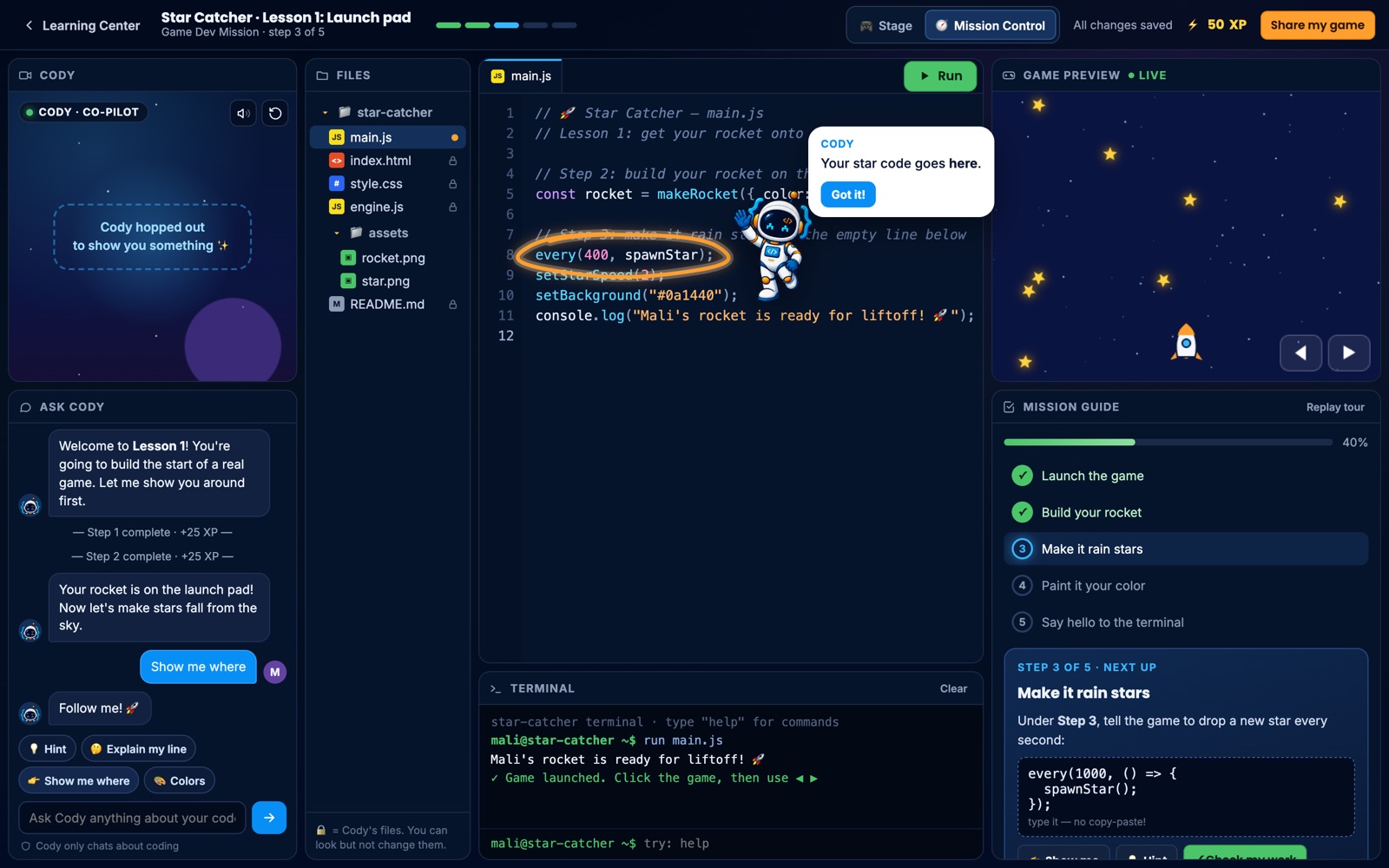
It's the sandwich game, with a starship. Get a line wrong and your kid sees the mistake happen on screen, often to comic effect, and then Cody, a fully voiced robot co-pilot, explains why it went that way. Each new word of code gets its explanation only once the code has run in front of your kid, so every explanation lands on something already seen happening, and the question your daughter learns to ask is the one from the kitchen: what did I actually tell it? Cody hints before telling: only Cody's final hint spells the line out, and your kid still types it in. Across the mission's five episodes, roughly two hours taken at whatever speed suits her, your daughter builds a real arcade game, steered from the arrow keys, that keeps a running score, plays sound effects, climbs through levels and finishes on a final boss of her own design. You hold the account, behind a Parent Corner only your PIN opens, Cody sticks to coding, and the game carries no ads and no chat with strangers of any kind. The first episode costs nothing and needs no card, and one payment of $29.99 opens the other four episodes, with nothing that renews.
See the mission where your kid's typed instructions wake Cody, build a starship and end in an arcade game of her own.
See how Star Catcher worksQuestions parents also ask
Can my 9-year-old use ChatGPT to learn about AI?
Not on her own account. OpenAI sets ChatGPT's minimum age at 13, and Common Sense Media's parent guide is blunt about younger kids: they shouldn't use it.3 If a chatbot comes in, use it on your account with her beside you: you type, you read the answer together, and she judges what it got right and wrong. That's the useful skill at nine anyway.
Is Alexa or Siri AI?
Partly. A voice assistant uses AI to turn your words into text and guess what you meant. Once it has guessed, ordinary code follows exact instructions to play the song or set the timer. That's why it's a good example for a 9-year-old: one half guesses, the other half obeys, and when it gets something wrong you can ask her which half slipped.
Does AI think or have feelings?
No. It finds patterns in examples and makes a guess; it doesn't know, want or care about anything. Kids often believe these devices like them and are smarter than them,2 so give her a habit of words: say "it guessed" instead of "it knows", and "I didn't say it clearly" instead of "it didn't listen".
What should I tell her about AI and privacy?
Tell her to treat a machine like a stranger: no full name, school, address or photos of herself. Pair that with fairness: AI copies the examples people gave it, mistakes included, so a confident answer still needs checking.
Does my kid still need to learn to code if AI can write code?
Yes. Code is where she practises giving a computer exact instructions and checking what comes back, the part a person still does when AI writes the first draft. The evidence is in our answer on coding in the age of AI.
Was this answer helpful?
What was missing?
Sources
- A Comprehensive Report on Teens, Tweens, and AI (The Common Sense Media Census: AI Use by Tweens and Teens, 2026), Common Sense Media ↩
- Hey Alexa, Show Us How You Work (Educational Leadership, Nov 2024), on Druga and Ko, 'How do children's perceptions of machine intelligence change when training and coding smart programs?' (ACM Interaction Design and Children, 2021), ASCD ↩
- Guide to ChatGPT for Parents and Caregivers, Common Sense Media ↩
- Quick, Draw!, Google Creative Lab ↩
Keep reading
More in AI and the future AIIs it still worth it for kids to learn coding now that AI can write code?Yes. AI now writes code in seconds, and a lot of it is almost right. In Stack Overflow's 2025 survey, the frustration developers cited most, at 66%, was "AI solutions that are almost right, but not quite".
 AIHow do I AI-proof my 10-year-old when nobody knows which jobs will exist?Bet on the skills under every job, since nobody can pick the jobs.
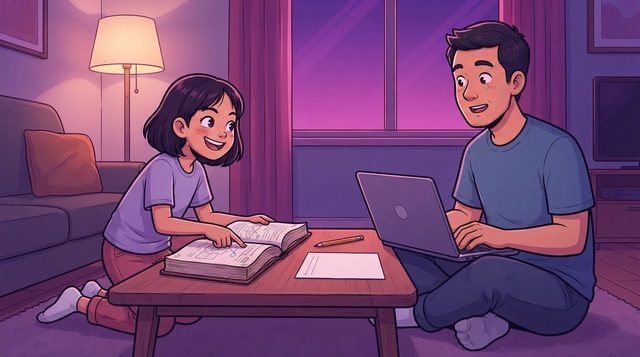 AIShould kids use AI for homework?Only with you, and only for hints. In a 2025 UK survey, 42% of children aged 9 to 17 who had used a chatbot had used it for schoolwork.
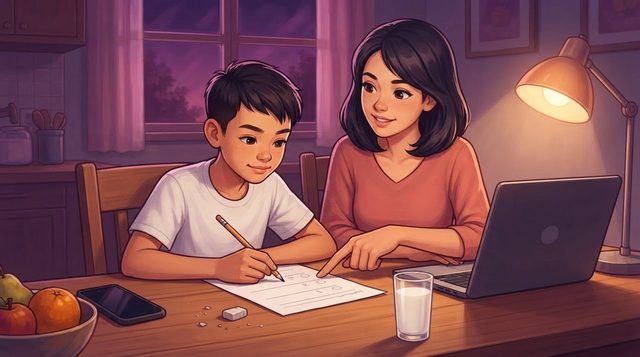 AII think my 11-year-old is letting AI do his homework, and he isn't learning anything.You're probably right, and it's fixable. In a Wharton-led study of nearly 1,000 high schoolers, students who practiced math with a plain chatbot scored 17% worse than classmates with no AI once it was gone.