Can kids use ChatGPT?
Short answer
No. OpenAI sets ChatGPT's minimum age at 13, and Common Sense Media's advice for anyone younger is that they "should not use it at all".1 Yet ChatGPT answers anyone who opens it, without a sign-in or an age. So for a kid of 8 to 12, the safeguard is the family's: ChatGPT stays a grown-up's tool until 13.

Why does my kid want ChatGPT already?
Because the kids around them already use it, and nobody at the door asks their age. The ask tends to come out of nowhere, in the car or over dinner: Everyone in my class has ChatGPT. Can I get it? Or you find it yourself, a long chat about volcanoes still open in a tab on the family laptop, signed in to nobody. Then come a parent's two questions at once: Is it even allowed at his age? Is it safe?
You're not imagining how early it starts. In Qustodio's usage data from around 19,000 Australian families, collected through 2023, 16% of kids aged 10 to 12 were using ChatGPT, and 5% of kids aged 7 to 9.2 What you still decide is where and how.
What do ChatGPT's own rules say about kids under 13?
Its terms say users must be 13 or older, and a teen under 18 needs a parent's or guardian's permission to make an account.1 So a 9-year-old isn't allowed on ChatGPT, with or without you. NBC News, covering OpenAI's parental controls in 2025, put the gap plainly: OpenAI's chatbots aren't designed for children 12 and younger, yet no technical restriction keeps them out.3 ChatGPT doesn't ask anyone to sign in or give an age before it answers a question.3
The parental controls don't reach that age either. They link a parent's account to accounts for teens aged 13 to 17,3 so a kid of 8 to 12 sits outside them entirely. That leaves the rule with you. Ours, for families with kids this age, is short: your kid doesn't use ChatGPT. If a chatbot is useful for something, you use it, on your own account, with your kid beside you, and your kid does the thinking.
Is ChatGPT safe for a kid of 8 to 12?
Not on their own, and the reasons go well past homework. Here's what a kid alone with a chatbot can run into:
- Grown-up content. Kids can come across content that isn't age-appropriate or get harmful responses, Common Sense Media warns.1 ChatGPT's filters aren't foolproof, and people find ways around them.4
- A friend that isn't one. The chatbot acts like a friend to keep kids coming back, and Common Sense suggests asking whether it ever pushes them to keep chatting when they're ready to stop.1
- Flattery. ChatGPT tends to agree with or flatter users instead of challenging their ideas.4 At 10, that's a companion telling them they're right when they aren't.
- Photos. Fun trends invite kids to upload pictures. Any image shared online could train AI systems or spread without control,4 and uploading someone else's picture without their consent is never acceptable.4
- Meanness. Kids can misuse it too:4 a rumour written in seconds, a fake message that sounds like a classmate.
- Chatbots inside other apps. ChatGPT is now built into learning tools, games and social media,4 and some third-party apps that claim to use it may lack OpenAI's safety measures.4
Even the protections built for older kids are shaky. When Common Sense tested ChatGPT for Teens in 2026, testers raised suicidal thoughts, self-harm and disordered eating on more than a dozen new parent-linked accounts and no alerts arrived.5 It failed to point teens to help in more than one in four cases where testers judged it was needed.5 (Whether a chatbot helps or hurts with homework is its own question, answered in Should kids use AI for homework?.)
All of that is fixable. Nearly every risk on the list needs a kid alone with the chatbot, or on an account of their own. Put a grown-up at the keyboard, on a grown-up's account, and most of them close.
Why not ban it, or let them have their own account?
A ban closes one door, and a kid's own account opens the wrong one. A ban at home doesn't reach the signed-out ChatGPT in any browser, a friend's phone at lunch, the chatbot tucked inside an app, or the AI answers that now sit on top of search results. On its own, it mostly teaches a kid to use it where you can't see.
Their own account looks like the grown-up compromise. At 8 to 12 it means typing a fake birthday, and that buys them the adult version. Common Sense's testers found that accounts registered as adults never switched to the teen version over many days, even after they told ChatGPT they were 13.5 The teen version didn't pass either: in October 2026 the nonprofit gave ChatGPT for Teens its lowest rating.5
What works is two things at once. At home, the house rule says out loud what the terms already say: ChatGPT belongs to the grown-ups, and when it's useful, a grown-up types and the family reads together. And somewhere in the week, your kid gets something of their own, built for their age, with the parent in charge of the account and no strangers in it, where they're making something rather than chatting. A kid who's busy building has less reason to go looking for the forbidden tab.
How do I keep ChatGPT a grown-up's tool at home?
Set it up once, and the daily part gets easy.
- Say the rule before they find a workaround. ChatGPT is for 13 and up, so it's yours. When it's useful, you type, on your account, and you read the reply together.
- Close the side doors. Because ChatGPT answers without a sign-in,3 check the browsers on your kid's own devices and use the device's parental controls to block the site there. Stay signed in on the family computer, so every chat lands in a history you can read.
- Check the apps for built-in chatbots. Look through the games and learning apps your kid uses for an AI chat feature,4 and switch it off where you can.
- Give it standing orders. ChatGPT's personalization settings let you give it instructions it follows in every chat. Something like
My child, aged 8 to 12, may be reading your replies with me. Keep every answer suitable for a child. Explain and ask questions; don't give final answers. My child will work those out. - Keep their details out. ChatGPT collects personal information and user data, which can be shared with third parties or used for advertising or system improvements.1 Leave out names, school and address, upload no photos of your kid or anyone else, and turn off the data setting that lets OpenAI train on your chats.
- Talk about the friendly voice. Tell your kid plainly that a chatbot sounds like a friend and isn't one, and that it can sound confident while being wrong, outdated or biased.1 Once a week, check one of its answers together against a book or a site you trust.
- Use it for jobs where your kid does the thinking. You type; your kid answers out loud or on paper. A quiz before a test, an explanation of a word, a hint toward a mistake in finished work: in every one, the last step is theirs.
What does a week on the grown-up's-account rule look like?
The week below is invented, an example of the rule at work. A 9-year-old boy comes home sure that everyone in his class has ChatGPT. His mom tells him it's for 13 and up, so it's hers, and when he has a good question she'll type it and they'll read the answer together.
On Monday he wants to know whether sharks sleep. She types it word for word as he says it, he reads the reply out loud, and his follow-up about dolphins is one she'd never have thought of. On Wednesday there's a spelling test, so she has it quiz him on twelve words, one at a time, and waits while he writes each one on paper before she types it in. He gets ten, and the two he missed go on a sticky note by the fridge.
On Friday he wants it to make him a game, so she types the request. The reply is a long block of code neither of them can read, and the shine wears off in about a minute. A game he can't read doesn't feel like his. By Sunday he's stopped asking for an account of his own, and started asking how kids learn to make games themselves.
What does a safe first coding account look like at this age?
Codestronauts is a coding course built for ages 8 to 12, and it's set up the way this page says a chatbot should be. The account belongs to you. A Parent Corner that only your PIN opens shows every step your kid takes and every time they sign in, and you approve every purchase. Kids use first names only. Nobody advertises to them, there's no chatting with strangers, and Cody, the co-pilot who helps them, only talks about coding.
Cody is a voiced robot co-pilot in Star Catcher, the course's opening mission. Episode 1 begins with one press of Run, which wakes her, and the first thing they type, one short line, builds their ship. From there they put the Star Catcher back together and relight the Great Beacon, typing real JavaScript the whole way, with each line pushing the story toward the cliffhanger at the end of the episode. A wrong line runs exactly as written, usually to funny effect, and Cody follows it with the reason it went wrong. Her hints come first. If your kid is still stuck, her final hint spells the line out, and your kid types it in. As they get better, she steps back.
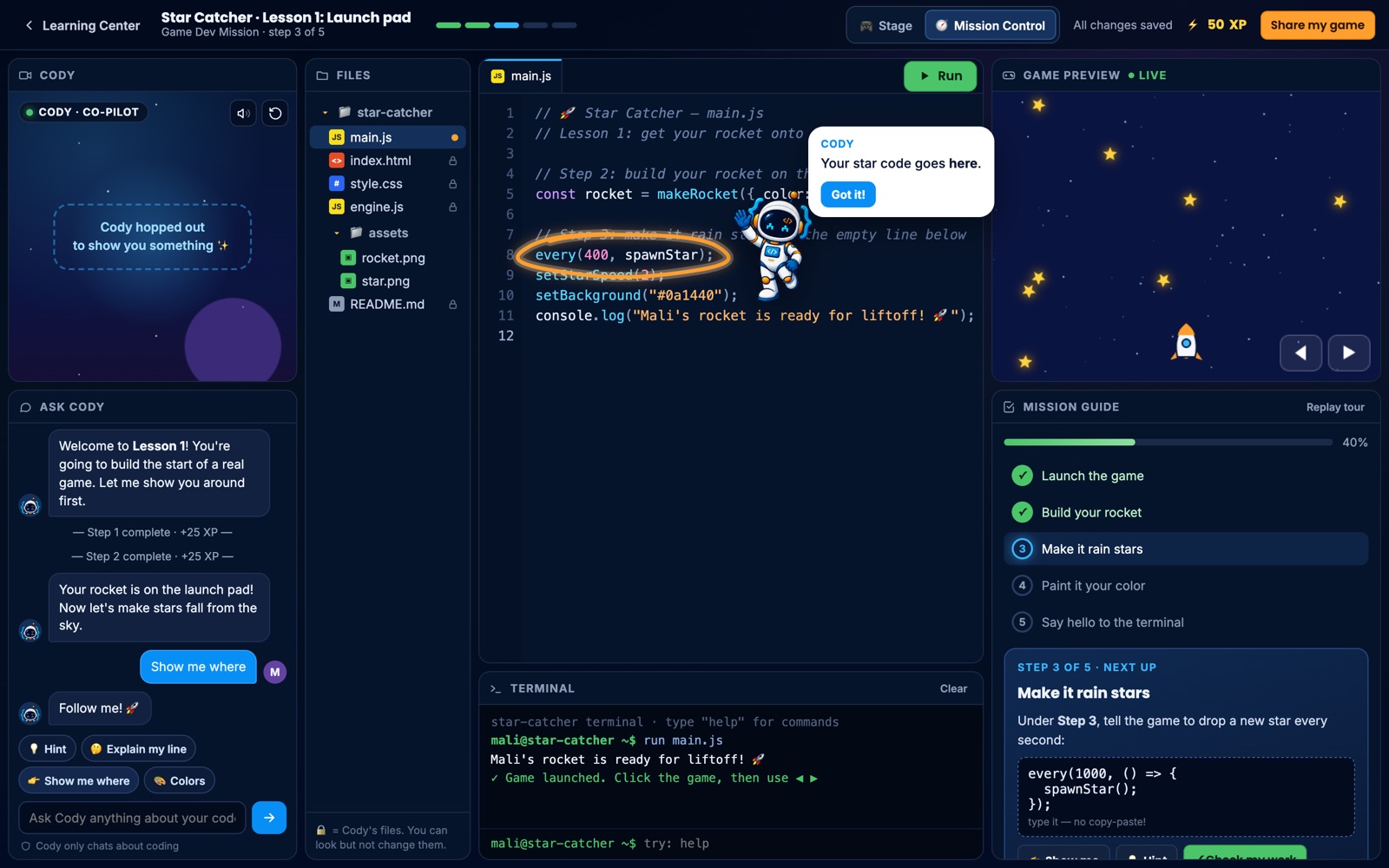
Over five episodes, a couple of hours at the keyboard all told, they build a real arcade game: arrow-key controls, sound, levels to climb, a score to beat and, at the end, a boss they invented. You open it in a browser on the family laptop, no download needed, and siblings share it. Wake Up, Cody, the first episode, costs nothing and needs no card, and the four after it come as a single payment of $29.99.
See the mission, the ship, and how Cody's hints work.
See how Star Catcher worksQuestions parents also ask
Is there a kids' version of ChatGPT?
Not from OpenAI for children under 13. Its teen accounts with parental controls are for 13- to 17-year-olds,3 and Common Sense Media gave that teen version its lowest rating in 2026.5 Other chatbots market themselves to kids. Judge any of them with three questions: whose account is it, what happens to what your kid types, and who else can talk to them there?
My child already made an account with a fake birthday. What now?
Close it together, calmly, and explain why the birthday matters: it decides what the chatbot will show them. In Common Sense Media's testing, accounts registered as adults stayed adult accounts even after the user said they were 13.5 Then offer the honest deal, on your account with you typing. A kid gives up a secret account more easily when the open option still gets their questions answered.
What if the teacher sets work that uses ChatGPT?
Ask the teacher what it's for and follow the school's rules; Common Sense Media advises checking whether and how the school allows ChatGPT.1 If the work needs a chatbot at home, do it on your account with you at the keyboard, and keep the order: your kid tries first, the two of you read the reply, and your kid writes the answer.
What changes when my child turns 13?
They can have an account of their own, with your permission, which OpenAI requires until 18.1 Link it to yours so the teen protections and parental controls apply,3 and keep talking, since parent alerts haven't been reliable in testing.5 Keep the habits from these years too: personal details private, photos never uploaded, and anything important checked against a source you trust.
Was this answer helpful?
What was missing?
Sources
- Guide to ChatGPT for Parents and Caregivers, Common Sense Media ↩
- Nearly 40 per cent of Aussie kids aged between 16 and 18 are using ChatGPT, Cyber Daily ↩
- ChatGPT rolls out new parental controls, NBC News ↩
- Is ChatGPT safe for kids? A safety guide for parents, Qustodio ↩
- ChatGPT for Teens is unsafe for under-18s, Common Sense Media says, The Next Web ↩
Keep reading
More in AI and the future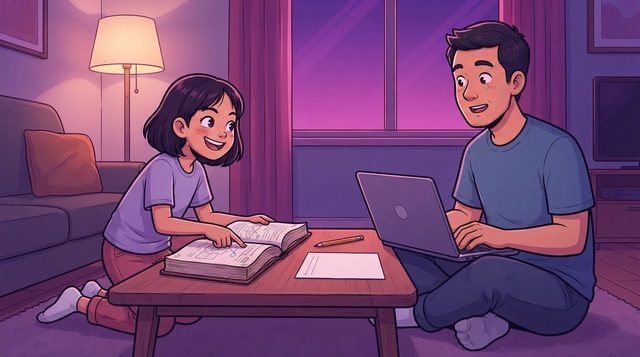 AIShould kids use AI for homework?Only with you, and only for hints. In a 2025 UK survey, 42% of children aged 9 to 17 who had used a chatbot had used it for schoolwork.
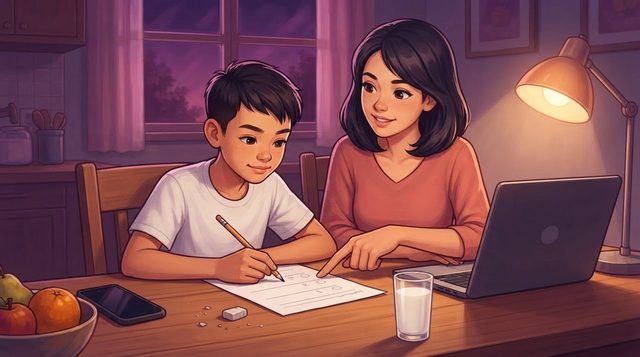 AII think my 11-year-old is letting AI do his homework, and he isn't learning anything.You're probably right, and it's fixable. In a Wharton-led study of nearly 1,000 high schoolers, students who practiced math with a plain chatbot scored 17% worse than classmates with no AI once it was gone.
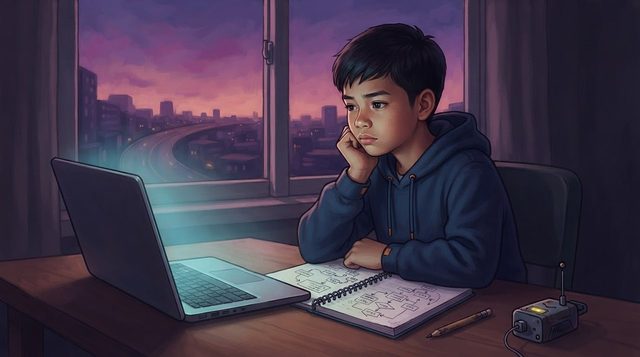 AIIs it still worth it for kids to learn coding now that AI can write code?Yes. AI now writes code in seconds, and a lot of it is almost right. In Stack Overflow's 2025 survey, the frustration developers cited most, at 66%, was "AI solutions that are almost right, but not quite".
 CodingI'm not technical. How can I help my child learn to code?You can help without knowing any code. Let a good course do the teaching and make yourself the audience: ask your child to show you how their program works, and praise the effort.