I'm not technical. How can I help my child learn to code?
Short answer
You can help without knowing any code. Let a good course do the teaching and make yourself the audience: ask your child to show you how their program works, and praise the effort.
In Google and Gallup's research, students whose parent or teacher had encouraged them were three times as likely to be interested in learning computer science.1
What happens when your child asks for help you can't give?
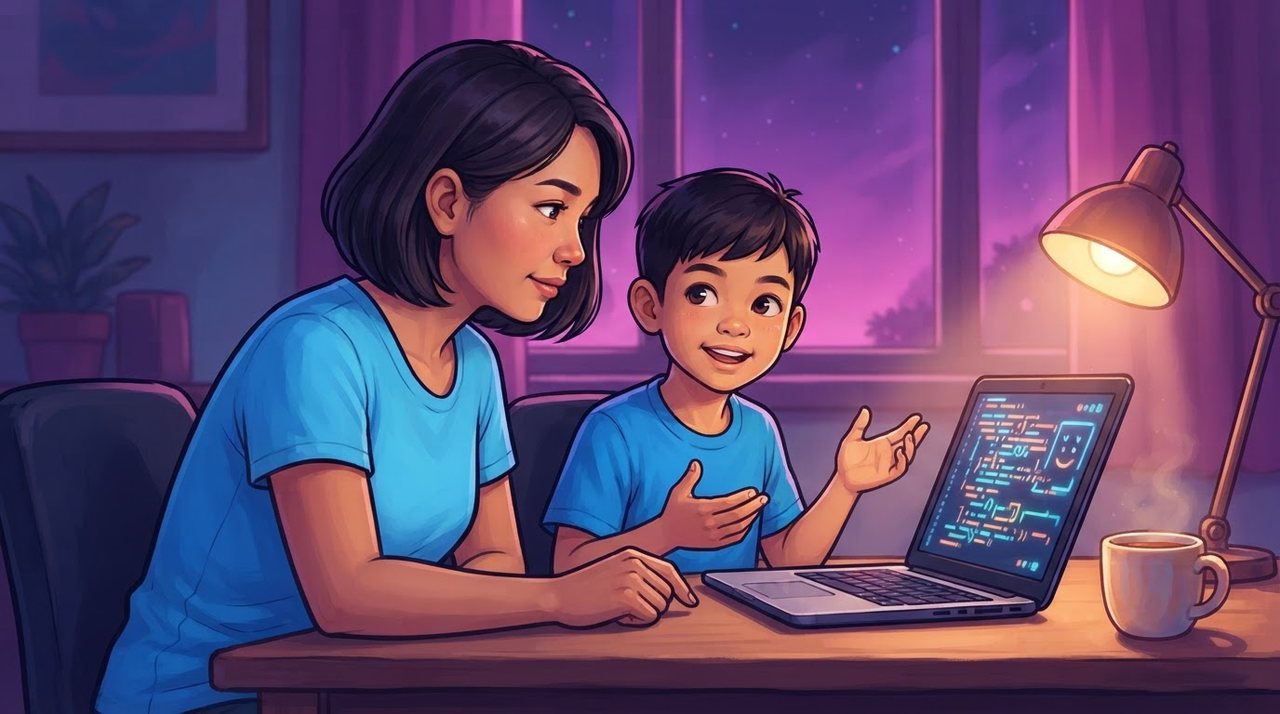
Usually the moment ends with a shrug, and both of you feel it. It's a school night, and your son has been typing at the laptop for an hour when he calls you over: his character won't jump. You lean in, see a wall of brackets and semicolons, and the thought arrives right on time. I'd love to help him with this, but I know nothing about coding. So you say, "Maybe ask your teacher tomorrow," and he closes the laptop.
Nobody did anything wrong. Still, he just learned that coding is something he does alone, and you just learned that you can't help him. Both conclusions are mistaken, and correcting them takes no code.
Can I really help if I don't understand the code?
Yes, and not understanding it is part of what makes you useful. A child who explains their code to you learns it twice: once while building it, and again while putting it into words. To explain it to someone who can't read it, they have to say out loud what each line does, and that is exactly where their mistakes surface. In a Vanderbilt University study, 4- and 5-year-olds learned a pattern puzzle best when they explained the solution to their mothers, who had been asked only to listen.2 "We've found that by simply listening, a mother helps her child learn," said the lead author, psychologist Bethany Rittle-Johnson.2 She believes the finding can help parents with schoolwork "even when they are not sure of the answer themselves".2 The explainer gains at school age too: a review of 65 evaluations of school tutoring programs, published in the American Educational Research Journal, found that the student tutors gained along with the children they tutored.3
Programmers use the same effect on purpose. They call it rubber-duck debugging: you explain your code line by line to a toy duck on the desk until the bug gives itself away. You're a far better listener than a duck. Even experts end up in your chair. In the Raspberry Pi Foundation's guide for parents, Marc Scott, then its senior learning manager, says that once his son moved on to a language Marc had never used, debugging "just involves me asking him to explain his code".4
What if I just stay out of it?
The interest tends to fade quietly. A child who keeps hearing "ask your teacher" decides that coding belongs somewhere else, and a skill with nobody at home to show it to is easy to let go. That's a real loss, because what coding trains reaches past computers: breaking a big problem into steps, testing an idea and fixing what fails. Staying out also leaves one sentence unsaid: "You'd be good at this." Girls go without it more often: in the same Google and Gallup research, boys were nearly twice as likely as girls to say a parent had told them they'd be good at computer science.1 Saying it out loud at home closes that gap for your own child.
All of it is fixable, starting this week. What your child needs from you fits into the last few minutes of a session, and none of it involves writing code.
Why don't the usual fixes stick?
Because most of them quietly assume someone in the house can code. Trying to stay a lesson ahead makes you that someone. It turns your evenings into homework, and a kid who's hooked will pass you anyway. Handing it all to a class puts the coder somewhere else: nobody at home asks about it, and when the term ends, the coding often ends with it. A coding kit makes a great first weekend and then moves to a drawer, because the next step needs someone who knows what it is. Many free tutorials open by printing "Hello, World" to the screen, which is a letdown for a kid who wanted to build a game. When one gets hard, there's nobody at home to explain it.
So the fix that works for a family like yours does the coder's job itself. It explains each new idea at the moment your child meets it, and its help comes as hints instead of answers, so a stuck kid gets moving without you. It gives them a reason to come back that isn't you asking, like a story they want to finish or a character who's waiting on them. And it ends with something they built and can show you. Add a parent view that shows where they are, and you're left with the one job that needs no code at all: asking to see it.
What can I do tonight without knowing any code?
Marc Scott's first tip for parents fits on a sticky note: "You don't have to understand the code, but you can listen and ask questions".4 Turn it into a routine you run at the end of every session.
- Ask for the tour. "Show me how that works" is the best opener there is. Follow up with "What does this line do?" and "What did you expect to happen?"
- Keep your hands off the keyboard. Scott's advice is to offer suggestions rather than instructions and leave the mouse and keyboard to your child.4
- Ask before you answer. When something breaks, try "Why do you think that didn't work?" before anyone goes looking for the fix.4
- Read the error message together. It looks scary, but it usually names the line and the problem, and reading it out loud is half of debugging.
- Let them choose the project. Their own idea, even one that sounds too big, will hold their attention longer than yours.
- Tell them they'd be good at this. Google and Gallup asked students whether a parent had told them exactly that.1 Then praise the finished thing where someone else can hear it.
- Match the tool to the age. Picture blocks such as ScratchJr suit 5- to 7-year-olds who can't type much yet. From about 8, a child who can type can start on real code, as long as something explains each new word as it appears.
What might that look like with my kid?
Say your 9-year-old is coding a maze game and calls you over because her player walks straight through the walls. You can't read a word of it, so you ask her to show you the line that moves the player. She points and starts explaining: every press of the arrow key adds five to x, and then the game draws her player in the new spot. Halfway through the sentence she stops. Nothing checks for a wall before the move. She fixes it while you're still nodding. All you brought was attention, and that was the part of the lesson only you could supply.
A course that does the teaching, so you can do the asking
Codestronauts is built for exactly this split. It's a space story for kids 8–12, and code is the only way through it. The mission your child starts with, Star Catcher, opens on an empty hangar, a sleeping robot named Cody and a line of code that's already written. One press of Run wakes her. The first line they type is makeRocket();, and it builds their ship. Every line after that is real JavaScript they type themselves, all the way to rebuilding the Star Catcher and relighting the Great Beacon. Cody does the explaining you can't. She's fully voiced and points at the line that matters, and she introduces each new word right after your child has seen it work. She gives hints rather than answers, and she steps back as your child improves. Mistakes play out on screen, often in a funny way, and then she explains what went wrong.
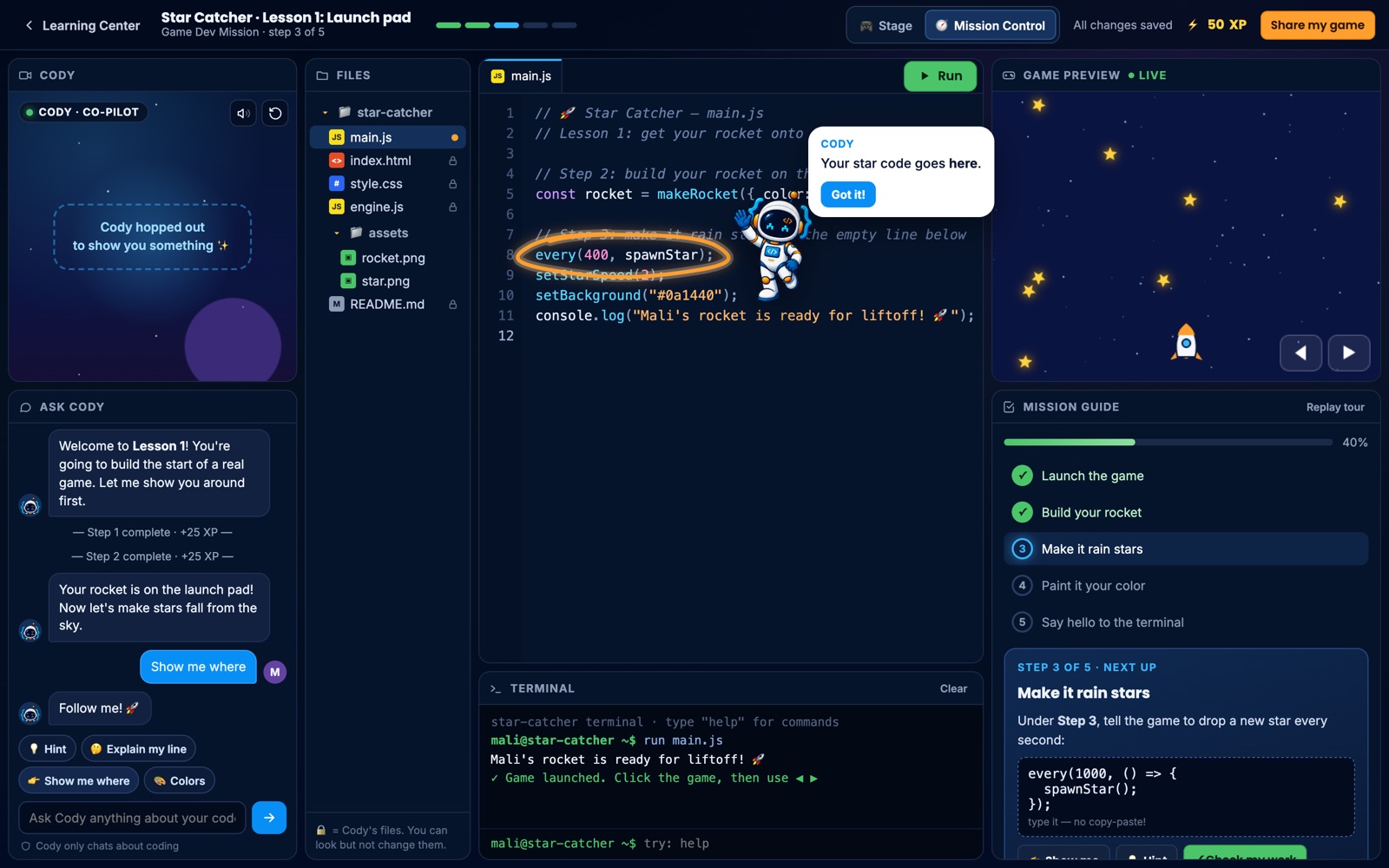
Each line your child types pushes the adventure forward, and every episode stops on a cliffhanger. In Radio Silence, Cody loses her voice and only your child can bring it back. By the last episode your child has a real arcade game to walk you through. They designed its boss, and it runs on arrow-key controls with a score, levels and sound. Five self-paced episodes take about two hours in all, in a browser with nothing to install. A PIN-locked Parent Corner lets you see every step. One payment of $29.99 covers the whole mission for every sibling, and nothing renews.
See the mission your child would play, and the screen they'd be walking you through.
See how Star Catcher worksQuestions parents also ask
Should I learn to code alongside my child?
Only if you'd enjoy it. Learning side by side can be fun, and a parent who's also a beginner shows that being confused is a normal part of coding. It isn't required, though, and trying to stay a lesson ahead tends to turn into homework for you. Your curiosity and your questions help more than your own progress does.
What age should my child start learning to code?
Once they read and write comfortably. Five- to seven-year-olds do well with picture blocks like ScratchJr, because typing is still slow at that age. From about 8, kids who can type can start on real typed code, as long as each new word is explained as they go. Teens can take on bigger projects in Python or JavaScript, or a summer coding camp.
Do I need special equipment or tech skills to get started?
No. A laptop or desktop with an up-to-date web browser runs most beginner courses, and many need nothing installed. If you can use a mouse and keyboard, you have every skill the setup asks of you. And if your child asks what code even is, a recipe makes a fine answer: exact steps, in order, followed to the letter.
What if my child asks a question I can't answer?
Say "I don't know, let's find out," and mean it. Search the exact words of the error message together, check the course's built-in help, or ask your child what they've already tried. Watching a parent look something up calmly teaches a habit working programmers use every day. And the question stays theirs to solve.
Should I hire a tutor or find a mentor?
A tutor or mentor helps when your child wants live feedback or is racing ahead. A mentor can be a friend, relative or colleague who codes and is happy to look at a project now and then. For most beginners, a self-paced course with good built-in help covers the day-to-day work, and a mentor is a bonus.
Was this answer helpful?
What was missing?
Sources
- Google and Gallup's computer science education research: six things to know, Google (research with Gallup) ↩
- Kids learn more when mom is listening, Vanderbilt University ↩
- Educational Outcomes of Tutoring: A Meta-analysis of Findings (Cohen, Kulik and Kulik, 1982), American Educational Research Journal, via ERIC ↩
- A guide for parents, Raspberry Pi Foundation ↩
Keep reading
More in Coding and making CodingMy 10-year-old keeps asking how video games actually work. How do I explain it?Tell them a video game is a loop. Over and over, the game checks which buttons are down, moves everything by its rules (speed, gravity, what happens when two things touch) and draws a fresh picture.
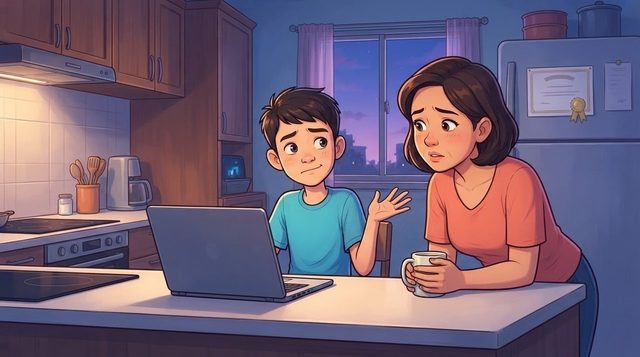 Coding“My son can tell me what he clicked in coding class, but not why. I can't tell if he's learning anything.”Ask him to explain one line he wrote: what it does, and why it's there. If he can, he's learning. If he can only retrace the clicks, he's following steps.
 CodingI wish I'd learned to code as a kid. Where should my child start?Pick by what your child can type and wants to make. Not typing yet: Scratch or a free Code Club. Into games: MakeCode Arcade, or Star Catcher, our typed-JavaScript story. From about 9 or 10, Python or web pages.
 CodingMy 10-year-old daughter loves building things but says coding is for boys.Act now, while the idea is new. In Microsoft's survey of 11,500 European girls and young women, most girls' interest in STEM took hold around age 11½ and began to fade by 15.