My 10-year-old keeps asking how video games actually work. How do I explain it?
Short answer
Tell them a video game is a loop. Over and over, the game checks which buttons are down, moves everything by its rules (speed, gravity, what happens when two things touch) and draws a fresh picture.
On a common 60 Hz screen each pass gets about 16 milliseconds, so the loop runs roughly 60 times a second.1
The rules are the code.
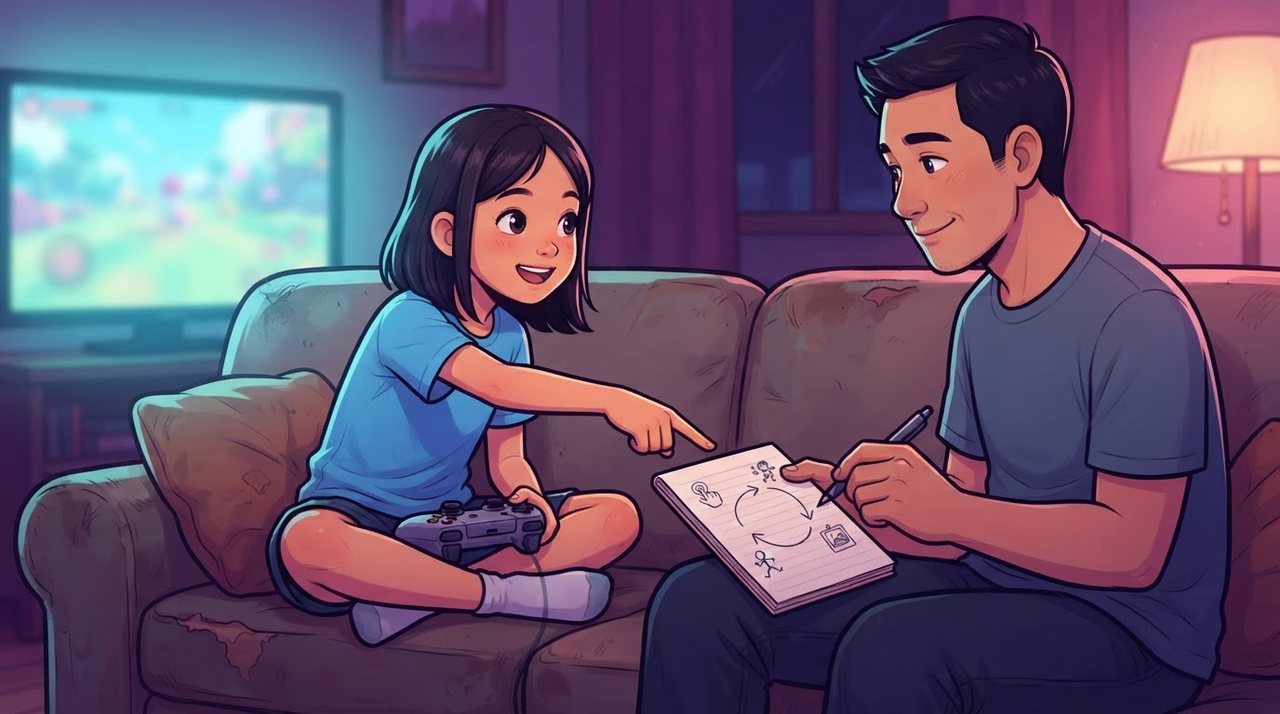
What is my kid really asking?
They're asking what happens between pressing a button and seeing the jump. That has a short, real answer, and you can give it tonight.
It tends to come mid-game. Controller in hand, your 10-year-old asks how the game knows they jumped. Then how the zombie knows where to walk, and where the world comes from when they run past the edge of the map. You say "it's code". They say "but how?" And that's where you run out. Look it up and you get "render pipeline" and "physics engine", true and impossible to pass on.
What they want is the mechanism: the steps the game is running while they play. You can explain it without writing code, in about five minutes, with three ideas: a loop, some numbers, and rules that change those numbers.
So how does a video game actually work?
It runs a loop, a short list of jobs the computer repeats very fast until the game ends. Mozilla's guide for game developers describes every game this way: it presents a situation, accepts the player's input, turns that input into actions and works out the new situation those actions cause, then loops through those stages until someone wins, loses or goes to bed.1
In words a 10-year-old can repeat, each pass of the loop has three jobs:
- Check the inputs. Which keys or buttons are down right now? Where's the mouse? An action game checks on every pass instead of waiting for a press.
- Apply the rules. Move everything a little. If the right arrow is down, the player moves right. Gravity pulls them down a touch. If two things overlap, something happens: the coin vanishes and the score goes up, or a life is lost.
- Draw the picture. Paint the background, then every character and object where it now stands, and put the finished picture on the screen.
Then back to the top. On a common 60 Hz screen, one pass has to fit into about 16 and a half thousandths of a second.1 So the game redraws itself about 60 times every second.1 Each picture is a sliver different from the last. Think of a flipbook that draws its next page from whatever you're pressing. Pong, Minecraft and Fortnite all stand on that same skeleton.
What are the rules made of?
Numbers, and if-then sentences that change them. Once a kid sees this, the screen stops looking like magic.
Everything in a game lives as a number the code can change. Where the player stands is two numbers: x for how far across, y for how far up or down. It's the coordinate grid the Common Core math standards bring in during fifth grade, where a point is found with an ordered pair of numbers.2 So are speed, health, coins, lives, the timer and the level. Moving right is "add 5 to x". A jump is "set the upward speed to 12", and gravity is "take 1 off the upward speed every pass", which is why a jump rises fast, slows, hangs for a moment and falls.
The rules are sentences your kid could say out loud. If the player touches a coin, add 1 to coins and remove the coin. If health reaches 0, the game is over. If the player comes close, the zombie turns and walks toward them. Even enemies that seem clever run on rules like these: each ghost in Pac-Man picks where to head in its own way, and that's why they seem to have personalities.
The pictures are drawings, called sprites, that artists and animators made and the code places at those x and y numbers on every pass. A running animation is the code swapping one drawing for the next, and a rule says when each sound plays. Even giant worlds come from numbers: a Minecraft world grows from a seed number, so two players on the same version who type the same seed get the same hills and caves.
That's what a game studio does all day. Designers pick the rules and the numbers (how high the jump, how fast the zombie), artists and sound designers make what you see and hear, and programmers write the loop and the rules as code, usually on top of a game engine that handles the drawing.
What if I just say "it's code" and move on?
Then the question usually fades, and the screen stays a magic trick: something done to your kid by clever strangers. A kid who thinks games are magic rarely pictures making one.
Timing matters too. In a 2014 brain-imaging study at UC Davis, volunteers recalled about 71% of the trivia answers they had been curious about, compared with 54% of the ones they were less curious about.3 They also remembered more of the unrelated material shown to them while they were curious.3 A kid asking "but how?" is at the best moment to take in the answer, along with whatever comes with it.
All of this is fixable, and fast. The answer fits in a few sentences, you don't need to code to give it, and the same question will come back the next time they play. Have the loop ready, and the next "how does it know?" opens a conversation instead of closing one.
Why don't the usual answers satisfy them?
Most of them explain who makes games, or what games run on, and skip what the game is doing while it runs.
- "It's code" or "it's the computer" names the thing and stops before the mechanism, so the next question is always "but how?"
- Explainers for grown-ups go straight to processors, graphics cards and engines, and none of it tells a kid why their character fell off the ledge.
- Explainers for kids walk through a studio's steps (an idea, then code, then art) and treat the code as a recipe nobody gets to read.
- "You can take a class when you're older" pushes the answer past the moment they were most ready for it.
- Copying a tutorial game gets something running, but if nobody asked them to guess what each line does first, they can rebuild it without knowing why it works.
What works is letting a kid read real instructions, guess what they'll do, run them, and then change one. Computing teachers have a name for that order: PRIMM, short for Predict, Run, Investigate, Modify, Make.4 Sue Sentance, Jane Waite and Maria Kallia tried it in 13 schools with 493 students aged 11 to 14, alongside a control group, and the PRIMM learners did better on the final test.4 So look for something see-through, with the code and the game side by side, where changing one number visibly changes the game. That's how the magic trick becomes a toolbox.
How do I show them the loop tonight?
Start inside the game they already love, then open one up. None of these steps needs you to know any code.
- Narrate one minute of play. Sit beside them and call the three jobs out loud as they happen: "it checked your buttons, it moved you, it drew you." Then hand the commentary to them.
- Hunt the numbers. Pause and list every number on the screen: score, health, coins, time left. Then find the hidden ones, like how fast they run and how high they jump. Each is a number the code keeps changing.
- Write three rules as if-then sentences. On a sticky note, in their words: "If I touch lava, I lose a life." "If the timer hits zero, it's game over." Programmers call plain-English code like this pseudocode, and they plan with it.
- Make a flipbook. Draw a ball in the corner of ten sticky notes, each one a little lower, and flip through them. Ten pictures make a fall. A game draws a new one on every pass of its loop.
- Open the hood. On Scratch, the free coding site that started at MIT and runs in the browser, every shared project has a See inside button that shows its code. Pick a simple platform game, find the number for gravity or jump height, and ask them to predict what doubling it will do. Run it, see who was right, then put it back. That's predict, run and modify in one evening.
- Try the seed trick if Minecraft is their game. Make a world with a seed you pick, then a second world with the same seed, and watch the same landscape come back.
What does it look like when it clicks?
Here's a made-up evening to show how it can go. A 10-year-old is deep in a platform game and asks, for the third time that week, how the game knows she jumped. This time her dad has the loop ready. On every pass, he tells her, the game checks whether jump is pressed. If it is and she's standing on something, it gives her an upward speed, and gravity takes a little of that speed away each pass until she lands.
She has the follow-up before he's finished: "So what if gravity was weaker?" They open a platform game on Scratch, click See inside and find the block that changes her falling speed by -1 on every pass. She predicts a higher jump. She changes it to -0.3, clicks the green flag, and her character drifts off the top of the screen. She laughs, tries -2, and gets a stubby little hop. By bedtime she has decided her favourite game's gravity is "too heavy".
The next time she plays, she does the narrating. Then comes a new kind of question: "Could I make a game where you bounce on clouds?" Now she wants to know how to build one.
Where Codestronauts comes in
Codestronauts teaches kids 8–12 to code through a story, and it's made for the kid who wants to see behind the screen. Its first mission is Star Catcher. Kids type real JavaScript instead of dragging blocks, and every line they type moves the story forward. It runs in the web browser of the laptop or desktop you already have, with nothing to install.
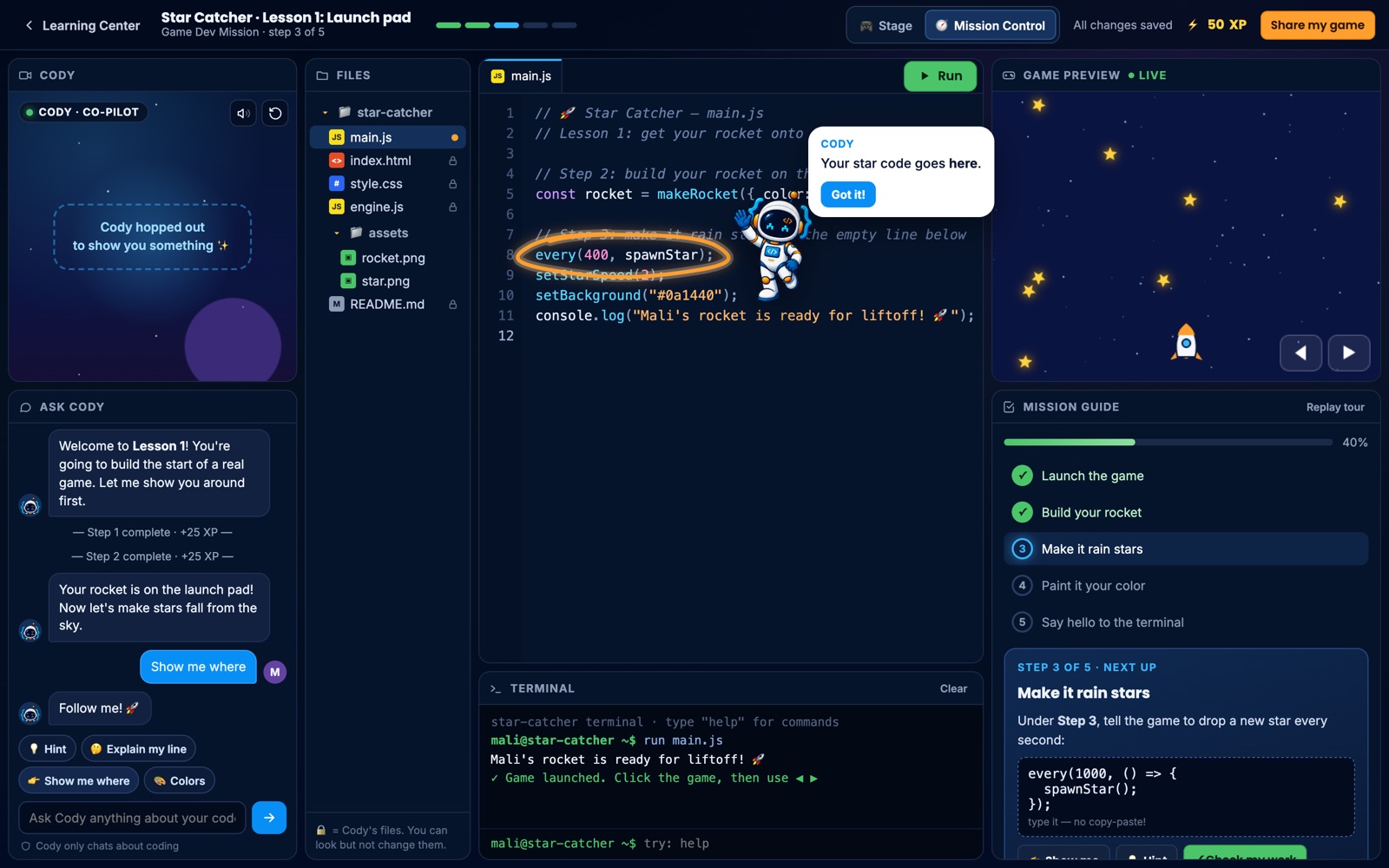
The ideas on this page are what they work with. In Thruster Trouble, the second episode, Cody, the fully voiced robot co-pilot, circles the line that moves the ship, rocket.x __ 10, and hints that left uses -= to take away from x. Your kid works out what right needs. Cody explains each new word just after your kid has watched it work, so every explanation lands on something they've just seen happen. A wrong line plays out on screen, sometimes hilariously, before she explains what went wrong. Her hints point to the right line without handing over the answer, and she steps back as your kid gets stronger.
The story keeps the questions coming. Your kid wakes a nervous robot, rebuilds a starship called the Star Catcher and helps relight the Great Beacon, and every episode breaks off at a cliffhanger. Over five episodes, about two hours at their own pace, they build a real arcade game: arrow keys to steer, a score, levels, sound and a boss of their own design. That's inputs, rules and drawing, in a game they made. Nothing in it shows ads or lets a stranger chat with your kid. Your PIN guards the Parent Corner, where you can follow each step and sign-in. A single $29.99 gets the family all five episodes. There's no subscription.
See what your kid will type, what it moves and the arcade game it adds up to.
See how Star Catcher worksQuestions parents also ask
What if I'm not technical myself?
You don't need to be. The loop, the numbers and the if-then rules on this page are the whole explanation, and you can say them without writing a line. When they ask something you can't answer, say "let's find the number for that" and look together in a project's See inside view. Your part is the questions: what did you expect to happen, and what happened instead?
What programming languages are video games written in?
Big console and PC games are mostly written in C++, often on the Unreal engine, and games made with Unity use C#. Roblox games are scripted in Luau, a version of Lua. Minecraft's Java Edition is written in Java, and games that run in a web browser use JavaScript. All of them run the same loop of inputs, rules and drawing, so what a kid learns in one language carries over.
How do the enemies in a game seem to think?
With rules, checked on every pass just like the player's. A guard walks back and forth until the player comes within a set distance, then turns and chases. The four ghosts in Pac-Man each choose where to head in their own way, which is why one corners you while another seems to wander off. Big games stack many more rules, and the first kind is one a kid can write in an evening.
What does the console or computer itself do?
It runs the loop. The main processor follows the code, reading the controller and applying the rules on every pass. A graphics chip does the drawing, filling in every dot on the screen. The controller turns each press into a signal the processor can read, and the speakers play whatever a rule calls for. A faster machine fits more rules and more detail into each pass.
Was this answer helpful?
What was missing?
Sources
- Anatomy of a video game, MDN Web Docs (Mozilla) ↩
- Grade 5: Geometry (Common Core State Standards for Mathematics), Common Core State Standards Initiative ↩
- States of curiosity modulate hippocampus-dependent learning via the dopaminergic circuit (Gruber, Gelman and Ranganath, Neuron, 2014), Neuron, via PubMed Central (US National Library of Medicine) ↩
- Teaching computer programming with PRIMM: a sociocultural perspective (Sentance, Waite and Kallia, Computer Science Education, 2019), University of Glasgow (Enlighten) ↩
Keep reading
More in Coding and making CodingI'm not technical. How can I help my child learn to code?You can help without knowing any code. Let a good course do the teaching and make yourself the audience: ask your child to show you how their program works, and praise the effort.
 ScreensMy 10-year-old only wants to play video games. Should I worry?Usually not. Loving games at 10 is normal, and most kids who game never develop a problem.
 CodingMy 10-year-old daughter loves building things but says coding is for boys.Act now, while the idea is new. In Microsoft's survey of 11,500 European girls and young women, most girls' interest in STEM took hold around age 11½ and began to fade by 15.
 Coding“My son can tell me what he clicked in coding class, but not why. I can't tell if he's learning anything.”Ask him to explain one line he wrote: what it does, and why it's there. If he can, he's learning. If he can only retrace the clicks, he's following steps.