I wish I'd learned to code as a kid. Where should my child start?
Short answer
Pick by what your child can type and wants to make.
Not typing yet: Scratch or a free Code Club. Into games: MakeCode Arcade, or Star Catcher, our typed-JavaScript story. From about 9 or 10, Python or web pages.1 The order matters little: in a 15-week study of 14-to-16-year-olds, blocks-first, text-first and hybrid starters scored about the same.2
Is it silly to want this so much for my kid?
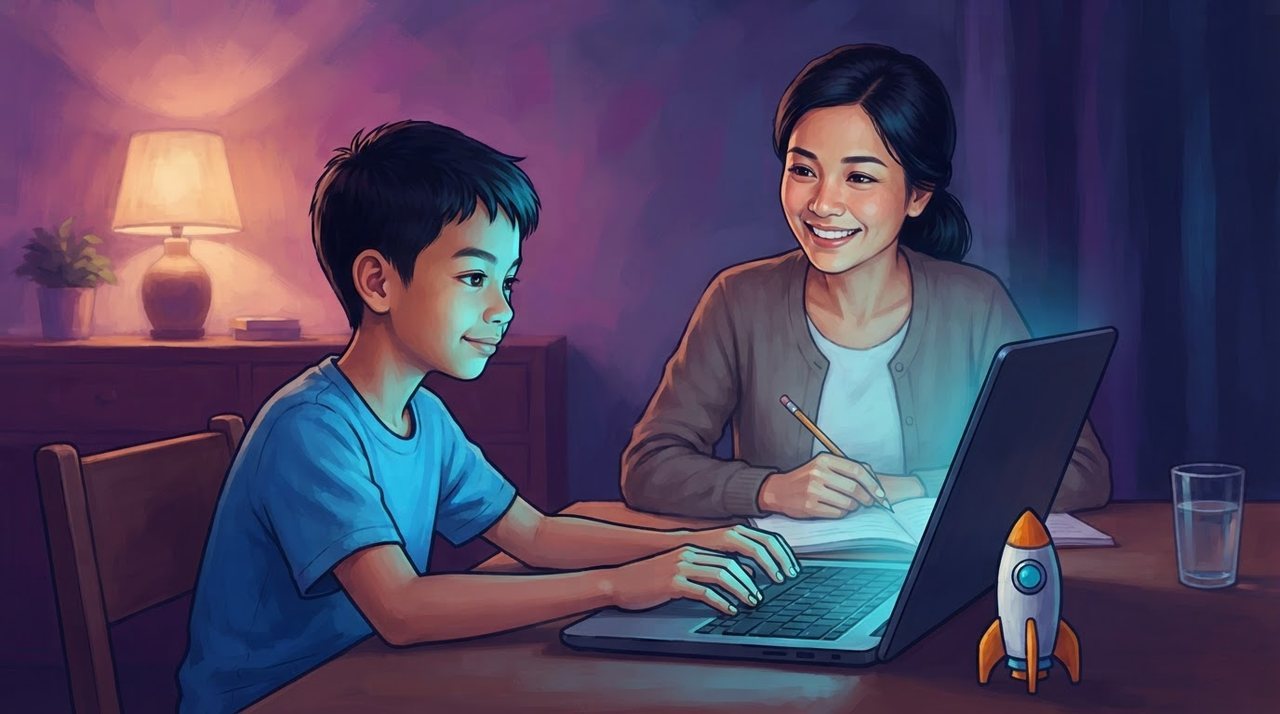
No. It's one of the most useful things a parent can want, and it usually starts with a small question. He asks how the game knows his character got hit, and you open your mouth and find you don't know. You use a computer all day. You have never once told one what to do. That's the thought that brought you here: I wish someone had shown me how computers really work when I was his age.
Maybe you remember the computer room at school: typing drills, a paint program, a teacher guarding the printer. Nobody opened the box. Now you want to open it for him, and the internet answers with forty apps, three languages and a summer camp priced like a holiday. The rest of this page sorts that pile by the two things that decide it at 8 to 12: how old your kid is and what their hands can type.
Does it matter which one we pick first?
Less than it feels like at 11 p.m. with nine browser tabs open. A first tool mostly shapes how confident your kid feels early on; what they end up knowing evens out. David Weintrop of the University of Maryland ran a 15-week study in American high schools comparing block-based, text-based and hybrid tools, where a hybrid shows the same program as blocks and as text side by side.2 Its 90 students, aged 14 to 16, were split into three groups taught by the same teacher, and after five weeks in their first tool, all of them were taught Java for ten.2
The blocks group scored higher at the five-week test, but by the final test after 15 weeks, all three groups' scores were roughly equal.2 As the Raspberry Pi Foundation's write-up puts it, starting with blocks "did not hamper students' transition to text-based programming."2 The hybrid group did best overall.2
Those students were teenagers. We'd read it the same way at nine: among starts that fit his hands, there's no wrong door. What your own childhood lacked was any door at all, and someone to show you that the machine does what you tell it. So the question to settle is which start your kid will walk back through next week.
What does a false start cost?
Mostly confidence, and early. In the same study, the group that began in typed text felt less positive about computing at the five-week mark than the hybrid group, then warmed up over the following ten weeks;2 the blocks group started out very positive and had cooled by week 15.2 A teenager in a class has a teacher to carry them through that dip. A 9-year-old at home has you, and an app he can close.
Here's the trap for a parent with a regret. Making up for lost time, you buy the serious thing: the grown-up Python course, a whole term of Saturday classes, the language your colleague swears by. He hits a wall of brackets in week one and decides he's "not a computer person", the same sentence you once told yourself.
This is fixable, and 8 to 12 is a fine time to fix it. Marc Scott of the Raspberry Pi Foundation, who has taught children as young as five and adults as old as seventy, says that "there is no correct age at which a child can begin coding."1 He didn't start programming himself until his late thirties.1 A false start at 9 becomes a funny story, as long as the second start fits.
Why do the obvious first moves backfire?
Because they're picked to settle the parent's regret, and a kid of 9 can tell whose project it is. The usual ones: choosing the language you wish you'd learned before anyone asks what he wants to make. Stacking three starts at once, an app, a kit and a class, to win back the years you lost. Putting it off until you've learned enough to guide him, which tends to mean a course of your own, abandoned two lessons in. Or taking whatever tops a "best coding apps" list, which ranks apps and knows nothing about your kid.
What works is choosing for the kid in front of you rather than the kid you were. Two facts about him settle most of it: what his hands can manage this month (blocks if he still hunts for keys, typed code if he doesn't) and what he'd make if nobody steered him. The third fact is about you. You can't answer his questions yet, so the start has to bring its own help: mentors at a club, step-by-step projects, or a guide built into the course. And keep the Raspberry Pi Foundation's rule for any age in view: "above all else, coding should be a fun activity for kids."1
So where should a kid of 8 to 12 start?
Pick by two things: whether your kid can type a sentence without hunting for every key, and what they want to make. Toy robots such as Bee-Bot are for younger children, from about age four;1 at 8 to 12, start with one of these. They're sorted from dragging to typing.
- Scratch (drags blocks; from about 6). Kids snap together colored blocks to make animations, stories and games, and share them in a community the Scratch Foundation describes as "safe, moderated."3 The Raspberry Pi Foundation says children can begin exploring it from about six.1 You open it in a browser, and "Scratch is free for everyone."3 Best for an 8- or 9-year-old who doesn't type yet, or who wants to tell stories more than build games.
- A free Code Club or CoderDojo (blocks or typed, with other kids). These are the Raspberry Pi Foundation's club networks, which exist "to introduce children to the world of coding for free."1 Best for the kid who does everything better with friends around, and for a parent who'd like someone else to field the questions. Look up whether one meets near you.
- Microsoft MakeCode Arcade (blocks first, then JavaScript or Python; for the step from dragging to typing). Microsoft calls MakeCode "a free online learn-to-code platform where anyone can build games, code devices, and mod Minecraft,"4 and its Arcade editor makes retro-style arcade games. When the blocks feel easy, a kid can "flip into text-coding mode" and keep going in JavaScript or Python.4 Best for the gamer who still wants blocks but likes knowing typed code is one click away.
- Star Catcher, from Codestronauts (types real JavaScript; 8 to 12; ours). A five-episode space story in which every line a kid types moves the adventure on, from waking a robot named Cody to finishing an arcade game they built. Best for the kid who can type a little and needs something pulling them back next week. Cost: Episode 1 free, then $29.99, paid once. Nothing to install: a web browser on a computer runs it, and so does a phone. The full picture is further down.
- The Raspberry Pi Foundation's Introduction to Python path (types Python; from about 9 or 10). The Foundation says typing is often good enough for text-based languages at around nine or ten,1 and its free Python path lets children keep "creating graphics while they program, as they are used to doing in Scratch."1 Best for a patient 10- to 12-year-old who likes working through steps alone.
- The Raspberry Pi Foundation's Introduction to Web path (types HTML and CSS; 10 to 12). Its free web path "will let them build their own simple websites."1 Suits a kid set on having a page of their own: a fan site, a collection, a club of two.
A quick key: not typing yet, start with 1 or 2. Wants to make games, 3 or 4. Types and wants a story to keep them at it, 4. Likes solo projects, 5. Wants something to show friends on the web, 6.
What can I do this week, even though I never learned?
- Write down what you wish you'd had at his age. Then cross out anything that's about you, like the language your colleague uses or a certificate. What's left (usually someone to show you, and a reason to keep at it) is the brief for his start.
- Run a one-sentence typing test. Ask him to type what he had for lunch. If he hunts for every key, start with blocks this month and practise typing beside it. If it flows, go straight to typed code.
- Choose one row and give it a month. Skip the urge to run Scratch, a class and Python side by side. One start, four weeks, then judge.
- Tell him why it matters to you, once. "I never learned this, and I always wished I had." Kids like hearing what their parents missed, and one sentence is plenty. After that it's his.
- Give it a slot that belongs to him. Saturday morning before the games come out, or the half hour after homework, the same each week, so it never waits on anyone's mood.
- Judge at four weeks by one sign. Does he open it without being asked? Then keep going. If he doesn't, try the next row on the list before anyone decides coding isn't for him.
How will I know the start has worked?
When your kid reaches for code to fix a problem nobody set him. Ton is eleven and invented for this page. He types well, plays for an under-12 football team and has opinions on every score. His dad never learned to code, and picked the web path from the list because Ton kept complaining that the team's results got lost in the parents' group chat.
The first weekend, Ton made a page with the team's name in huge letters, in the green of their shirts. The next, he added a table of results and spent an hour finding out why one row sat crooked: a tag he'd opened and never closed. In week four, the coach posted the wrong score in the chat. Before any grown-up replied, Ton wrote, "Hang on, I'll fix it on our page."
His dad read that line twice. Ton hadn't asked anyone for help or permission. To him, the computer had turned into something he could change, and that's the start his dad had wished for.
Star Catcher: a first start that opens the box
Codestronauts was built for this wish. Our founder, Jonathan Greene, wrote his first code at 8, went on to more than 17 years as a software engineer and is an inventor on more than 50 U.S. patents; he's also a dad of two. Codestronauts' first mission, Star Catcher, is a space adventure made for ages 8 to 12, in which every line your kid types moves the adventure forward. The opening episode, Wake Up, Cody, runs about 15 minutes: your kid starts by pressing Run, and the line waiting in the editor wakes a sleeping robot named Cody. The very first line they type on their own builds the ship. After that, the pull to come back is part of the story: Cody can't get the starship flying without your kid, the Great Beacon stays dark until they finish, and each episode breaks off at a cliffhanger, so Thursday's session is the one where they find out what happened. That pull is the part most tools on the list leave to you.
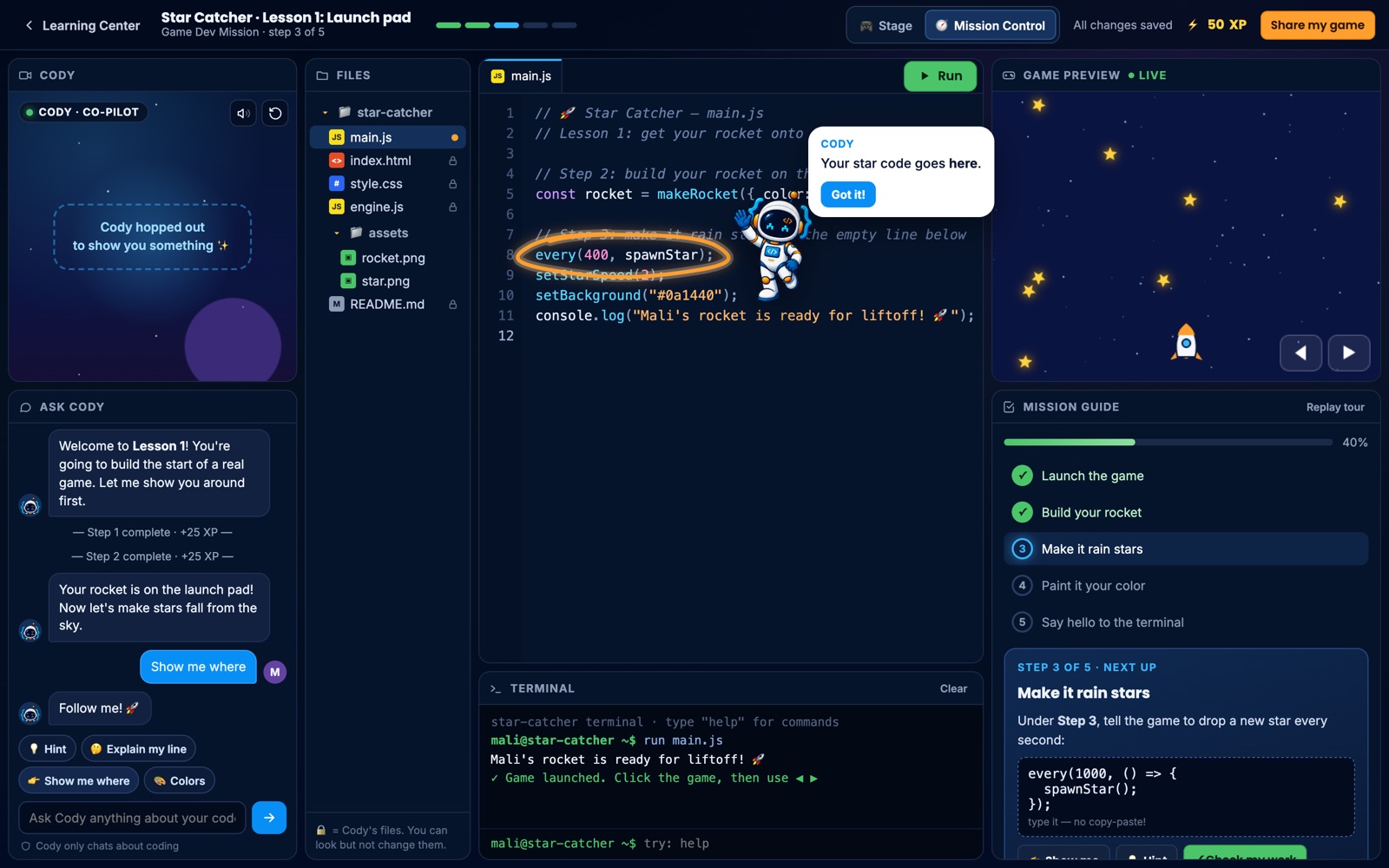
For a parent who wishes someone had shown them how it works, nothing here stays magic. Every new word gets its explanation from Cody the moment your kid sees it run, and a mistake shows up as something going wrong on screen, usually a funny something, before she explains what happened. Her hints come first, and she helps less as your kid needs less. The mission is five episodes your kid takes at their own pace, about two hours of play, and it ends with a real arcade game your kid built, down to a boss they designed themselves, levels to climb, a score, sound effects and arrow-key controls. You hold the account, and a PIN guards your Parent Corner, where you can watch each step and every sign-in. Episode 1 is free with no card needed; the four episodes after it cost $29.99, paid once, with no subscription.
See the mission your kid would start with, the robot who needs them and the five episodes it runs through.
See how Star Catcher worksQuestions parents also ask
My kid still types with two fingers. Can they start now?
Yes, in blocks. Scratch and MakeCode's blocks need a mouse, not typing speed, so a two-finger typist can build real games today. The Raspberry Pi Foundation finds that at around nine or ten, children's typing is often good enough for text-based languages.1 Practise typing on the side, and move to typed code once a sentence comes easily.
Do I need to catch up on coding before my kid starts?
No. Every start on the list teaches from zero, so your job is choosing one, protecting its slot in the week and noticing what comes out of it. If the regret still itches, start your own beginner course on your own account after bedtime. Keep it separate, so your kid's start stays theirs.
Is a paid course worth it when so much is free?
The free starts here are excellent. Pay when you want what free tools rarely include: a guide who explains each new word as it appears, help when your kid is stuck that doesn't depend on you, and a story that pulls your kid back on its own. Star Catcher has all three, and Episode 1 is free to start.
Was this answer helpful?
What was missing?
Sources
- At what age can a child start coding?, Raspberry Pi Foundation ↩
- Block-based programming: does it help students learn?, Raspberry Pi Foundation (Sue Sentance, on David Weintrop's research seminar) ↩
- Scratch | Scratch Foundation, Scratch Foundation ↩
- Microsoft MakeCode, Microsoft ↩
Keep reading
More in Coding and making CodingI'm not technical. How can I help my child learn to code?You can help without knowing any code. Let a good course do the teaching and make yourself the audience: ask your child to show you how their program works, and praise the effort.
 CodingMy 10-year-old has outgrown Scratch. What should he learn next?Typed code, in a tool that keeps giving him things to show. Python is the usual answer, and a good one. For a ten-year-old game builder we'd pick JavaScript, because his games open in any web browser.
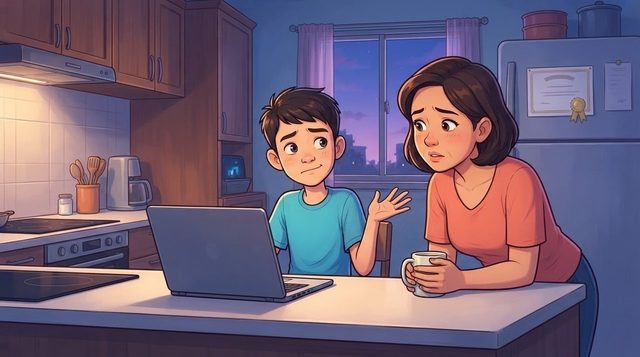 Coding“My son can tell me what he clicked in coding class, but not why. I can't tell if he's learning anything.”Ask him to explain one line he wrote: what it does, and why it's there. If he can, he's learning. If he can only retrace the clicks, he's following steps.
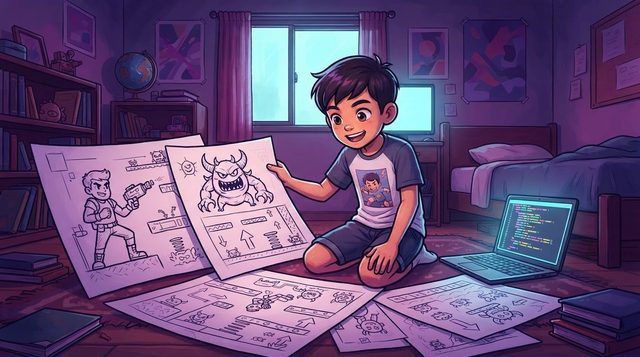 CodingMy son wants to make his own video game. Where should an 11-year-old start?Start with one small game he can finish this month, in real typed code that runs in a web browser, such as JavaScript, plus a reason to come back when week two gets hard. Eleven is an early start.